Yeah, tools in the ssh, scp, s* category definitely beat ancient technology like telnet and used correctly they are a useful alternative to NFS too.
4 Likes
Ugh - I deleted a lot of important files from my backup with the stupid use of an rsync option (–delete-excluded) I was thinking it would only delete what was on the excludes list. But no, it deletes everything that’s not in the source directory.
Fortunately, I had a backup of my backup, which saved the day.
5 Likes
“Fortunately, I had a backup of my backup, which saved the day.” That’s THE WAY to do it, and I practice what I preach. For me, most of my online content is where I find, and even document things, so I can re-create most of my systems simply by installing or reinstalling from USB removable drives. On the systems where I actually save more content, I back up that content periodically. Today, as a matter of fact, I restored a system that worked but was behaving in a funky way. The restore not only brought it to a current state, equivalent to what I replaced except it works cleanly; I’m using it now in fact.
5 Likes
Yes! Nowdays all modern Linux Distro are on nfs v4.
I still prefer using Samba for development purposes, where need to share folders between Linux and Windows. For what I’ve tried itt’s more compatible and consistent
4 Likes
Now I’m making backups of my backups of my backups. A cascade of backups, if you will, from my desktop, to the dedicated Debian 13 nfs server, to storage on 2 other Debian machines and a FreeBSD machine. Plenty of backups if anything ever goes wrong.
BTW I reconfigured my dedicated nfs server to serve nfsv4 only and specify v4 on my desktop, and a dbench test on the client showed a surprisingly big performance increase.
1 Like
I have connected google drive using rclone. And I have a back up scrip running. Crontab ensures hourly back ups.
I also have a Sony HDD  as a hard back up.
1 Like
It’s weird that Google doesn’t even offer a Linux client for google drive. Even my Yandex drive has an official Linux client.
1 Like
Agreed! I used to use overGrive because it was a on time fee.
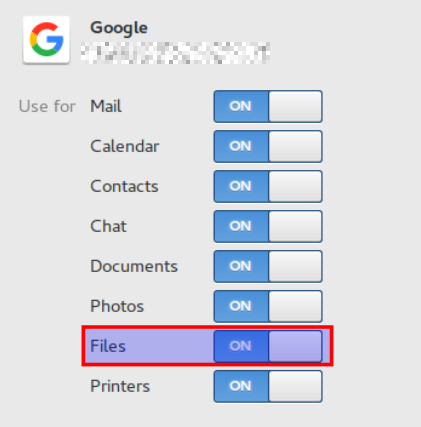
But now Gnome has built-in Google Drive sync, so I just use that:
1 Like
Interesting. OverGrive mentions Debian, Ubuntu, Mint. I use MX KDE, so it should work.
1 Like
Yes, I noticed that the website address has changed. Used to be under this domain:
Maybe they seperated, or sold it.
1 Like
Could you explain? I thought we needed rclone to sync google drive .
1 Like
Murphy’s Law says that the more thorough your backups, the less chance you will ever need to use them. 
2 Likes
Can you sync Google Drive with anything that works with their api/auth.
“Murphy was an ‘optimist’!” That’s what I HEARD anyway! 
2 Likes
Long story short, I (not very often) dd the whole hdd to have ‘drop-in’ bootable copy of my system. Since then I (more often) just rsync home directories.
3 Likes
In the end I disbandoned all the huge “strategy” and go on…
for my backups nowdays I’m using:
- Timeshift as main Linux backup
- Borg / Vorta for backking up some Linux sensitive folders and files
- AOMEI licensed for backking up my Windows
Nothing more. I think btw it’s more the enough
4 Likes
Timeshift is available on the distribution that I typically use; as I’ve said more than once, I adopt a somewhat different strategy, using a combination of Web-based information, system snapshots placed on external USB, system replication on multiple hardware platforms, and in this way, I have multiple backups and no one single point of failure. Unconventional without a doubt, but it’s worked for me for a surprisingly long period of time.
4 Likes
I posted earlier a little bit about how I do backups in another topic, but this topic is a better place and I think I can elaborate a bit more how I store it:
I only backup my /home partition (only the important directories) and some /etc files that I changed from the default. Everything else can be retreived by a simple reinstall.
I don’t use backup software. I use cp -au $HOME/{dirlist}/. /media/$USER/backup1 (not the exact command but you get the gist) to an external 2.5" USB3 HDD. I mirror this HDD periodically to a second external 2.5" USB3 HDD. Both HDDs stay offline and are kept in physically separate places.
It is not perfect, but I guess good enough and I’m willing to take the remaining risk. 
4 Likes
I just back up /home with Deja Dup though I’ve also backed up using Grsync the last few times also (first one took a while!) and I do that twice a week.I guess if there’s a strategy to be found here is that maybe two is better than one!
4 Likes
@tkn I think that you have a very good approach since it works for you!
There are many ways to back up the system. The important thing is to create a backup that allows you to recover to a working environment after a failure. I believe that your approach will do just that.
4 Likes