Let's talk about web browsers

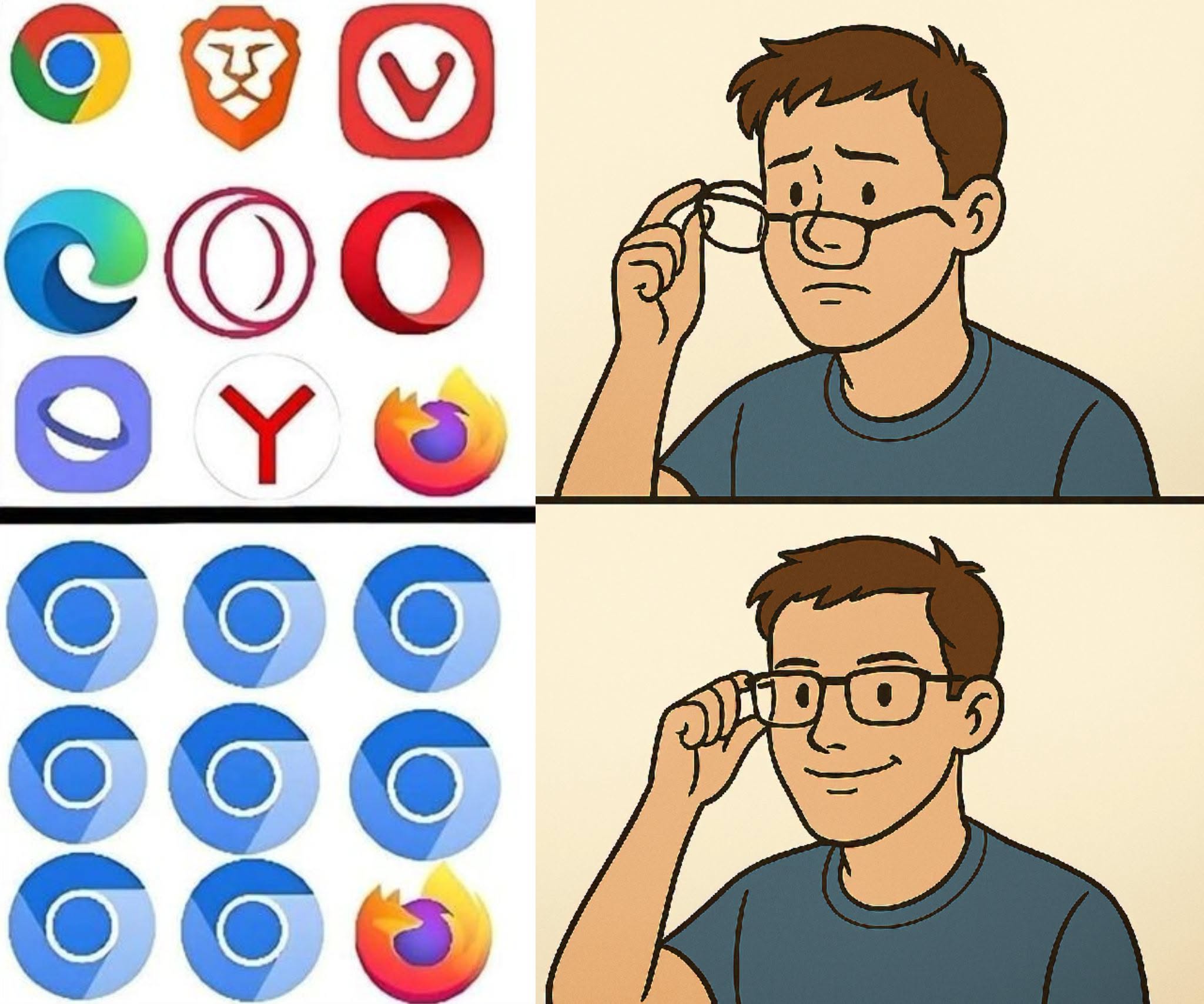
I came across this recently:

And yes, it’s probably better and funnier as a meme, but it holds an actual truth: how many browsers are actually based on Chromium.

I know there are a few browsers based on Firefox, but those are very small, specific.

The ugly truth is that most web browsers are based on Chromium.

There are a few not based on or forked from the big ones: Ladybird seems to be the most advanced project.

This is not about what’s the best browser; I was going to post this as a funny meme but got me thinking; makes no sense to me that all those supposedly enemies are using the same engine as a base for their browsers.

What do you think?

6 Likes

chromium is a standard
and alternatives doesn’t make something challenging

Blink engine great
Webkit good
Gecko good

web specifications all implemented
but as high level picture of the web browser they don’t put effort
brave opera vivaldi are ( different DE for the same the distro ) ahh sound

keep in mind chromium lack modulating
hard to mod edit optimize integrate new stuff replace code


I believe In the future web will be API and web runtime only.

3 Likes

I think I will stick with Firefox.

7 Likes

Been following that project. Interested to see what the September blog report will have to say.

4 Likes

I mean, developing a web browser engine is an absolutely insane amount of work. A browser these days is essentially an operating system, thinking of all the things it can do and must support. For most companies (who want to generate revenue) developing their own engine at this point is not a feasible option, so they use the most-used one, which is Chromium. I agree with you that the current landscape is not very desirable (it’s never good to have one browser essentially dominate like this, also makes me think of when IE was this dominant). That’s why I strongly support Firefox.

8 Likes

Even though I have many Web browsers, including Ungoogled Chromium - that’s Chromium minus the Google tracking and callback functions, which lightens it up quite a bit. That doesn’t stop me from keeping at least one Firefox instance on my systems!

6 Likes

My installed browsers and what they are based on:

Mullvad → firefox
Librewolf → firefox
Torbrowser → firefox
Brave → chromium
Opera → chromium
Netsurf → Netsurf
Falkon → QtWebEngine (chromium)

EDIT: added/corrected missing info

9 Likes

I want a top tool bar. No Chromium based browser I know of offers that. I also can customize Firefox with about:config which I always do. So firefox, firefox esr, waterfox, and librewolf are my browser choices.

As far as lightweight and speed, they are all fast enough for me, I remember Win 3.0, dial up and Internet Explorer.

about:config is an internal address in Firefox that allows users to access advanced settings and preferences. You can type or paste it in the address bar and press Enter to load the Configuration Editor.

8 Likes

I’m not certain of exactly what you are looking for. I just checked Firefox, Google Chrome and Ungoogled Chromium. All three have all of the navigational stuff, including what I’d consider a toolbar, so please explain to me precisely what kind of a toolbar - what elements are in - the toolbar you desire?

5 Likes

Interesting thread here with speed comparisons: https://www.reddit.com/r/browsers/comments/1kbg5m8/i_tested_the_speed_of_all_the_browsers_and_here/

2 Likes

I use Firefox primarily but I also have ungoogled Chromium. As much as I like Firefox, it is an unfortunate reality that many websites simply do not work, work inconsistently, or work poorly on Firefox-based browsers. A symptom of the sort of monopolization of the web by Chrome. Sometimes it is just easier or more consistent for some sites if I switch to the Chromium browser.

4 Likes

Awesome points across the board here, especially from @Halano and @andreas. Here is my word wall salad take:

I’ll be the first to admit the hypocrisy of my daily driver: I run Brave. Even acknowledging the “different DE on the same distro” reality, raw pragmatism wins out when you actually have to get work done. I wipe, reinstall, and hop operating systems frequently across different machines for my work. Brave’s sync not requiring a centralized cloud account, just scanning a phrase/QR to bring tabs, history, and settings over instantly, is genuinely painless. Pair built-in Shields with a network wide Pi-hole, and 95% of the bloated, tracking-infested modern web gets stripped away before it ever hits the screen.

My thoughts on this pull back to a more holistic view to the problem that our current defense is entirely reactive, and the walls are closing in.

Between platform integrity APIs, corporate lobbying, and legal pushes aimed at treating ad-blocking or client-side DOM modification like unauthorized tampering, big tech is actively trying to make it impossible (or outright illicit) to render web content on the client’s own terms. They want the browser to be an immutable corporate terminal, not a User Agent.

Halano is dead right that the web is decoupling into APIs and runtimes. But instead of playing an endless defensive game of whack-a-mole stripping junk off pages designed to manipulate us, the open-source community (in my opinion) needs to get aggressively ahead of the curve.

The next iteration of browsing isn’t going to be about rendering 40MB of tracking telemetry and layout shifting just to read 500 words of text. With local inference, open-source models, and local search, our “browsers” should act as actual agents for us:

  • Ingesting raw, non-scraped data feeds directly.

  • Stripping the presentation layer completely at the protocol level.

  • Serving the user exactly what they queried for, rather than what an ad exchange or algorithmic feed wants to shove down their / our throat.

If open source doesn’t establish the standards for an open, agent-friendly, decentralized ingestion layer now, the corporate consolidation pincer move will finish the job. They’ve already proven they will manipulate search visibility, gatekeep APIs, and warp what people see to suit monetization and political leverage. We don’t just need alternative rendering engines - we need an open standard that treats the internet as an open information utility rather than a corporate billboard. (imho)

10 Likes

What I consider a tool bar:

top tool bar

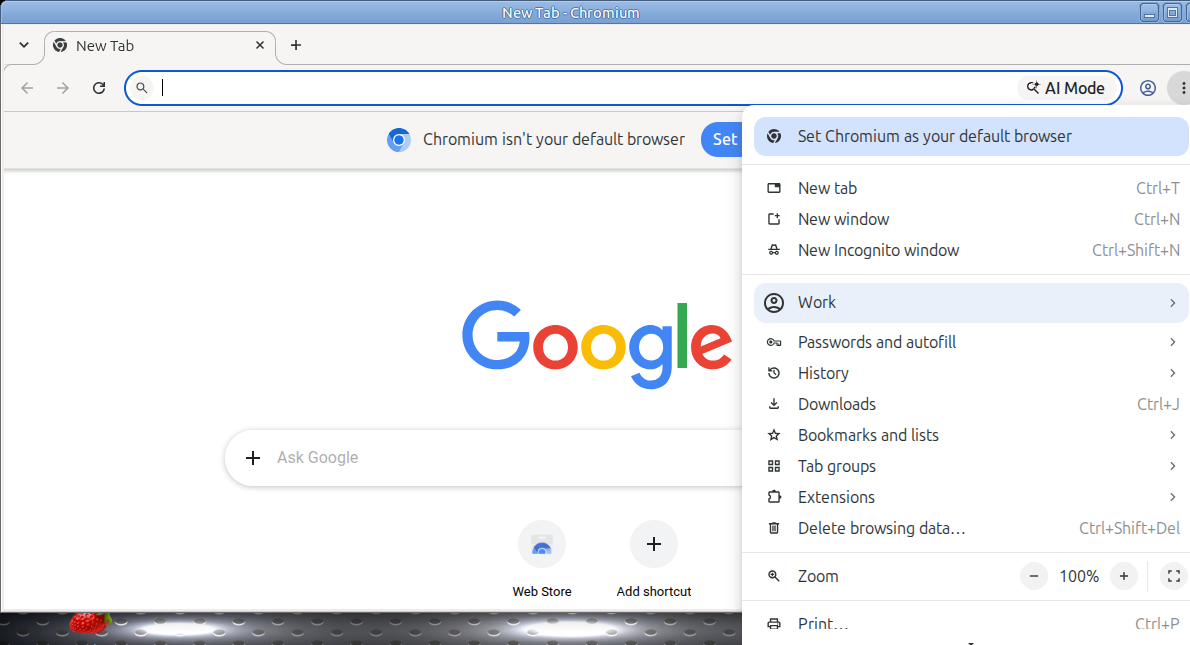
What Chromium gives you, which is no toolbar:

I am a casual user, web browsing, email, listening to music, some work with editing .pfds and pictures, I am a traditional user, so use Ubuntu Mate. I don’t like the Yaru theme so install the older themes and use TraditionalOK. Firefox based browsers all use the same addons, which I want and find convenient. About:config let’s me edit firefox, firefox est, Waterfox and Libre Wolf, all a bit differently as I use them for different purposes. I have used Firefox since it came out in 2004. I used Palemoon for a while but it changed from Firefox based and lacked the addons I wanted and need so I gave it up. I don’t have a problem with Firefox on the sites I use. I see no reason to change. If you want to go without a toolbar, Firefox gives you that option too.

I don’t ask anyone else to use what I use, as a matter of fact my wife uses Windows and Chrome. She can basically turn her laptop on and off, and I help her with anything else so I am familiar with Chromium based browsers and have tried using them. I have not been impressed, they are just not for me.

I also eschew Google, I know there is ungoogled Chromium but it’s still not for me. I actively block google with addons in every-way I can. I do have a gmail account because I have an android phone and am to frugal (cheap) to buy an Apple phone. I don’t have the technical knowledge to install a Linux OS on my phone. So I avoid Google as much as possible, which isn’t easy.

That is it.

10 Likes

I’m in the same boat as a lot of you. Firefox on my Linux machines, Chrome on the Windows side, mostly because a few sites I need for school and a couple government portals just behave better on Chromium. Which kind of proves the meme’s point.

The part that gets me, as someone still in school for IT, is that the monoculture is honestly convenient on the support side. One engine means one thing to test against, one set of quirks, one set of fixes. And that’s exactly how we ended up in the IE days. Everybody built for the dominant browser because it was easier, right up until it wasn’t.

@andreas nailed why nobody builds their own engine. It’s basically writing an OS at this point. That’s why I’m rooting for Ladybird even though I won’t be daily driving it anytime soon. Having one truly independent engine out there keeps everybody a little more honest.

On Brave, I get @MadGoat’s take. Shields out of the box is legit good, and the sync without an account is a nice touch if you hop machines a lot. The crypto stuff and a couple of past controversies make some people side eye it, but most of that can be switched off. For somebody who needs Chromium compatibility and doesn’t want to babysit extensions, it’s hard to argue with.

Since this turned into a browser roundup, here are a few security focused ones that don’t come up much:

Trivalent from the secureblue project. Hardened Chromium for desktop Linux that ports over the patches from Vanadium, the browser GrapheneOS ships. The devs are upfront that it’s a security browser, not a privacy browser, which is why they won’t bring back Manifest V2. Catch is it’s built for the Fedora family only.

Mullvad Browser. Basically Tor Browser without the Tor network, built with the Tor Project. The whole idea is making every user look the same so fingerprinting has nothing to grab onto. Pair it with any VPN you trust.

Cromite. The successor to Bromite. Chromium with ad blocking and anti fingerprinting baked in, and it runs on Linux, Windows, and Android.

Arkenfox. Not a browser, it’s a hardened user.js config for Firefox. If you’re already living in about:config like @Jymm, this is the deep end of that pool. Fair warning, it will break some sites until you tune it.

Funny part is most of the hardcore security browsers are Chromium based too, because a lot of security folks consider Chromium’s sandboxing and site isolation stronger than Firefox’s. So even the people trying to escape Google’s influence are building on Google’s engine. Kind of the whole thread in one sentence.

And +1 to @Jymm on about:config generally. Being able to actually change how the browser behaves instead of just picking a theme is a big reason I keep coming back to Firefox.

7 Likes

I agree and about the only browser I used that is worse then MS Internet Explorer is MS Edge. It took over my wife’s computer. You couldn’t remove it, it defaulted to Edge even though we set up another browser as the default I looked up and used the terminal to remove it and it was still there. I manually removed Edge and I edited the registry. Edge still popped up.

4 Likes

Most webdesigners seem to forget that there is a W3C standard, supported by all browsers.

If they would just keep to the standard then we wouldn’t have this “works on some browsers but not on others” disaster.

A friend of mine showed me what you can do with standard compliant HTML5. I was pretty much blown away by that.

Really, there is absolutely no need for all those ‘works only on our choice of browser’ crap. When will they ever learn to use open standards ? :roll_eyes:

7 Likes

I have Chromium installed specifically to use Microsoft Teams (sometimes I get an invite to a meeting there), it’s ridiculous how it just doesn’t work properly at all on Firefox.

100% agree with @tkn

3 Likes

That why I started to use the teams-for-linux app. A couple of organizations that I’ve been working with have switched from Zoom to Teams.

5 Likes

I had problems with that too, unfortunately. I should not have many more meetings in Teams, so I think I’ll stick to Chromium for now. Thanks for the recommendation though!

3 Likes

Okay, gotcha now.

These are also good points.

I had another browser in mind; Helium:
"Helium is a Chromium-based browser focused on privacy and minimalism. It blocks ads, trackers, phishing sites, and third-party cookies by default using built-in community filters and uBlock Origin, with no setup required. On first launch it makes no background network requests unless you act, and its compact, distraction-free interface is designed to stay fast and lightweight over long sessions.

Despite its simplicity, Helium adds useful power features. It supports split-view browsing, fast link copying via shortcuts, and standalone web apps without duplicating Chromium internals. All Chromium extensions are supported, including Manifest V2, and installs from the Chrome Web Store are anonymized. With over 13,000 “!bangs” shortcuts, you can jump directly to sites and services from the address bar.

Privacy is baked into every decision, including what is left out: there is no AI assistant and no crypto wallet, and the project says plainly it does not want either. Helium is fully open source, enforces HTTPS, and supports Passkeys. There’s no built-in password manager or cloud sync by design, keeping sensitive data local. For users who want Chromium compatibility and extensions without Big Tech tracking, Helium is a clean, no-nonsense alternative."

"Floorp is a passion project from Japan that answers the question: “What if Firefox was as customizable as Vivaldi?” Built on the Firefox ESR (Extended Support Release) base, it retains the privacy and engine of Mozilla but unlocks the interface, allowing for vertical tabs, multi-row tab bars, and flexible sidebar panels.

It is community-driven and open-source, ensuring transparency. Users love it for features like “Workspaces” (grouping tabs) and its ability to completely restyle the browser chrome. It fully supports the Firefox extension ecosystem, so you don’t lose your favorite add-ons.

Because it is a smaller project, it may not receive day-one security patches as instantly as mainline Firefox, though the team is very active. For users who love the Gecko engine but feel constrained by Firefox’s default interface, Floorp is the perfect middle ground."

5 Likes