I would like to present you Yetty (yetty.dev) terminal emulator we have been working on last couple of years. Soon it is ready to be released for production.
As described on the GitHub repo, yetty is much more than a classical terminal emulator or their modern clones.
Hope you enjoy. Your feedback is welcome on the GitHub Discussion board.
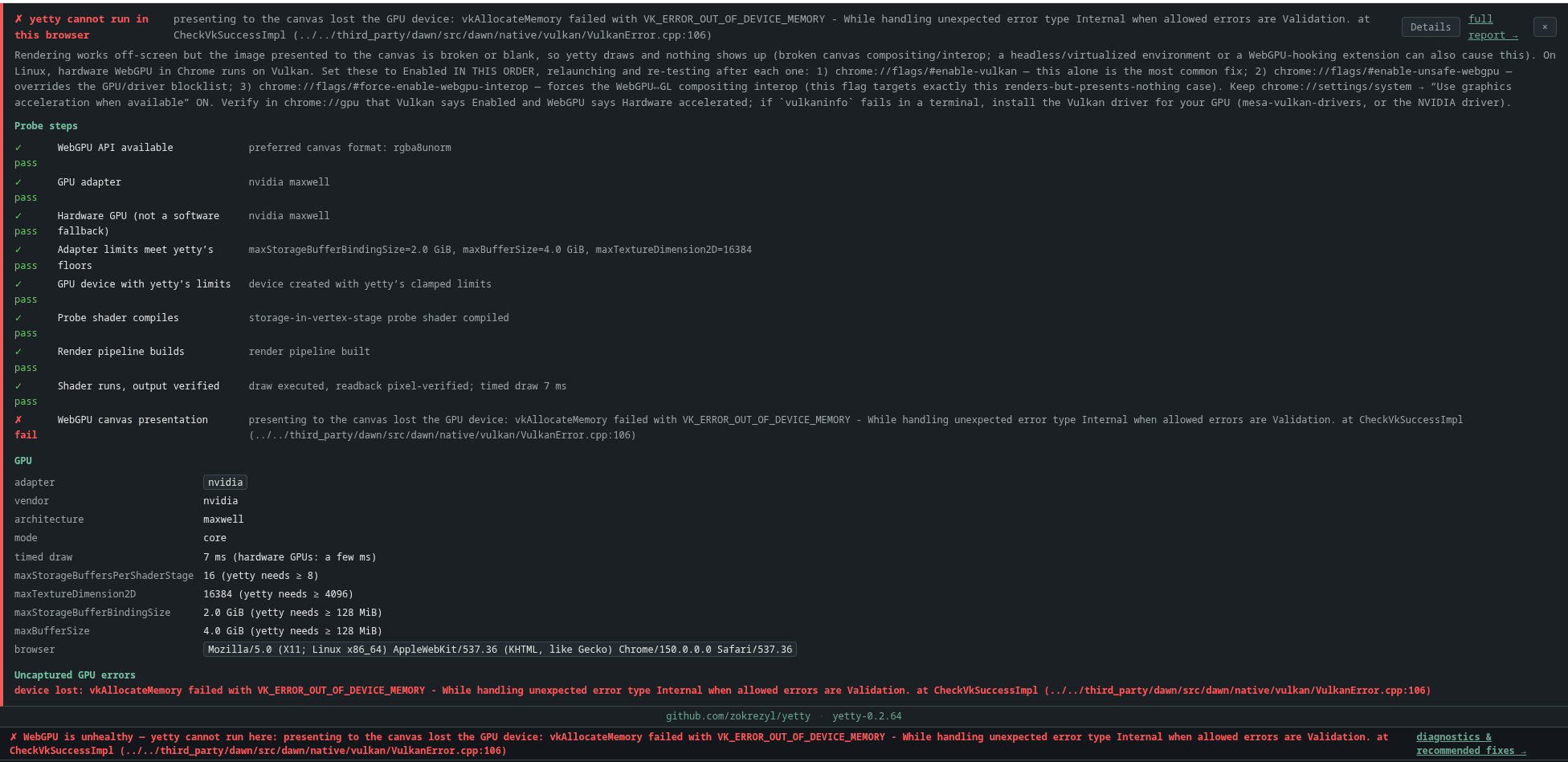
Thanks! Look at the instructions of the error message! Chrome is not activating by default webgpu for all gpus! If you are determined to run it (which I hope you are), set chrome://flags enable-vulkan, if that does not fix, enable-unsafe-webgpu etc. (see error message)
make sure the vm has gpu. Software rendering may work well for both windows and linux, but your perception may be biased by the vm, unless you have good amount of strong cpus. The software rendering based webgpu made it’s way also into the windows build, but as said you won’t have the same fluid experience.
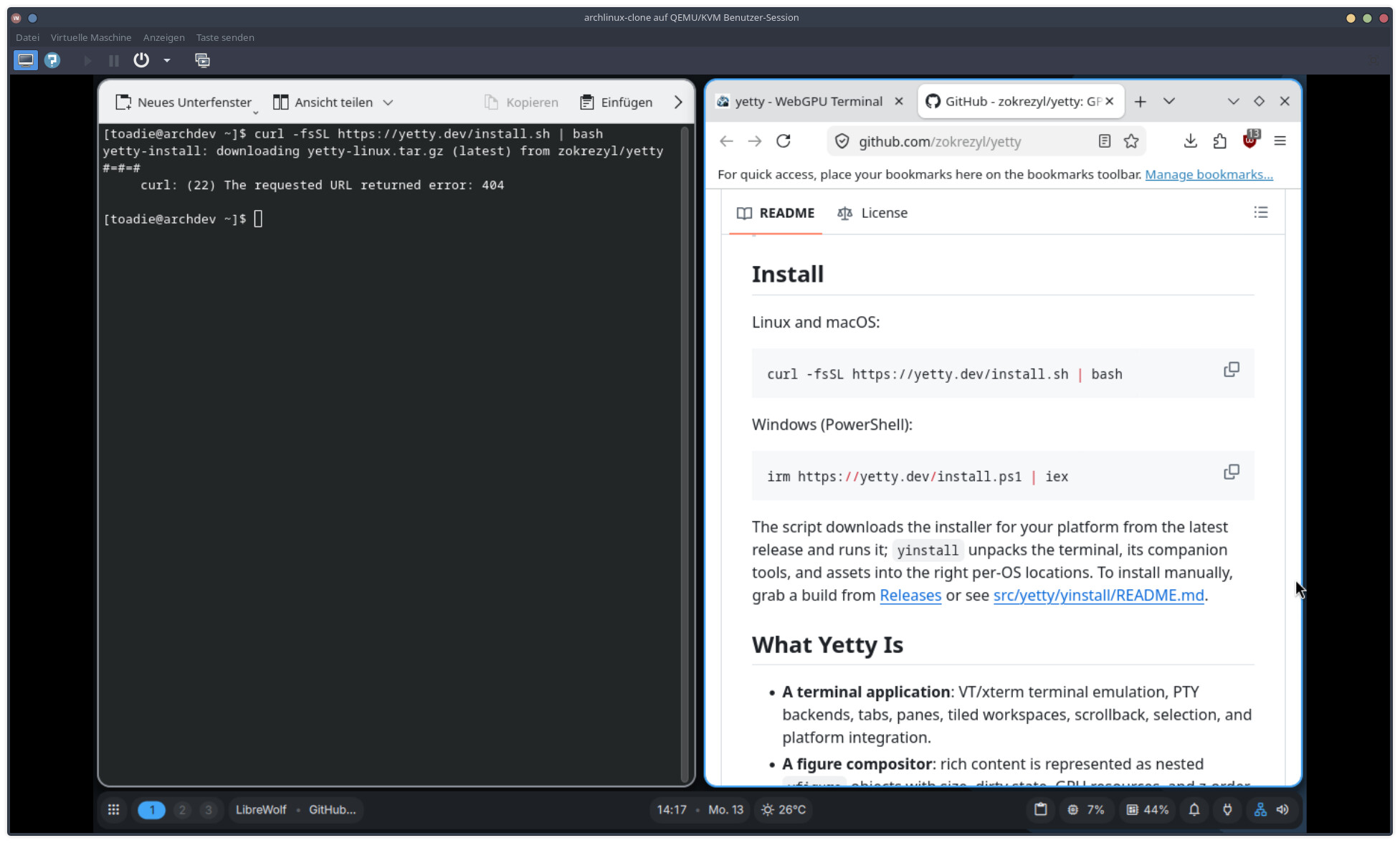
thanks for reporting it! The install script is broken, looking at it and fixing. In the meantime if you are into really testing it, —github.com/zokrezyl/yetty/releases/download/yetty-0.2.66/yetty-linux.tar.gz— just tar -xzf and run yinstall, that will install yetty and apps into $HOME/.local/bin
Yetty is not only a terminal! It is an ecosystem as well with lot’s of tooling. In terms of size it is not competing with other terminals as the amount features offered is huge! Yetty executable itself is 37MB. That can be considered huge as well, but if you think it offers VNC feature, mp4 recording including audio, rendering bunch of mime types then you will understand the reason of that 37MB. Also we wanted to avoid the shared library hell, thus everything is statically linked. There are also bunch of additional assets in ‘yinstall’ that contains the demo scripts and a minimum set of assets like msdf fonts. Msdf fonts are larger font databases than usual fonts, but offer crisp rendering at any size (try ctrl-wheel anywher in the terminal). Also contains ybrowser that became huge, but we want to provide a basic browser that runs remotely and renders to your local terminal using minimum bandwith. We could provide a compact yetty like 20MB using the host’s libraries and no msdf font rendering, but that is not the point of yetty. Hope this clarifies.