I am learning Ethical hacking. I have a home lab setup. My physical host having Windows 11 and Installed two VMs in Virtual Box : one is Kali linux and other is Metasploit.
I want practice wireless hacking lab with aircrack-ng. how can i add wi-fi feature for my kali linux. I have one usb wifi adapter which is connected to physical computer( which is already having ethernet adapter).
Help me /advice me to adding wi-fi feature to Kali machine.
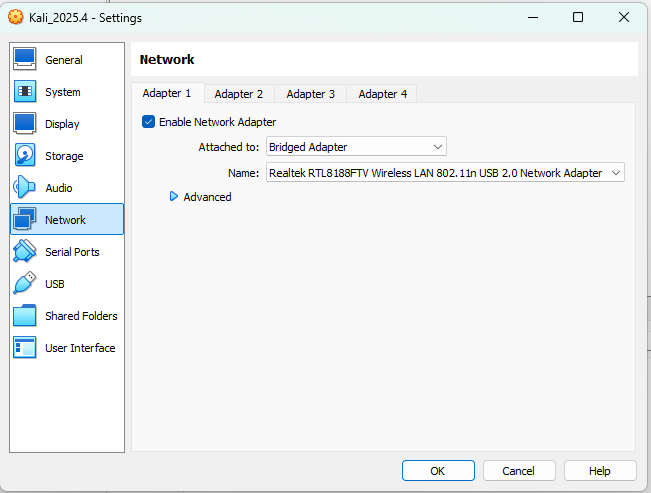
The reason your Kali VM sees an Ethernet connection instead of WiFi is due to how VirtualBox virtualizes network hardware. By default, it bridges your host’s connection as a wired interface.
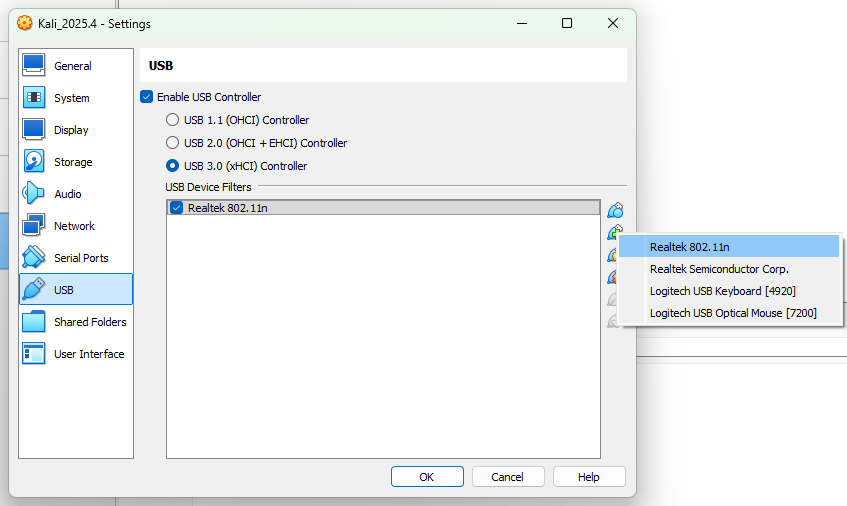
To use your USB WiFi adapter for wireless testing (monitor mode/aircrack-ng), you need to use USB Passthrough. You can get it recognized by following these steps:
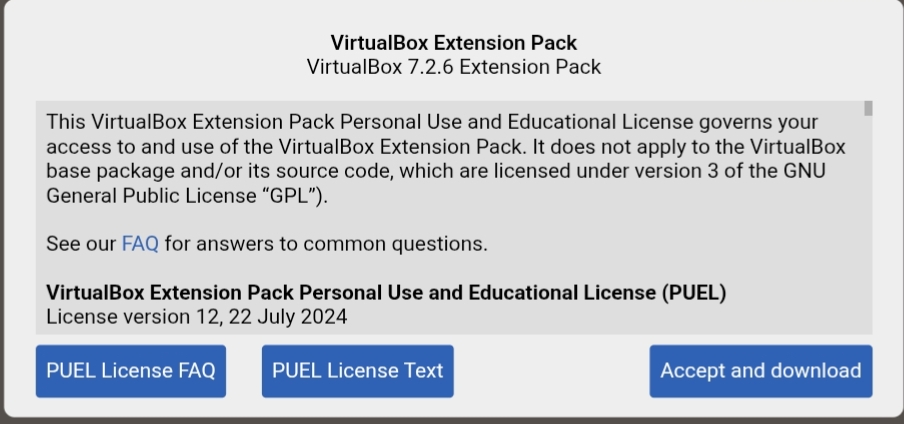
1. Install Extension Pack: Ensure you have the VirtualBox Extension Pack installed on your host to support USB 2.0/3.0.
Make sure you select accept and download, you have to note your virtual box version, and look for the appropriate extension pack with your virtual box version