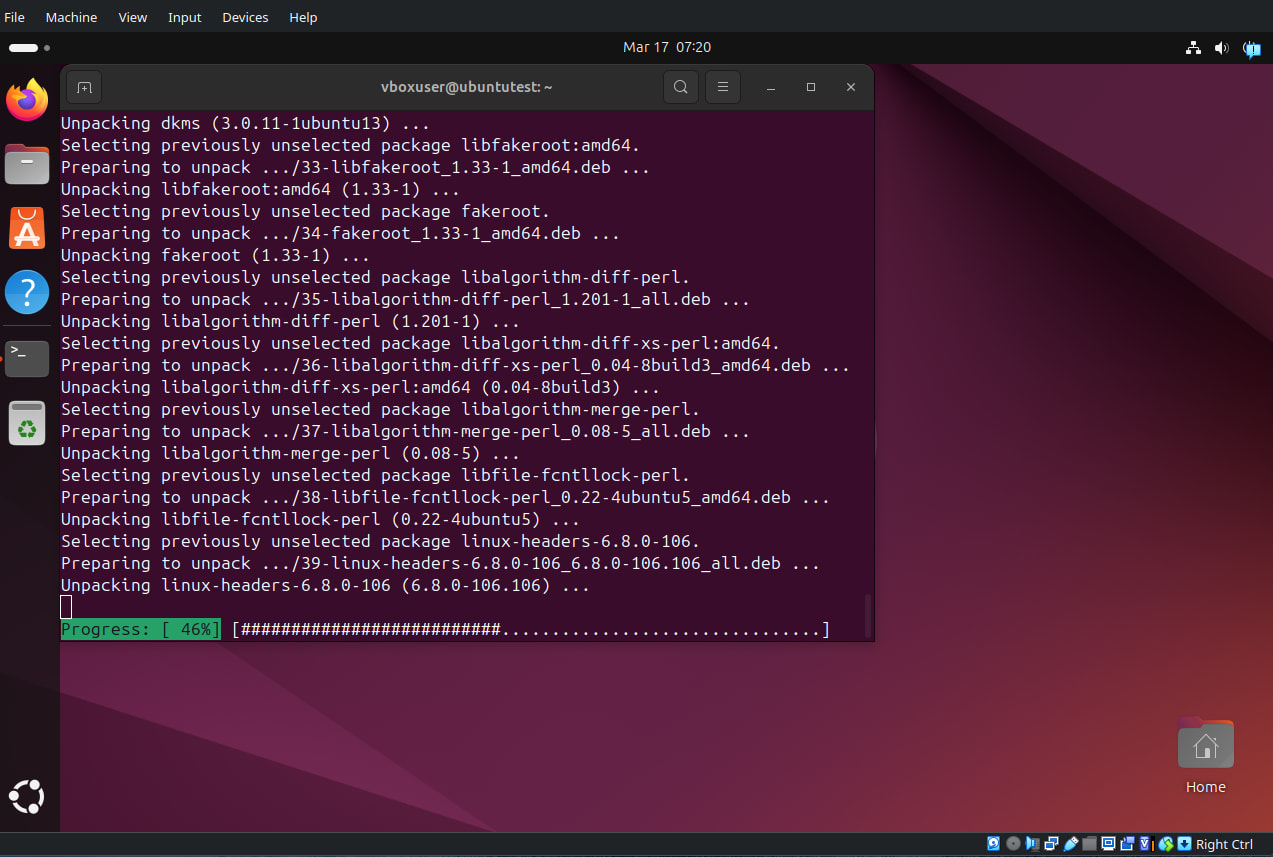
0 and when i use this command sudo apt install build-essential dkms linux-headers-generic to add Linux packages in my VM as im trying to set up Guest additions for whatever reason it gets stuck at 46% and ive waited 45mins every single time and i’ve tried this 4 times so far…any help would be appreciated.
That is incredibly frustrating—waiting 45 minutes for a progress bar that won’t budge is the ultimate test of patience. Since it’s consistently sticking at 46%, the issue is likely a locked process or a mirror server timeout rather than your VM being “broken.”
Kill the Deadlocks
sudo rm /var/lib/dpkg/lock-frontend
sudo rm /var/lib/apt/lists/lock
sudo dpkg --configure -a
2)Switch to a fresh connection
sudo apt update
3)Install One by One
sudo apt install build-essential
Hi @Itachixkurosaki A few things you can try… First, make sure your VM has a decent internet connection becasee sometimes it’s just slow package downloads that make it look stuck. Simple ping google.com or wget something like ~ 100 MB to see if traffic is flowing.
If the network is fine, try running “sudo apt update” first should always be first before updates or package installs. Sometimes stale metadata causes things to hang on dependency resolution.
Also worth checking how much RAM and CPU you’ve given the VM. At least 2 GB RAM and 2 cores is a good minimum.
Oh, one more thing! Try inserting the Guest Additions image from the VirtualBox menu (Devices > Insert Guest Additions image) and running the installer from there.
Soooooo…the solution was to wait 1 hour and 14 minutes lol…I have no idea why it took so long i have good internet speed I gave it 4 cores and 16gb of ram but after I left to the store real quick came back and its was done… so thank you @hydn and @Blue_bird
Haha, well, glad it worked out even if the solution was just patience!
That is weird though! With 4 cores and 16 GB of RAM, it really shouldn’t take that long. My guess is it was probably a slow mirror, sometimes the Ubuntu package servers just have a bad day and download speeds tank even if your actual internet is fine.
If it happens again you could try switching to a different mirror in your software sources settings, that usually helps.
I don’t think Ubuntu has CDN-aware mirrors. But Debian, Arch and Kali do.
I have never used VirtualBox, but I am familiar with the pain of VMware Tools which I think is similar to VirtualBox’s Guest Additions.
The beauty of QEMU-KVM is that any additions are already part of the operating system…assuming that the guest (virtual machine) is also Linux.
On Linux Mint, I have found one insignificant exception to the aforementioned statement. To use copy/paste to or from guest/host, it is necessary to install package “spice-vdagent”. Other than that, there is no pain from anything similar to VirtualBox Guest Additions or VMware Tools.