I am a simple user, with Ubuntu-Mate 24.04.4 LTS as of today.
Say, I put a website html link on my desktop (e.g. for instance this site or whatsapp web).
Before the last few updates such link was opening the webpage automatically with my default browser (e.g. Firefox).
Now it doesn’t it…it opens something else.
Each time I reboot the computer I have to open by associating through right-clicking ‘open with’ or by going to Properties. If I close the page and re-open, it keeps it while the laptop is powered up, though.
There is more soul searching issues then this, mind you…, but any of you know why it is not persistent any more ?
Or about this simple thing to do that I haven’t identified ?
can you show properties of the file, it should be HTML document (text/html)
made a bob.desktop, edited as:
[Desktop Entry]
Encoding=UTF-8
Name=Link to YouTube
Type=Link
URL=https://youtube.com/
Icon=mate-fs-bookmark
when I click, FF starts and displays the YT page.
Edited the file again as:
[Desktop Entry]
Encoding=UTF-8
Name=Link to whatsapp
Type=Link
URL=https://web.whatsapp.com/
Icon=mate-fs-bookmark
when I click on it, it brings the whatsapp page and asks me to sync my phone.
FF has a toolbar (right click on the first line of FF where Help is),
Bookmark Toolbar always show
then you can drag the whatsapp there instead of your Desktop.
To confirm, issue is with a “drag+drop” URL from browser address box to desktop. Correct? If so …
[1] - Launcher Content
If you open the *.desktop file with a text editor, what does that contain?
If you create a “link” with your new OS image, is the format of the launcher contents different from the format for an “ancient” launcher created before your latest OS upgrade?
[2] - Launcher Privileges
Sometimes, that launcher needs to be assigned “execute” privileges. That could be on an individual launcher basis, or you need to set a generic global setting using dconf-editor.
I don’t know if it would do additional configuration customization, but if you open Firefox preferences and choose “Make Firefox my default browser”, does that fix the issue?
I just did a reboot and it still does the same and both desktop html links (see above) are opening Slack… which is not normal.
FF is indeed my default browser - always has been
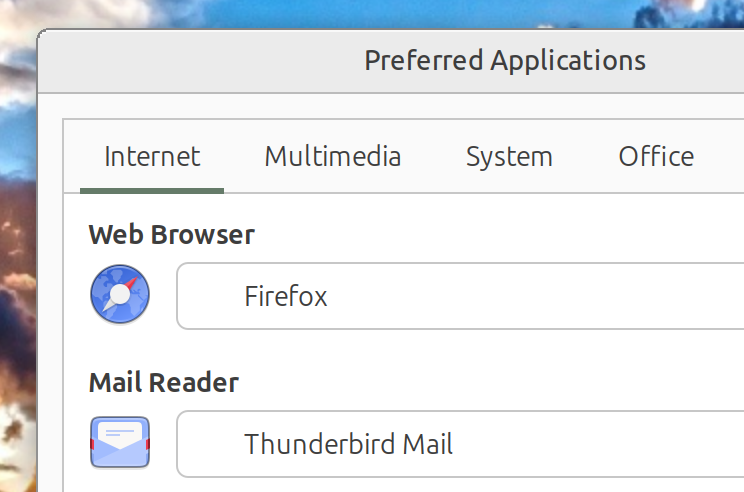
FF is identified in preferred apps (as above)
I checked Slack in different ways and couldn’t see why (or how) it would “hijack” the html links.
Going through FF bookmarks, it works well though…since getting there thru FF first.
As I said, at the end of the day it is not a critical thing.
But I submitted here since it is not normal. It may be a symptom of another issue… who knows. Just clicking the desktop launcher for the html link should do it and trigger the default browser (like it did for years).
This is a long shot, but, did you check Permissions? On right click / Properties, to see if changing them to read only make it persistent after reboot.
I don’t understand how they work, or how they are set up, but maybe this has something to do with an incorrect symlink or whichever mechanism that the “alternatives” system uses to track those things. That is the extent of what I know about that.
By web searching I found this:
" This behavior usually happens because Slack has accidentally been set as the default handler for the text/html MIME type or the HTTP/HTTPS protocols on your Ubuntu system. This can occur after a Slack update or if file associations were inadvertently changed during installation"
Not sure it applies to my case. Still searching.
W
Using:  grep firefox  /usr/share/applications/defaults.list
result: grep: /usr/share/applications/defaults.list: No such file or directory

in:  ~/.config/mimeapps.list
I find:
application/x-desktop=firefox_firefox.desktop
text/html=firefox_firefox.desktop
application/x-desktop=firefox.desktop;firefox_firefox.desktop;
text/html=firefox_firefox.desktop;
and
x-scheme-handler/slack=slack.desktop

W

p.s. my firefox is a snap...