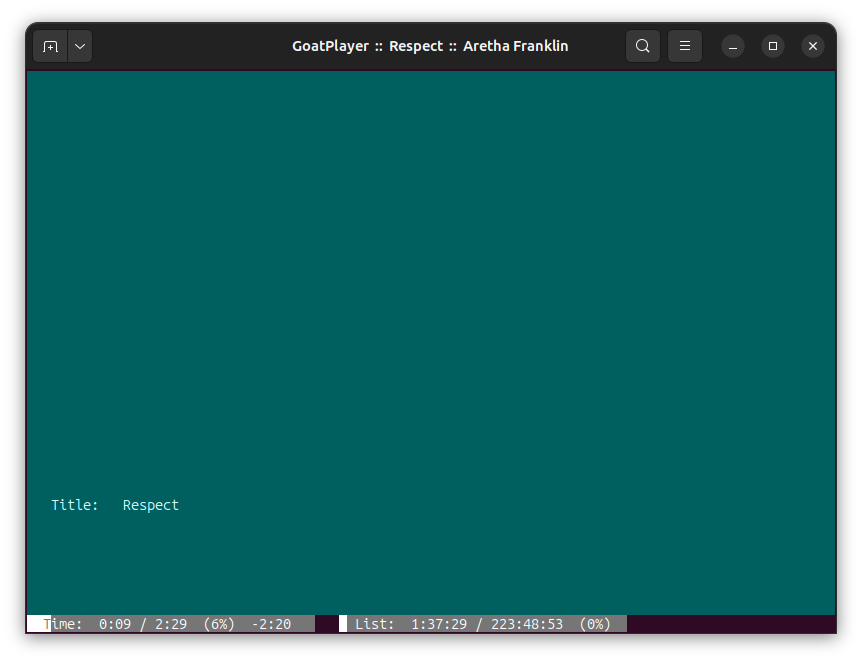
This is what happens to me when the terminal’s size is too small:
Your advices are very welcome and I will dive into them, but I’m quite sure that goatplayer will work fine even now if you only follow these rules:
- use gnome-terminal or a similar one
- make the terminal size big enough (use a maximized window and a small font)
Then, of course, there must be an issue with the audiofiles database. This is probably due to the content of some tag-field.
Thank you for your help.
4 Likes
I’m still studying Go. I finally learned how to use “sub-packages”.
All my code was in a single package, a single directory. Now I splited it in several packages. Each sub-package is in a sub-directory. This is a nice way Go offers for “modularization”. I didn’t try it before because sub-packages cannot import the main package. Two packages cannot import each other. So, the sub-package has to use interfaces to call objects in the main package; or pointers to types it knows. I thought this was not a nice solution but now I appreciate it.
I did put 2 checks in goatplayer’s code:
- Check if the terminal size if large enough. If not, exit.
- Check for integrity of the audiofiles data. If there is no integrity, report the line number where the error occurred and exit.
Initializing...
Type the Music Library directory's name (without the final slash):
/home/alex/Music
This is a valid directory.
Making subdir 'settings'...
Making subdir 'data'...
Terminal size is too small (40 x 120). At least 55 x 238 is required.
The terminal size is too small. Exit.
Checking integrity of data files...
Error: database line #13 contains 2 fields and not 16. Line:
Annalisa	Best of
The first time goatplayer is run (and everytime it is run), it check for integrity of the audiofiles data. This data is written in a plain text file (“data/audiofiles.txt”). There is a number of fields for each line. Goatplayer checks if there are enough fields in each line. If not, it writes info about the error: the number of the line where the error occurred and the content of that line.
3 Likes
This is the repository:
https://github.com/alexpeppino/goatplayer/tree/main
Inside the install folder, there is the zip file. It now contains only the executable file (goatplayer).
Two subdirectories are created by goatplayer when it is run the first time:
3 Likes
Sometimes it’s good to stop writing code. I was tired of my code. It’s messy. I started with good intentions in the beginning, but then…
Anyway now I’m starting over all my project. I want to write good software.
I spent time studying other people’ code and my book on Go programming. I also watched documentaries about how programming languages were born: extensive videos about C++ and Python… I really liked it. Very nice and interesting.
The last thing I learned about Go programming is about testing. In Go, it’s simple. I’m splitting my code in small packages (modularization) and each package in many files. Each package takes care of a single part of the project. Each file takes care of a single part of the package. And then, it’s very nice to write a test-file for each file. That test-file is used to test just that file.
I already put many functionalities inside packages. Now I can test each of them alone. Proceeding in this way is very nice and tastes like real software engineering. It’s cool.
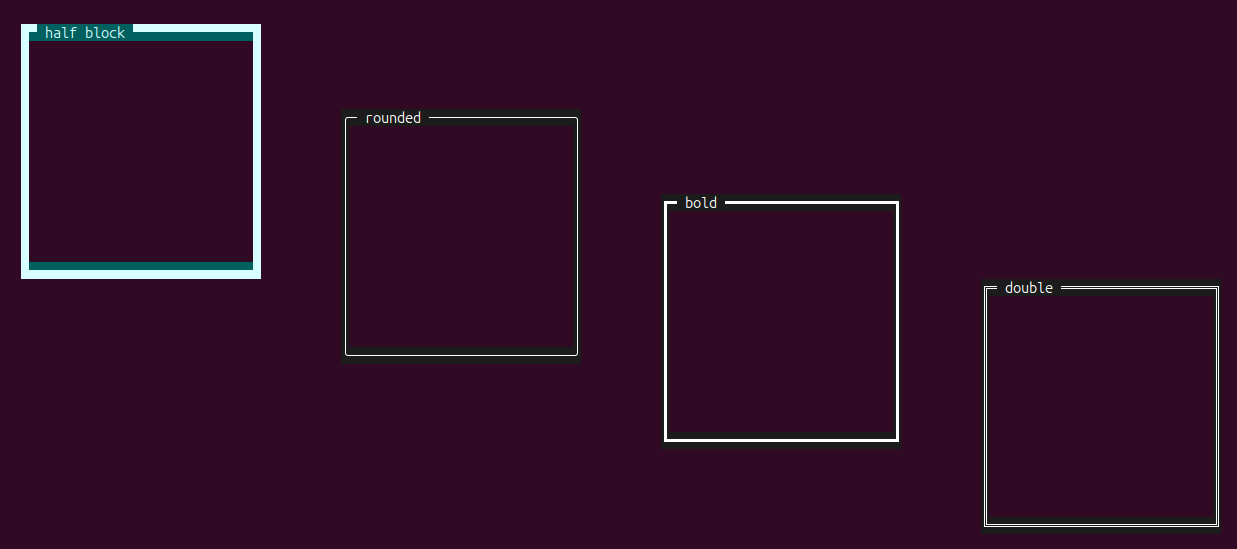
Today I started severing the “TUI” part of the code, moving it into the view package. This package will take care of printing on the screen. The windows, with their frame… I did all these things already, but in a chaotic way, now I started over with the “frame”. This is something I could not do before: separating the window frame’s code and testing it. It’s beautiful. I can test all kinds of frame regardless of the rest of the project. While the project is on development, I can test any single part of it separately.
3 Likes
A window is printing an excerpt from the preface of The Go Programming Language. This is part of the new Goat player.
1 Like
The previous video is a test of the Window class. I used some text to try the window.
This is a test I made in the terminal to try a single file in a single package of the whole project. Very easy. Go is great.
2 Likes
@goatherd looks like you have some good projects going; look forward to seeing and reading more about them.
2 Likes
The new look of the player is simple.
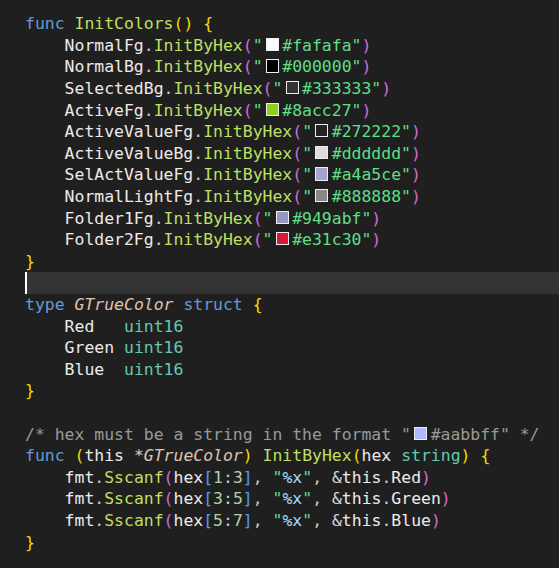
I use TrueColor now instead of 256 colors. Just made a simple class to do that.
1 Like