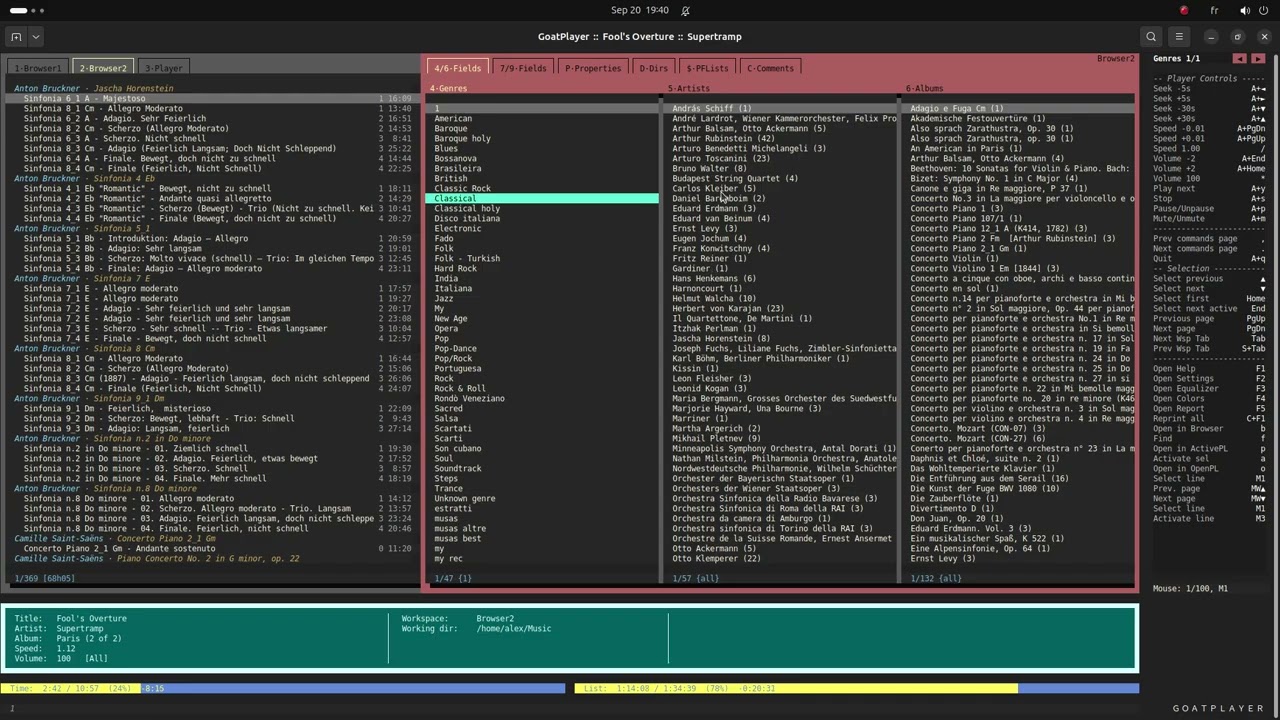
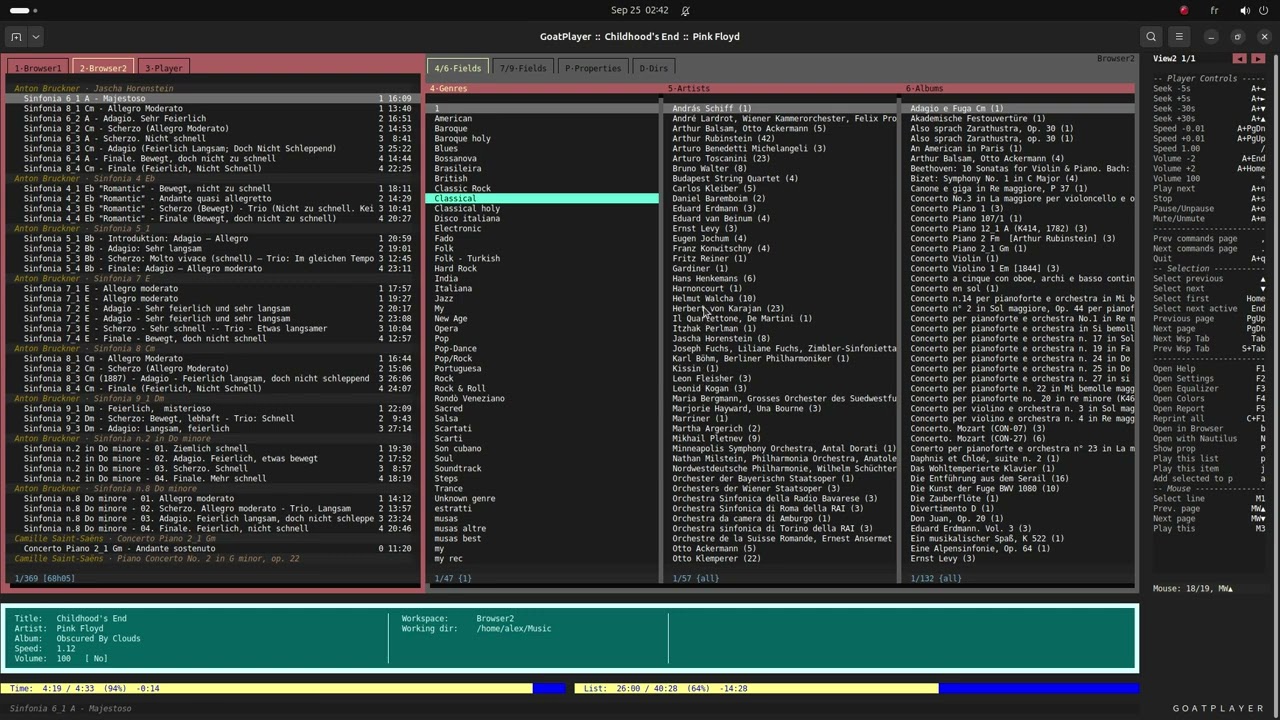
This is the first video I did publish about the goatplayer command.
I’m working at this since February.
It’s a music library’s browser; mpv is used to play the audiofiles.
(Some features are not illustrated in this video.)
It is written in Go and works well in the gnome-terminal.
Both keyboard and mouse may be used.
Thanks for watching.
It’s a deliberate choice.
I will try to put the code on git-hub or somewhere else.
Is there a safe place where I could put the executable file for people to try out?
Be aware though that a lot of people may be a bit wary to test binaries without sourcecode. Running untrusted code blindly is not something most people are willing to do.
Considering sourcecode and projectfiles, codeberg might be of interest to you.
Hey @goatherd, we don’t host executables here, but you don’t need a separate spot for them.
Git forges like GitHub and Codeberg are explicitly designed for this workflow. So put the code on one of those and attach the compiled binary to a release on the same repo.
That way people can read the source and still just download the binary without installing Go.
Go builds a single static binary so it’s pretty painless, and GoReleaser can automate it for multiple architectures later if you want. Just mention mpv as a dependency in the README.
If they DON’T know for sure, they could obtain the source code and build it themselves. If it’s released using any freedom-supporting license, your work can be recognized and others can build from it for themselves or follow the license terms if they have any intentions of redistributing it.
I made a release version of the source code (lighter) and copied it into this GitHub’s directory:
I built an executable file from that source code.
Then I made a zip file containing the executable file and other files, and I put it here on GitHub:
This Youtube’s video explains how to install goatplayer on Ubuntu 24 and shows how to use all its features:
If someone is interested and wants to try out goatplayer, please let me know how it works.
The source code is not well documented yet.
Try this software only if you want to help me with the development. There are certain aspects of releasing a software that I can’t manage alone. Any help and collaboration will be appreciated.
$ ./goatplayer
./goatplayer: error while loading shared libraries: libtag_c.so.0: cannot open shared object file: No such file or directory
$ sudo apt install libtagc0-dev
$ ./goatplayer
File 'settings/music_dir.txt' does not exist yet. Initializing...
Type the Music Library directory's name (without the final slash):
/home/thom/Muziek
This is a valid directory.
File 'settings/music_dir.txt' created.
Setting initial values for the equalizer...

Database files do not exist. Searching the filesystem...
Audiofiles found: 166
Adding audiofile: 166 / 166
Saving data to file...
Press Enter to continue.
I had to try several times: Even a single space before the Library directory name makes it refuse the directory immediately, it is extremely picky about the input. Even quotes are not allowed.
Files not visible in interface, filewindow fully grey, clicking randomly in window reveals some files.
After setting terminal to fullscreen it kind of worked but very flakey in a very crash-prone way. One wrong key and the interface is done for.
Second start:
$ ./goatplayer
File 'settings/music_dir.txt' already exists.
Music Library directory is '/home/thom/Muziek'
Database files already exist.
Loading data from files...
panic: runtime error: index out of range [12] with length 12

goroutine 1 [running]:
main.(*aAudiofiles).LoadDataFromFile(0x632e20?)
	/home/alex/go/src/goatplayer/release/goatplayer/audiofiles.go:179 +0x55f
main.(*aAudiofiles).CheckDb(0x76eee0)
	/home/alex/go/src/goatplayer/release/goatplayer/audiofiles.go:32 +0x33a
main.main()
	/home/alex/go/src/goatplayer/release/goatplayer/main.go:181 +0x929
End of the road. It seems there are some leftover hardcoded paths in de code
Actually, I had to write my own function to read the input line, otherwise I couldn’t delete the last character: when I typed backspace, it didn’t work. But probably there is a way to fix this with the config of the terminal / stty, but I don’t know how, so I wrote my own readline function that parses the input, even the backspace, but maybe not the spaces and the quotes. I’m sorry.
UPDATE : I tryed myself using the exec file, I had no problems using spaces and quotes ("). Please try using gnome-terminal with a large size. Goatplayer can’t work in a small terminal. Thank you.
.
As I told in my first post where I introduced myself,
I can’t manage everything about a release.
I need someone to collaborate with me and take care of certains aspects of the software.
Yes, but not on mine, so it points effectively nowhere.
I used MATE-terminal: a fork of Gnome terminal
Are you implying that your software is terminal-brand dependent ?
artist	album	iTrack	title	genre	filename	year	modTime	nTrack	albumArtist	composer	comment	channels	sampleRate	duration	bitRate
Avril Lavigne	Let Go	1	Losing Grip	Other	/home/thom/Muziek/Avril Lavigne/Avril Lavigne - Losing Grip.mp3	2002	2019-06-07 01:07:26	0	Avril Lavigne	Avril Lavigne/Clif Magness		2	44100	23300	128
Avril Lavigne	Let Go	5	Mobile	Other	/home/thom/Muziek/Avril Lavigne/Avril Lavigne - Mobile.mp3	2002	2019-06-07 01:07:27	0	Avril Lavigne	Avril Lavigne/Clif Magness		2	44100	21100	128
Avril Lavigne	Let Go	7	Tomorrow	Other	/home/thom/Muziek/Avril Lavigne/Avril Lavigne - Tomorrow.mp3	2002	2019-06-07 01:07:26	0	Avril Lavigne	Avril Lavigne/Curt Frasca/Guillermo Breer		2	44100	22800	128
Avril Lavigne	Let Go	8	Anything But Ordinary	Other	/home/thom/Muziek/Avril Lavigne/Avril Lavigne - Anything But Ordinary.mp3	2002	2019-06-07 01:07:28	0	Avril Lavigne	Avril Lavigne/Matrix		2	44100	25100	128
I never had a go at “go” but I’ll take a look and see what I can make of it.
goreadline-ng library is a pure Go implementation for GNU-Readline functionality. It provides command-line input, editing capabilities, and command history similar to what Bash offers.
I have not much experience with terminals, stty, config, etc… The only thing I know is that there are some “tput” commands which work for all terminals and that they are “translated” for each terminal in a different way.
I don’t use the “tput” commands in my code. I use the translations for gnome-terminal.
For example: the command “tput sc” (save cursor). I use the string "\x1b7", which is the translation for gnome-terminal but not for all terminals. This is the reason why I’m not sure that goatplayer works in all terminals.
The first 5 lines of goatplayer/data/audiofiles.txt are good. There are 16 fields, separated by a tab whitespace ("\t"), and that is right.
The error says that there are only 12 fields. Since there are 166 lines in the file (plus the first one with the field-names), I think that in 1 of those lines there is a problem; that line is not splitted in 16 parts but only in 12.
If I could have the whole file, I could check it out. If you can send it to me.
I forgot to say another thing. Goatplayer needs a minimum of rows and columns. If the terminal is too small, lines don’t fit in the window and it’s a mess. They continue on the row below.
The terminal’s size should be at least 58 rows and 239 columns. This is the size I get when I use a big font size with maximized window.
My original plan was to try it out on the linux console instead of a terminalemulator (thereby ommitting the need for a graphical server like “Xorg” or “Wayland” which is best for hardware appliances) but I see that that might be a bit of a problem without changing parts of the sourcecode)
gnome-terminal and other terminal emulators “emulate” classic terminals like VT100, VT220 , ANSI etc.
In Linux these are translated by the terminfo database build into Linux.
(both gnome-terminal and mate-terminal are “xterm” compatibles. xterm emulates VT100 and also supports other terminal types like VT220 and VT420 )
Hardcoding escape sequences is a bit frowned upon but since most terminal emulators support ANSI escape codes by default it is not a big issue.
If you want to have “proper” terminal handling, you might be interested in this project:
Since I use bash, I always make use of the terminfo database (indeed using tput) but it is only a one-time use because I store the outputvalues of tput directly into variables (which can be “printed”, thereby preventing repeated invocations of the external tput command throughout the program), like this: