How does one shut this off using Firefox and their link to youtube. None of the methods shown work being good only for Windows Users. My operating system Linux Mint 22.3. No solution involving a phone [I use a flip phone rather than a Smartphone]
I’ve actually had to deal with this a while ago and this is how I handled it, took me some time to find out where i clicked and went since its be a hot minute.
-
Go to YouTube and sign in.
-
Click your profile icon (top-right).
-
Scroll to the bottom of the menu.
-
Click Restricted Mode.
-
Toggle it OFF
-
Refresh the page.
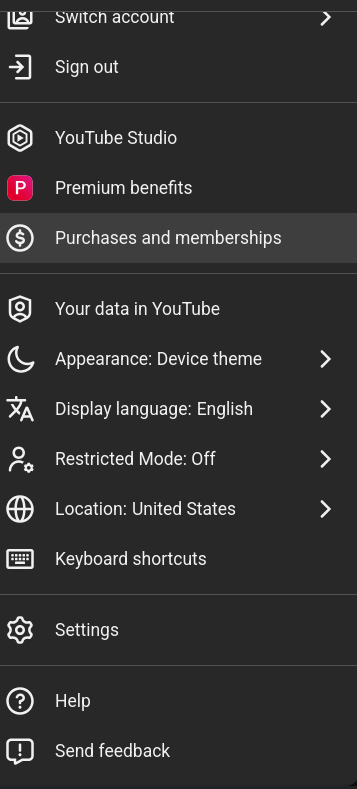
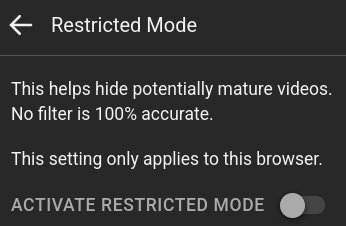
and after that it should work hopefully
2 Likes

lol I’ve honestly only ever seen it when on a company computer where they allow you to get on YouTube music or schools/universities where you log into your account then this automatically comes on. But I can see it being useful for elementary, middle and high school settings.
1 Like
Solved it. Right click the three horizontal lines>settings> privacy and security>enable DNS over HTTP using:> one is given three options: default protection, Increased protection and Max protection. Increased protection is the option to choose. Everyone says to use Max protection, but it’s set up weirdly for Linux Mint 22.3 with Firefox.
2 Likes
thats so weird as I have a desktop with linux mint dual boot and I have never had this issue with firefox but im glad you were able to figure it out!!
1 Like