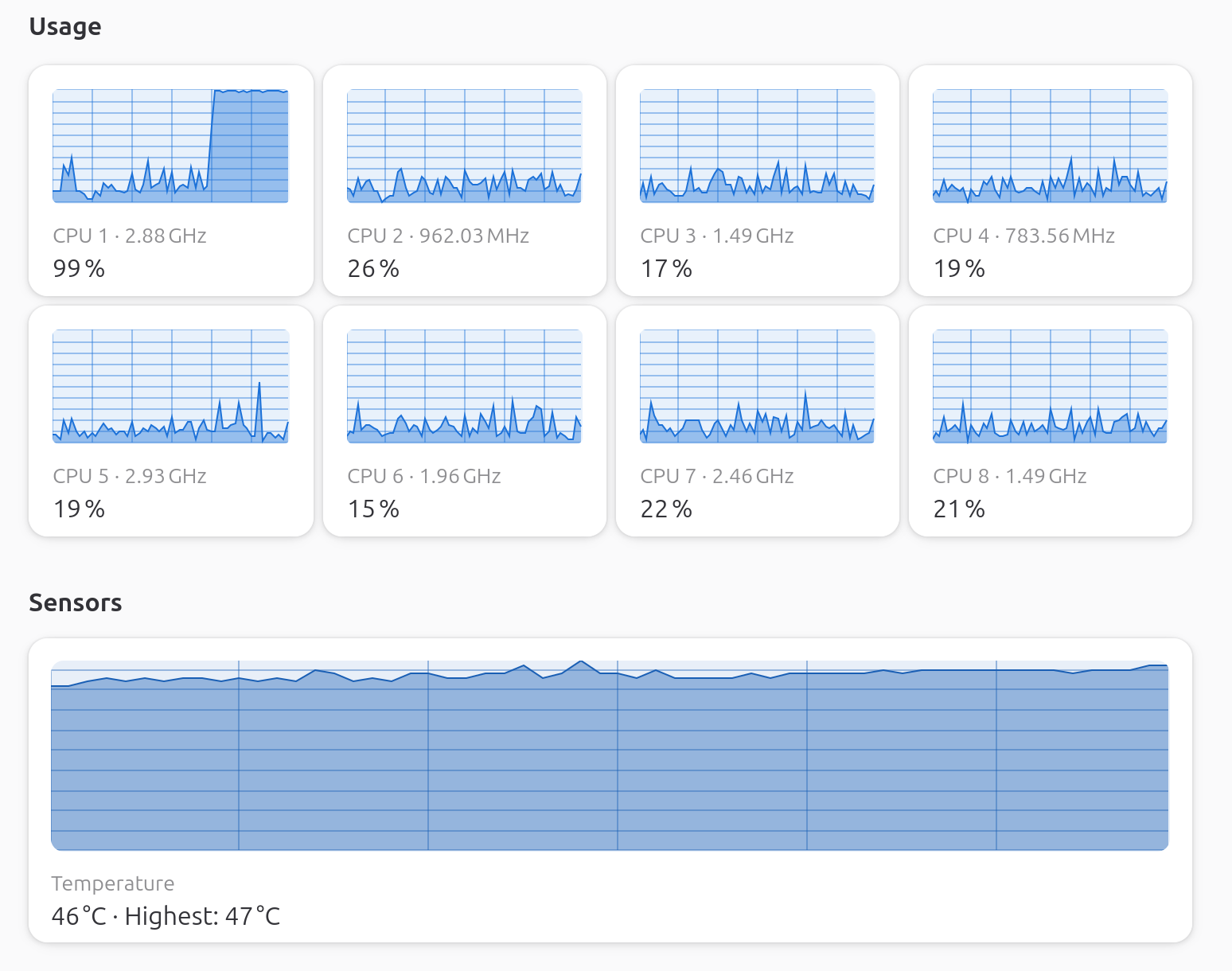
High CPU usage: One core (CPU 1) is consistently running at 99% utilization, and I’m getting an error message about something hogging RAM.
Shutdown error: When I shut down, a message appears briefly on screen that says something like “try using WQ unbounded” (or similar—it disappears too quickly for me to read it fully).
Additional info: I’ve tested this on a live boot of the latest Ubuntu and experienced the same problem, which suggests it’s not specific to Mint.
Has anyone else seen this? If you have, I’d appreciate any fixes or troubleshooting steps you’ve found helpful.
It’s a different symptom (flicker vs your pinned CPU) but it’s the same broken PSR handshake in the i915 driver, and the fix they landed on lines up with what I was going to suggest.
That “try WQ_UNBOUND” message is a kernel workqueue warning, and almost always the i915 driver getting stuck, which would also explain the pinned CPU1.
Run dmesg -w and watch it while it’s happening, or journalctl -k -b -1 | grep -iE "i915|workqueue" after a reboot to catch it from the previous boot. That wll confirm it.
So like in that link above you can also try i915.enable_psr=0 on the kernel line (edit the GRUB entry with e). If CPU1 calms down, make it permanent.
Edit: If that works, make it permanent, by editing /etc/default/grub, find the GRUB_CMDLINE_LINUX_DEFAULT line and add i915.enable_psr=0 inside the quotes, then run:
Hi Hayden,
Thanks for getting back to me. I’ve noticed that my PC runs smoothly when plugged into mains power, but reverts to using 98% CPU1 when operating on battery. Additionally, my power settings have changed—I no longer have the three options I previously had. While this isn’t ideal, it’s okay.
Hi @oswald_carter That actually makes sense. On battery the CPU clocks down to save power, so that stuck process is eating a much bigger slice of a smaller pie. On AC it’s running at full speed so the same load does not consume as high a percentage of CPU.
So, it’s not really doing more work on battery, there’s just less headroom available on battery, so it shows up as 98% on one core. It may not be that one reason but that’s likely the reason.
You can see something a bit similar where my CPUs are max out on this device when it’s config to stay locked at 800 MHz even though it’s capable of 3600 MHz:
Did you apply that i915.enable_psr=0 option you mean? Or noticing something else?
And thanks for circling back here to follow up on this.
I tried to send you a pix of what is happening but the sysyem would not let me.
I am not sure how to run that argument. Honestly I am a bit of a dummy when it comes to this stuff. This means any help is greatly appreciated.
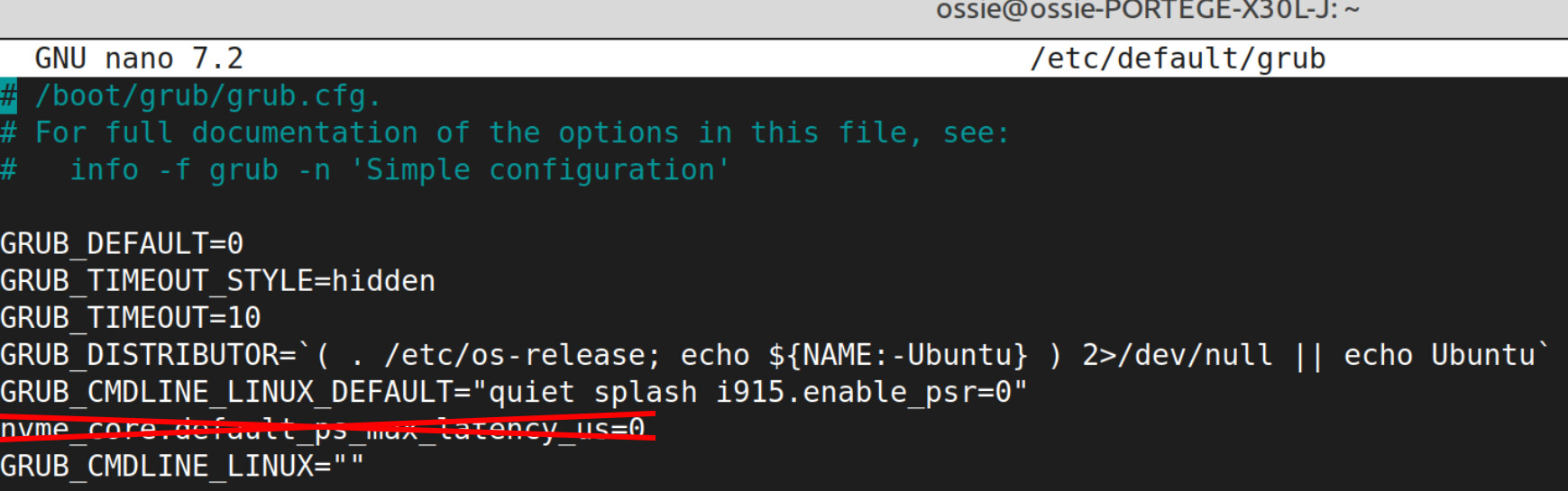
No worries @oswald_carter looks like you’ve already added i915.enable_psr=0 which is great. But there’s one issue with the file.
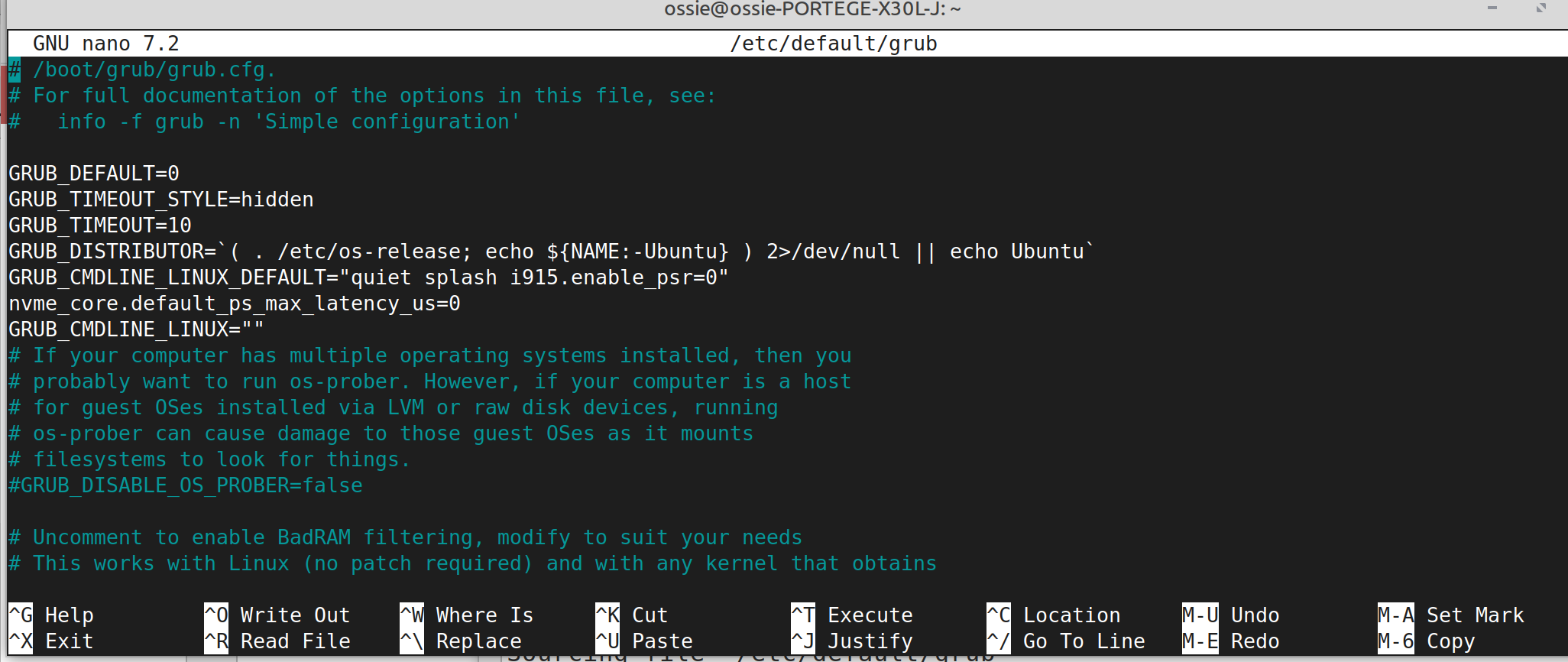
You’ve got nvme_core.default_ps_max_latency_us=0 on its own line, and that won’t work, it needs to be inside the quotes with the others, everything on the same line.
Out of curiosity, where did the nvme_core.default_ps_max_latency_us=0 come from? That’s an unrelated tweak for NVMe power state issues, just want to make sure you actually need it. Did you add it? It should be removed or reverted.
To fix this, open the file again:
sudo nano /etc/default/grub
Change the two lines so they become one line, exactly like this:
Then delete the orphan nvme_core.default_ps_max_latency_us=0 line below it.
Press Ctrl+O then Enter to save, then Ctrl+X to exit nano. Then run:
sudo update-grub
Reboot, unplug the charger, and see if CPU1 still pegs at 98%. If it does, we’ll have to dig further. If it calms down, we’ve got it.
Quick note: i915.enable_psr=0 is just a module parameter, it tells the i915 driver to skip PSR (a power saving feature). Worst case the driver ignores it or the system just boots without PSR.
Out of curiosity, where did the nvme_core.default_ps_max_latency_us=0 come from?
This came from my attempt of using Ai
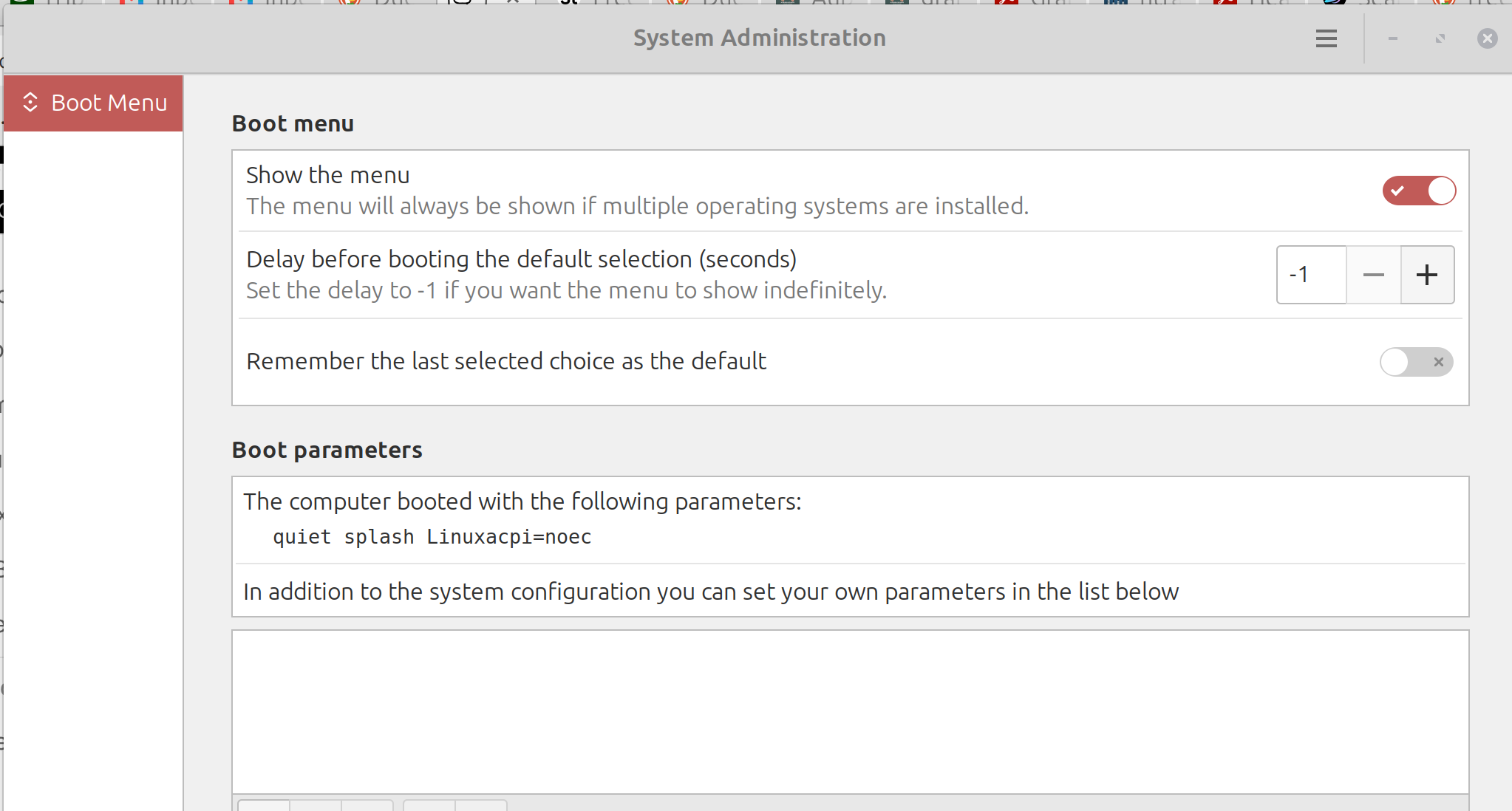
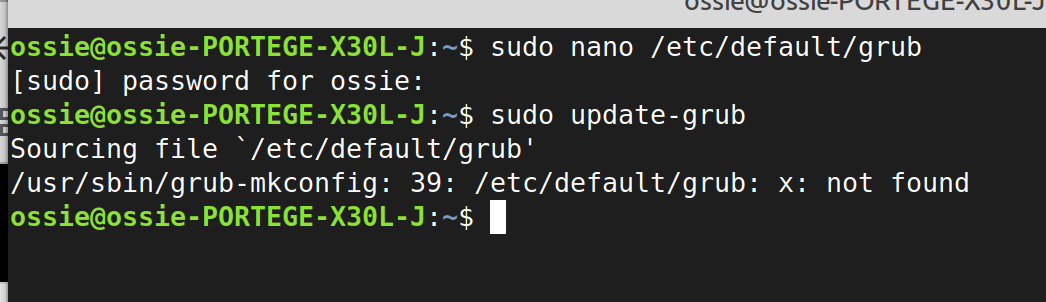
After completing the menu and trying to update this is what happened.
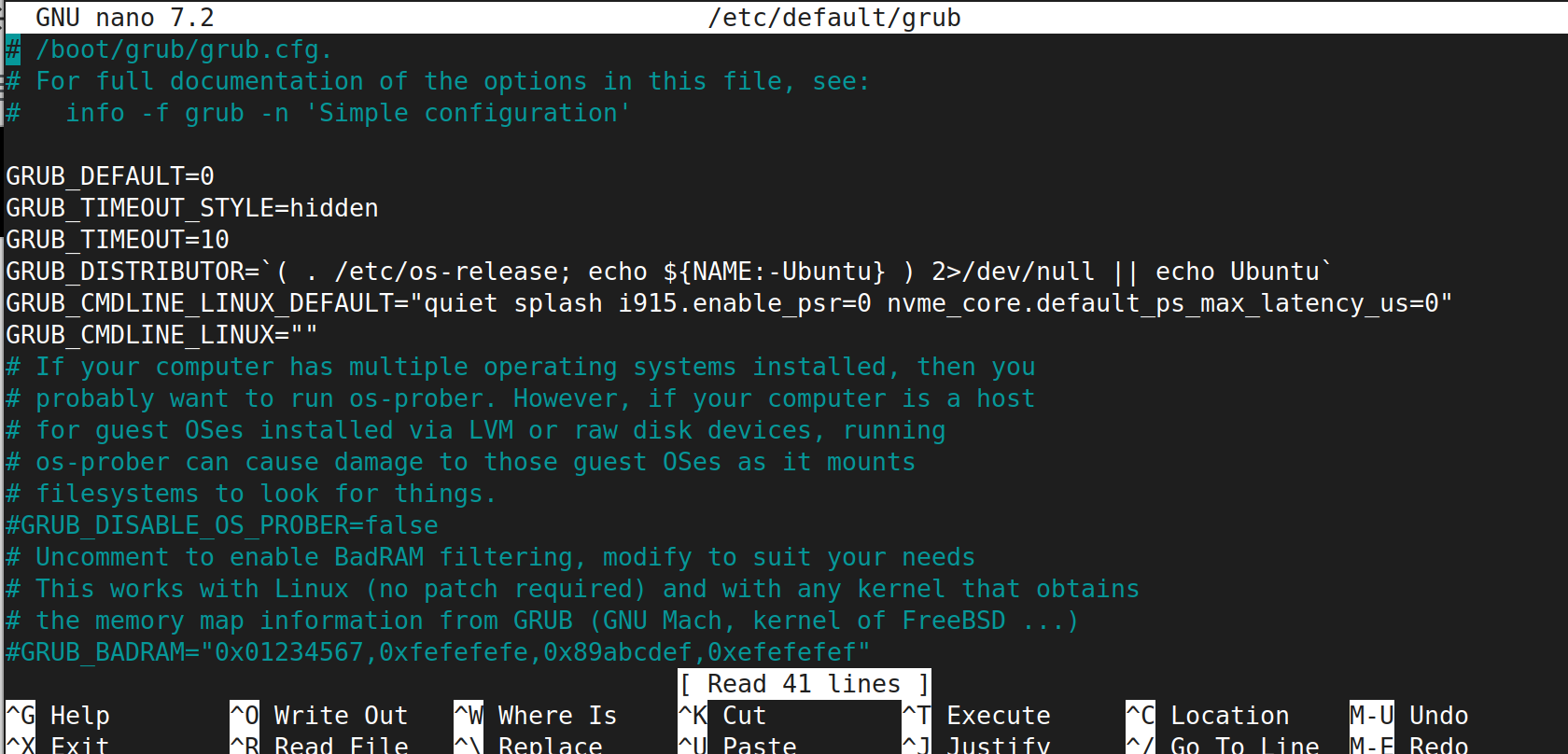
Two things @oswald_carter First, the file looks correct now, good job.
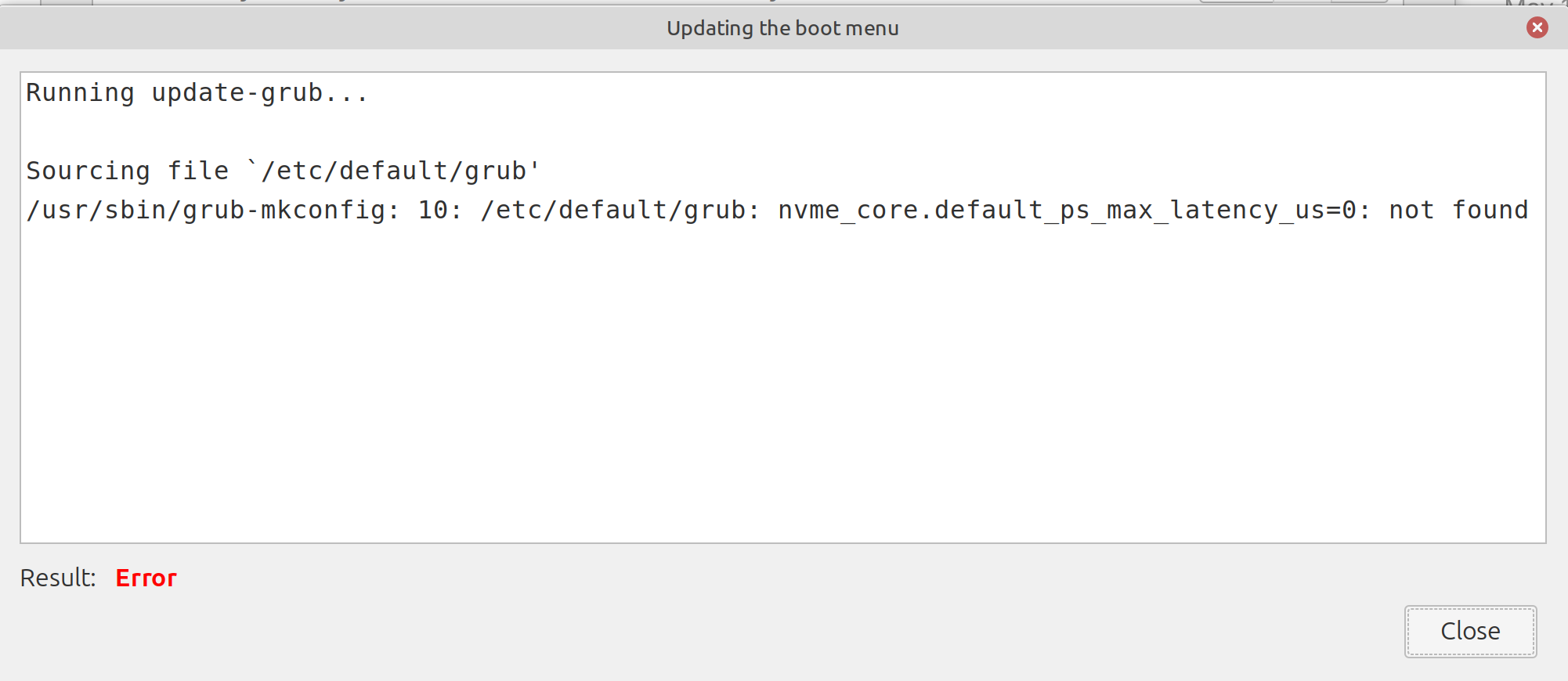
However, the update-grub is failing with that error 39/etc/default/grub: x: not found.
That usually means there’s a stray character or broken line somewhere in the file that bash can’t parse, so update-grub bailed out and didn’t actually apply your changes. That is the reason why your boot parameters screen still shows the old quiet splash Linuxacpi=noec instead of the new ones.
Can you paste the full contents of the file? Run this and paste the output:
cat /etc/default/grub
Also, that Linuxacpi=noec looks like a typo of acpi=noec from an earlier attempt, did you add that at some point? Once we can see the whole file we will be able to help you spot what’s breaking it.
Hmmm, I really appreciate your help, clearly my skills are not this!
ossie@ossie-PORTEGE-X30L-J:~$ cat /etc/default/grub
# /boot/grub/grub.cfg.
# For full documentation of the options in this file, see:
#   info -f grub -n 'Simple configuration'

GRUB_DEFAULT=0
GRUB_TIMEOUT_STYLE=hidden
GRUB_TIMEOUT=10
GRUB_DISTRIBUTOR=`( . /etc/os-release; echo ${NAME:-Ubuntu} ) 2>/dev/null || echo Ubuntu`
GRUB_CMDLINE_LINUX_DEFAULT="quiet splash i915.enable_psr=0 nvme_core.default_ps_max_latency_us=0"
GRUB_CMDLINE_LINUX=""
# If your computer has multiple operating systems installed, then you
# probably want to run os-prober. However, if your computer is a host
# for guest OSes installed via LVM or raw disk devices, running
# os-prober can cause damage to those guest OSes as it mounts
# filesystems to look for things.
#GRUB_DISABLE_OS_PROBER=false
# Uncomment to enable BadRAM filtering, modify to suit your needs
# This works with Linux (no patch required) and with any kernel that obtains
# the memory map information from GRUB (GNU Mach, kernel of FreeBSD ...)
#GRUB_BADRAM="0x01234567,0xfefefefe,0x89abcdef,0xefefefef"

# Uncomment to disable graphical terminal
#GRUB_TERMINAL=console

# The resolution used on graphical terminal
# note that you can use only modes which your graphic card supports via VBE
# you can see them in real GRUB with the command `vbeinfo'
#GRUB_GFXMODE=640x480

# Uncomment if you don't want GRUB to pass "root=UUID=xxx" parameter to Linux
#GRUB_DISABLE_LINUX_UUID=true

# Uncomment to disable generation of recovery mode menu entries
#GRUB_DISABLE_RECOVERY="true"

# Uncomment to get a beep at grub start
#GRUB_INIT_TUNE="480 440 1"

x
X

ossie@ossie-PORTEGE-X30L-J:~$