I wanted to share a quick real-world example of why I’ve started layering in additional monitoring with Checkmk Community Edition (on local and remote hosts) and recently Netdata (for one box running Docker containers).
I’ve been rolling out Checkmk slowly in my homelab and for deeper observability on remote servers. So far I’ve added about 10 hosts, with roughly 40 more to go:
I have not logged into Checkmk for several weeks, and the display screen above my rack has been off because I removed it to make some changes. (wishing now I had gone with a rolling network rack) But when I did login today, I immediately noticed a CRIT alert on a NAS mount that had flipped to read-only:
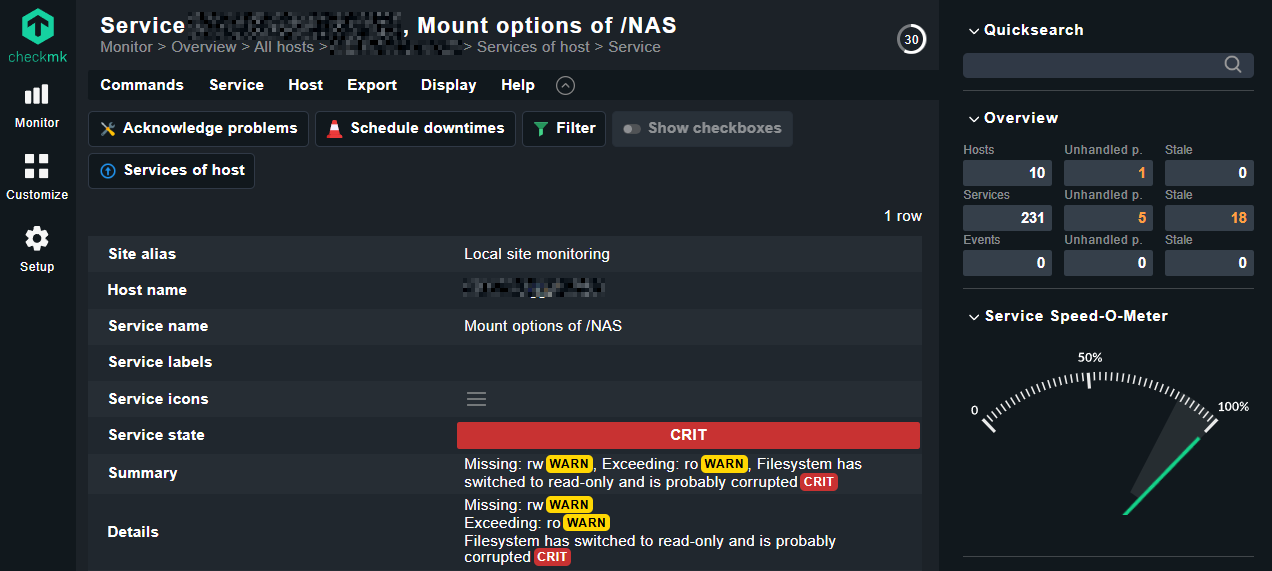
Nothing else I’m running flagged it. The system itself was up, services were running, and there was no obvious “something is broken” signals. The client, probably didn’t see the failed backup email alerts.
Anyway, Checkmk caught it because it was watching the actual mount options and filesystem state, not just uptime or disk usage. Allowing me to deal with this issue:
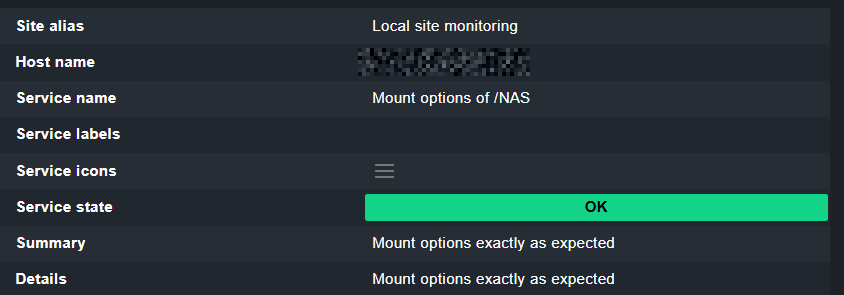
I’ve mentioned Netdata here before also, and to be fair, it likely would have caught this too. The takeaway for me isn’t that one tool is “better,” but that basic monitoring often doesn’t go far enough, and adding proper observability pays off.
A few notes for anyone considering Checkmk:
- The Community Edition is free and open source, so it’s easy to test without commitment.
- Initial setup is a bit time-consuming, similar to Zabbix (which I replaced with Checkmk). Agent installs, ports, and getting everything in sync takes some patience, but it’s not as tedious as Zabbix was to get up and running.
- Once it’s set up, it’s rock solid and very informative.
- Even with a few hosts, it’s already proven its value for me.
If you’re a sysadmin looking to improve visibility without jumping straight into a paid platform, I’d recommend spinning up Checkmk and adding a handful of hosts just to see what it surfaces.