Thank you for responding, Claudio.
Just to confirm, are you able to
- correctly view the math expressions using Ctl-P ?
- save as PDF with the math expressions captured and displayed in the PDF?
I am using Firefox as well. Which version are you using?
Good suggestion, but it made no difference on presentation in preview or capture into PDF. 
That was the first thing I tried, on this and previous occasions, and that also failed to make the math printable.
If I “view source” on a one-line math expression, I get the following “highlighted text”:
<img aria-hidden="true" data-xpm-latex="(x_{i}-x_{j})^{2}+(y_{i}-y_{j})^{2}+(z_{i}-z_{j})^{2}=L^{2}" draggable="false" role="presentation" src="data:image/gif;base64,R0lGODlhAQABAIAAAP///wAAACH5BAEAAAAALAAAAAABAAEAAAICRAEAOw==" style="pointer-events: none; position: absolute; height: 100%; width: 100%; left: 0; top: 0;" data-imglogged="true">
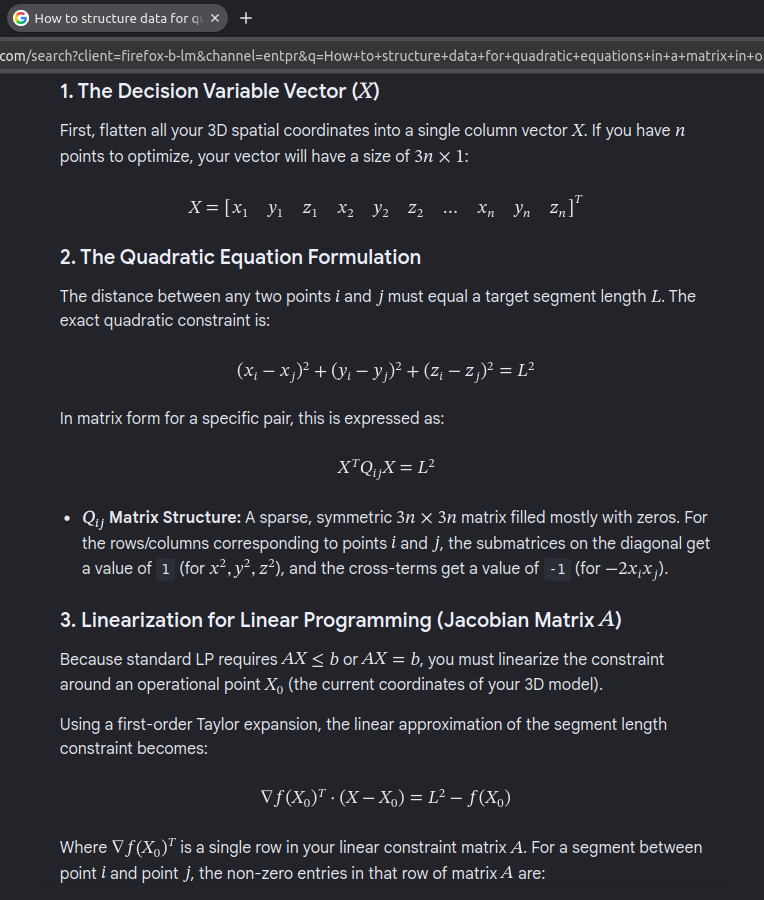
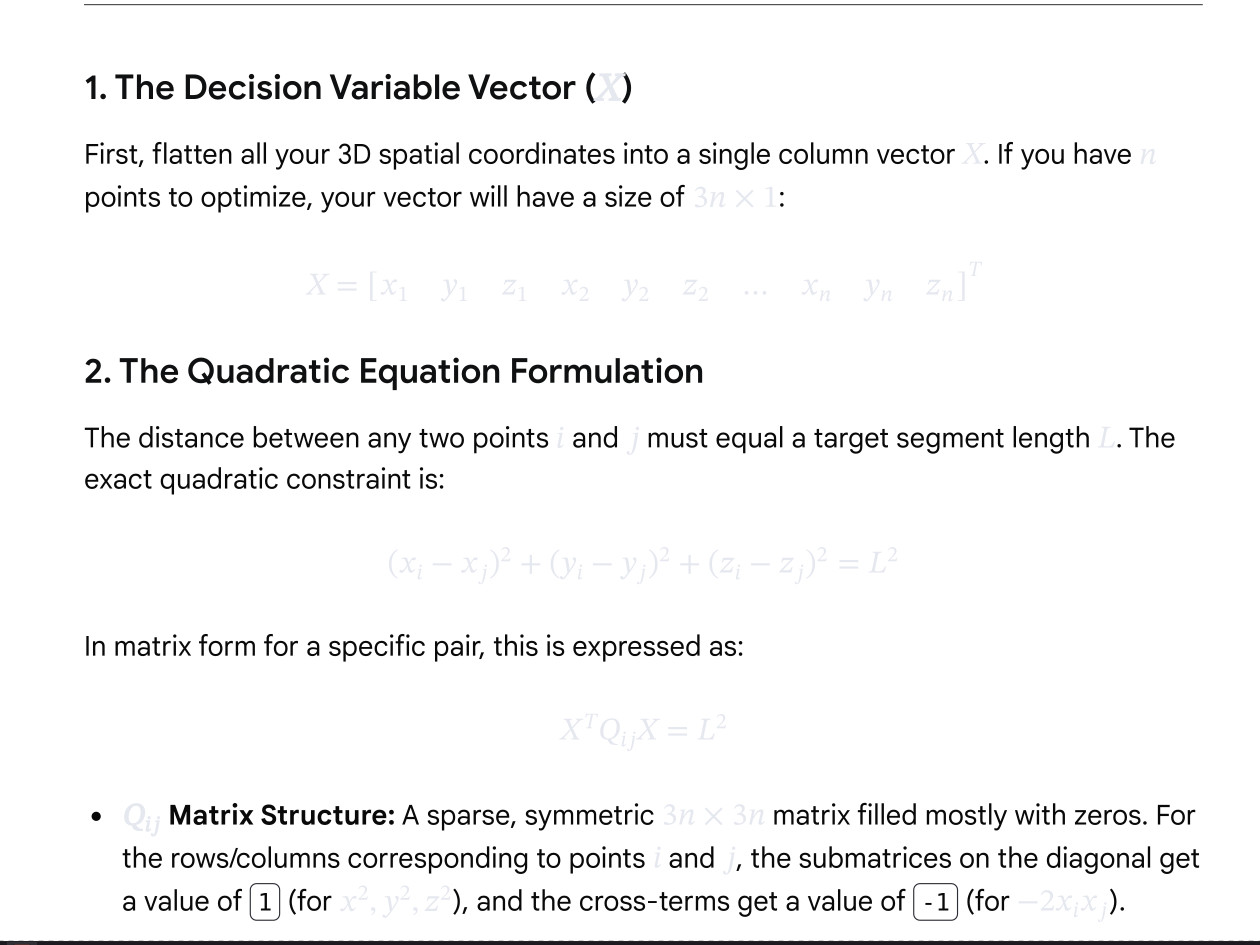
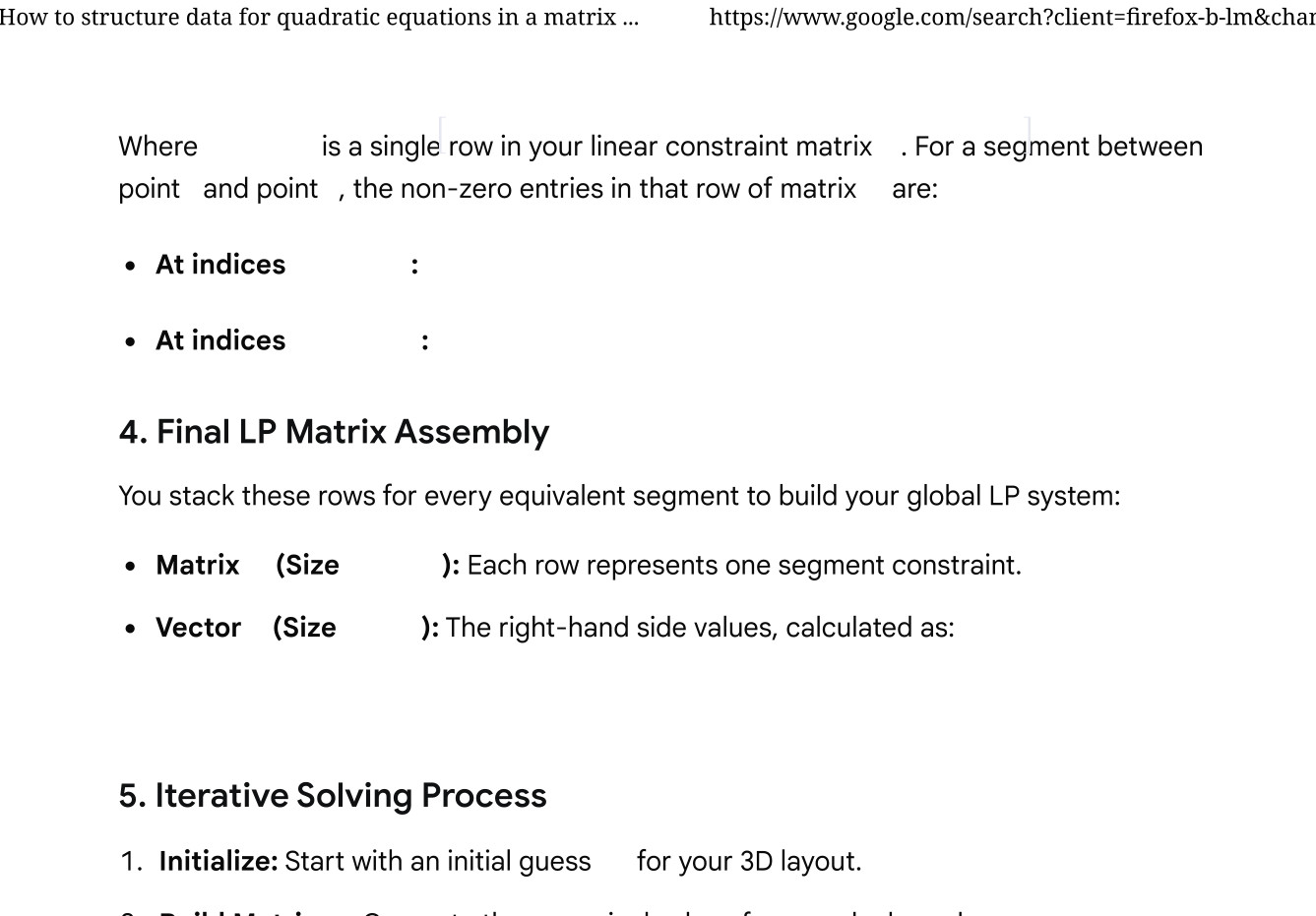
which renders out as

If I interpret that correctly, the source indicates a call to Latex.
The full line displayed by the browser is:
<div data-xpm-copy-root="" data-xpm-math-type="block" style="position: relative; direction: ltr;display: inline-flex; max-width: 100%; overflow-x: auto; vertical-align: -0.385em;" tabindex="0"><img aria-hidden="true" data-xpm-latex="(x_{i}-x_{j})^{2}+(y_{i}-y_{j})^{2}+(z_{i}-z_{j})^{2}=L^{2}" draggable="false" role="presentation" src="data:image/gif;base64,R0lGODlhAQABAIAAAP///wAAACH5BAEAAAAALAAAAAABAAEAAAICRAEAOw==" style="pointer-events: none; position: absolute; height: 100%; width: 100%; left: 0; top: 0;" data-imglogged="true"><div style="display: block; inset: 0; opacity: 0.001; overflow: hidden; position: absolute; user-select: none;"><math xmlns="http://www.w3.org/1998/Math/MathML"><semantics><mrow><mo>(</mo><msub><mi>x</mi><mi>i</mi></msub><mo>−</mo><msub><mi>x</mi><mi>j</mi></msub><msup><mo>)</mo><mn>2</mn></msup><mo>+</mo><mo>(</mo><msub><mi>y</mi><mi>i</mi></msub><mo>−</mo><msub><mi>y</mi><mi>j</mi></msub><msup><mo>)</mo><mn>2</mn></msup><mo>+</mo><mo>(</mo><msub><mi>z</mi><mi>i</mi></msub><mo>−</mo><msub><mi>z</mi><mi>j</mi></msub><msup><mo>)</mo><mn>2</mn></msup><mo>=</mo><msup><mi>L</mi><mn>2</mn></msup></mrow><annotation encoding="text/plain">open paren x sub i minus x sub j close paren squared plus open paren y sub i minus y sub j close paren squared plus open paren z sub i minus z sub j close paren squared equals cap L squared</annotation></semantics></math></div><svg xmlns="http://www.w3.org/2000/svg" aria-hidden="true" direction="ltr" width="16.1993em" height="1.27em" viewBox="0 -0.885 16.1993 1.27" style="vertical-align: -0.385em; overflow: visible; user-select: none;"><text fill="#E6E8F0" style="font-family: STIXTwoMath-Regular; font-size: 1px" transform="translate(0,0)">(</text><text fill="#E6E8F0" style="font-family: STIXTwoMath-Regular; font-size: 1px" transform="translate(0.357,0)">𝑥</text><text fill="#E6E8F0" style="font-family: STIXTwoMath-Regular; font-size: 0.7px" transform="translate(0.916,0.21)">𝑖</text><text fill="#E6E8F0" style="font-family: STIXTwoMath-Regular; font-size: 1px" transform="translate(1.37,0)">−</text><text fill="#E6E8F0" style="font-family: STIXTwoMath-Regular; font-size: 1px" transform="translate(2.3122,0)">𝑥</text><text fill="#E6E8F0" style="font-family: STIXTwoMath-Regular; font-size: 0.7px" transform="translate(2.8712,0.21)">𝑗</text><text fill="#E6E8F0" style="font-family: STIXTwoMath-Regular; font-size: 1px" transform="translate(3.2129,0)">)</text><text fill="#E6E8F0" style="font-family: STIXTwoMath-Regular; font-size: 0.7px" transform="translate(3.5699,-0.36)">2</text><text fill="#E6E8F0" style="font-family: STIXTwoMath-Regular; font-size: 1px" transform="translate(4.1787,0)">+</text><text fill="#E6E8F0" style="font-family: STIXTwoMath-Regular; font-size: 1px" transform="translate(5.1209,0)">(</text><text fill="#E6E8F0" style="font-family: STIXTwoMath-Regular; font-size: 1px" transform="translate(5.4779,0)">𝑦</text><text fill="#E6E8F0" style="font-family: STIXTwoMath-Regular; font-size: 0.7px" transform="translate(5.9879,0.21)">𝑖</text><text fill="#E6E8F0" style="font-family: STIXTwoMath-Regular; font-size: 1px" transform="translate(6.4419,0)">−</text><text fill="#E6E8F0" style="font-family: STIXTwoMath-Regular; font-size: 1px" transform="translate(7.3841,0)">𝑦</text><text fill="#E6E8F0" style="font-family: STIXTwoMath-Regular; font-size: 0.7px" transform="translate(7.8941,0.21)">𝑗</text><text fill="#E6E8F0" style="font-family: STIXTwoMath-Regular; font-size: 1px" transform="translate(8.2358,0)">)</text><text fill="#E6E8F0" style="font-family: STIXTwoMath-Regular; font-size: 0.7px" transform="translate(8.5928,-0.36)">2</text><text fill="#E6E8F0" style="font-family: STIXTwoMath-Regular; font-size: 1px" transform="translate(9.2016,0)">+</text><text fill="#E6E8F0" style="font-family: STIXTwoMath-Regular; font-size: 1px" transform="translate(10.1438,0)">(</text><text fill="#E6E8F0" style="font-family: STIXTwoMath-Regular; font-size: 1px" transform="translate(10.5008,0)">𝑧</text><text fill="#E6E8F0" style="font-family: STIXTwoMath-Regular; font-size: 0.7px" transform="translate(10.9938,0.21)">𝑖</text><text fill="#E6E8F0" style="font-family: STIXTwoMath-Regular; font-size: 1px" transform="translate(11.4478,0)">−</text><text fill="#E6E8F0" style="font-family: STIXTwoMath-Regular; font-size: 1px" transform="translate(12.39,0)">𝑧</text><text fill="#E6E8F0" style="font-family: STIXTwoMath-Regular; font-size: 0.7px" transform="translate(12.883,0.21)">𝑗</text><text fill="#E6E8F0" style="font-family: STIXTwoMath-Regular; font-size: 1px" transform="translate(13.2247,0)">)</text><text fill="#E6E8F0" style="font-family: STIXTwoMath-Regular; font-size: 0.7px" transform="translate(13.5817,-0.36)">2</text><text fill="#E6E8F0" style="font-family: STIXTwoMath-Regular; font-size: 1px" transform="translate(14.246,0)">=</text><text fill="#E6E8F0" style="font-family: STIXTwoMath-Regular; font-size: 1px" transform="translate(15.2438,0)">𝐿</text><text fill="#E6E8F0" style="font-family: STIXTwoMath-Regular; font-size: 0.7px" transform="translate(15.8128,-0.36)">2</text></svg></div>
Just wondering whether any HTML gurus out there know whether this is
-
HTML engine issue
Firefox 143.0.1
-
JavaScript version issue
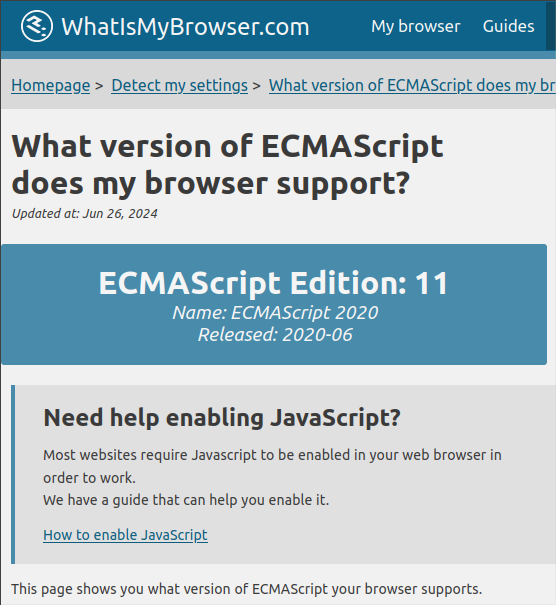
ECMAScript 2020 - Edition 11
(visit Detect my JavaScript/ECMAScript version)
-
possible code library incompatibilities because my OS is so old, namely
UbuntuMATE 22.04.5