You guys are REALLY skilled with your artistry AND technology. This is one area I really know very little about and have little artistic skill, yet I do very much appreciate all of the images displayed in this thread!
4 Likes
Patrick, Before you pack your bags. Is it possible to point the database at a specific folder or drive? I see the watch folder, but not a clear where the catalog is stored setting.
btw, Is that bottle brush flower in OZ? Reminds me of Byron Bay
2 Likes
Jim, the catalog database is stored under:
~/.local/share/FerrumPix/
The configuration files and downloaded models are under:
~/.config/FerrumPix/
There isn’t a setting in FerrumPix yet to move the catalog database somewhere else. The watched folders only tell FerrumPix where to look for photos.
If you really want the catalog on another drive, a symbolic link should work fine. FerrumPix would still use its normal path, while Linux redirects that folder somewhere else. I’d just be a little careful with putting the SQLite catalog itself on a network filesystem.
And about the flower: that photo was taken on Madeira, not Australia.  I was in Australia back in 2001 and probably took quite a few photos there with my old Canon EOS 300. I’m not completely sure what it is, but it looks more like a red hot poker to me than a bottlebrush.
4 Likes
Hi everyone,
another FerrumPix follow-up 0.9.61 through 0.9.63 bring quite a few changes around culling, layers, selections and the editor workflow.
Bursts, RAW+JPEG pairs and culling
0.9.63 adds optional stacks for bursts and RAW+JPEG pairs.
Shots taken in quick succession can appear as one thumbnail, and clicking a burst opens just that series for culling. The sharpest image is automatically brought to the front, and the other shots show how their sharpness compares.
There’s also a new Reject flag:
Xrejects the current imageShift+Xrejects everything in a burst except the selected shot- rejected images can be hidden or filtered separately
- the reject flag is also written to the sidecar
For RAW+JPEG pairs, ratings, labels, keywords and deleting can be applied to both files together.
Selections & masks
The selection tools have grown quite a bit over the last few versions.
Selections can now have their own fill, stroke, shadow and glow, with control over stroke position, hardness, gradients and opacity.
There’s also Refine Edge, which makes a selection or mask follow nearby image detail more closely. Useful for hair, fur, branches and similar edges, without requiring an AI model.
Selections made on layers now stay within the visible content of that layer and respect masks and clipping much more consistently.
Frame & warp tools
The frame is now treated much more like the other editor objects, with:
- fills and multi-stop gradients
- inside/outside shadow and glow
- adjustable distance from the image edge
Warping can now go beyond the image border, more like a free transform. Corners and edges can be dragged outside the canvas, while the final image keeps its original size.
New editable looks
0.9.63 adds eight new looks under Filters, including Base Light, Color Harmony, Luminous Curve, Desert Light, Film Grain, Color Haze, Clear View and Timeless.
They aren’t baked-in effects, they’re made entirely from normal FerrumPix adjustments, curves, HSL, grain and vignette, so everything stays editable afterwards. They also work with batch adjustments and Export to.
File handling
A new opt-in setting allows file operations outside the home folder, so photos on mounted drives, removable media or network folders can be copied, moved, renamed or deleted directly from FerrumPix.
System folders remain protected.
Smaller improvements
There’s also been quite a bit of cleanup around the editor:
- red-eye removal now lives with the image brushes
- numeric controls are more precise
- slider reset behaviour is now consistent
- eyedropper previews the color before you click
- color grading can tone black-and-white images
- viewer comparison no longer compares a picture with itself
- lens metadata in the gallery and EXIF panel now agrees
- complex-script text rendering uses HarfBuzz shaping
The focus is gradually shifting more toward workflow polish and stability now, but there are still a few areas where feedback from real-world use continues to uncover useful improvements.
Thanks again to everyone testing and reporting.
4 Likes
Another eye shot Wednesday, but this time it is healing faster. I tried the mapped drive feature a few days ago, but I’m not sure if it had been added yet. In Win11 FerrumPix sees everything. I just need to do the fstab edit, or build or use a native Linux computer instead of a VM.
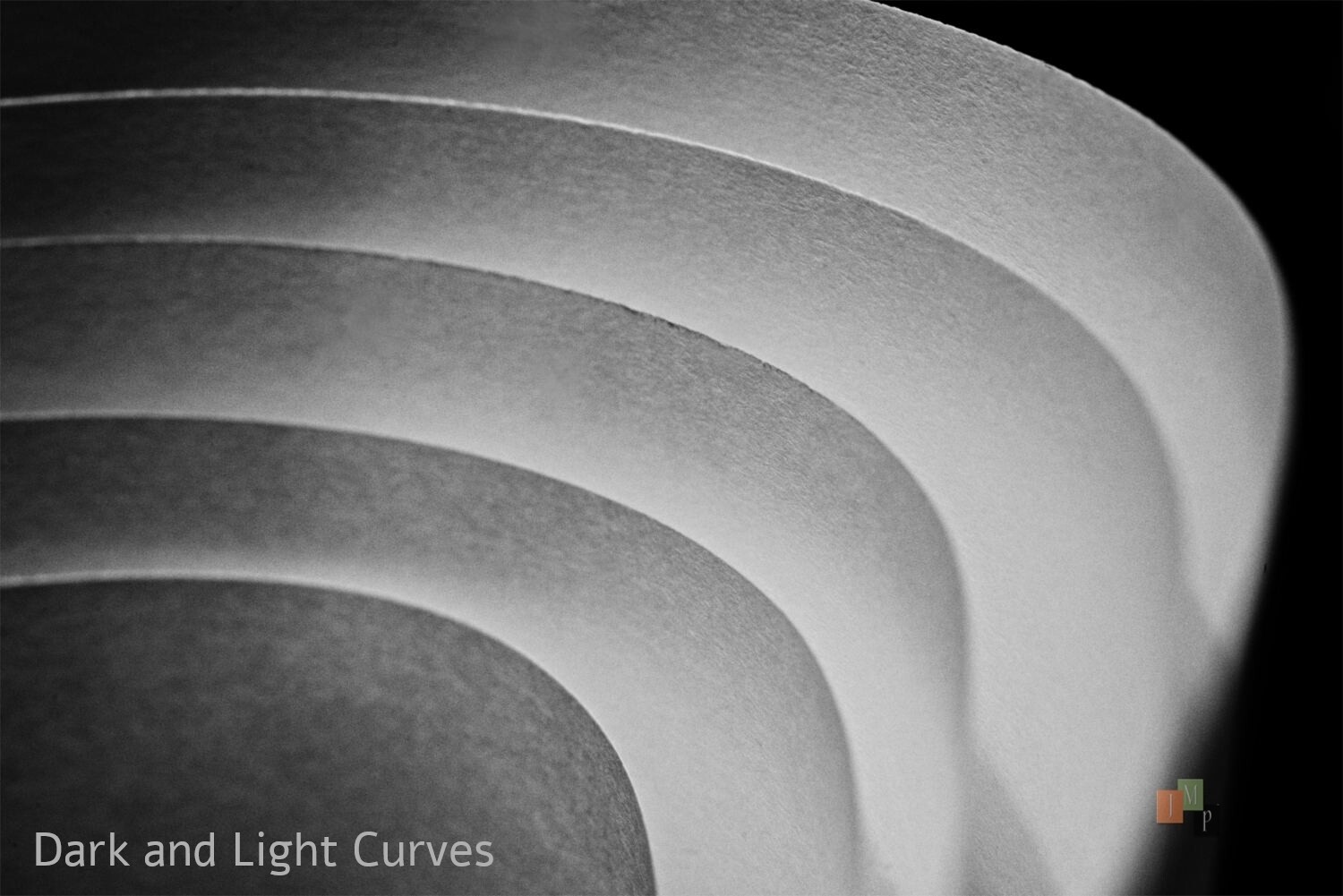
Got bored today so I entered a photo contest by creating content right at my desk. Topic was “Curves” so here is what I came up with using 5 sheets of plain printer paper. Light and shadow does all the work.
Small noticed: In win 11 the clone stamp can’t use alt + click to sample an area - it apparently is like using the windows key?
While exploring media support I played a couple video files - I think they were mp4 container. Very clean interface. Looked for a full screen toggle, but couldn’t find it. This is for DAM purposes I know, but it was worth taking a look.
FerrumPix v0.9.64-2 Nikon D850 - Nikkor-P.C 55mm f3.5 ai’d micro manual focus lens
3 Likes
Patrick, Not sure if this is what you were referring to on mapped drives, but if I mount a drive then launch FerrumPix - I can add a folder on that network drive as a “Watched Folder”. It allows save, renaming, etc. This is really a big deal for me. Thanks, this makes file handling much easier.
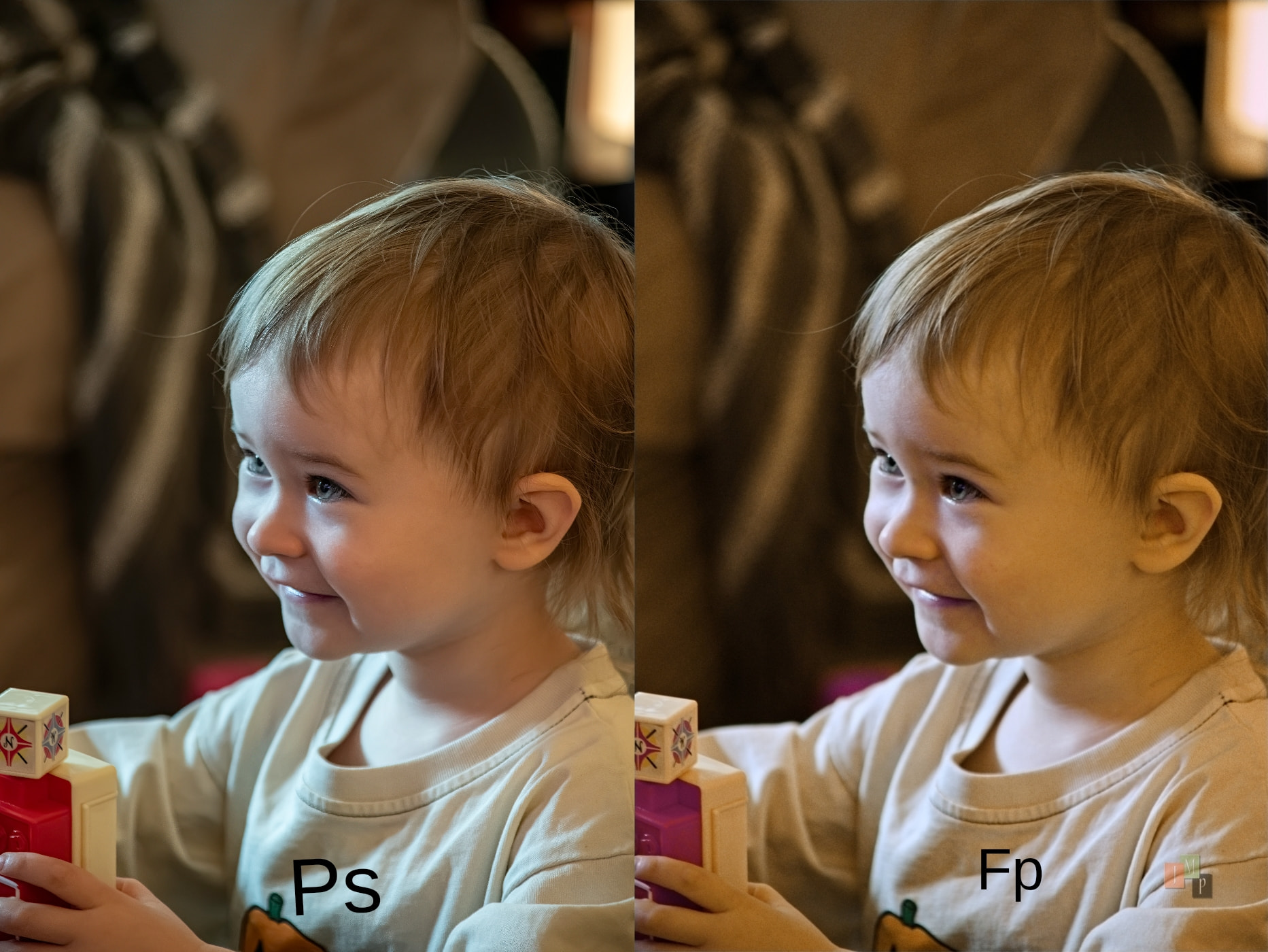
I recently picked up an AF grandpa lens - 24-200mm f3.5 af-d Nikkor, because manual focus is becoming more difficult. It may not be prime lens quality, but it is good. I did one in the usual win11>Lr>Ps way, and one in Fp - then pasted them side by side.
I couldn’t quite get the color correction I wanted, but it was close. I was able to clean up the noise (iso 2500) well, and add a bit of sharpening in both. Overall, I am pleased with the workflow and results of FerrumPix v0.9.64-2
Only difficulty was trying to grab the text to move it causing a reshaping/scaling sometimes.
UbuntuMATE v26.04 (it may be the Ubuntu core version of 26.04) running in a VM
4 Likes