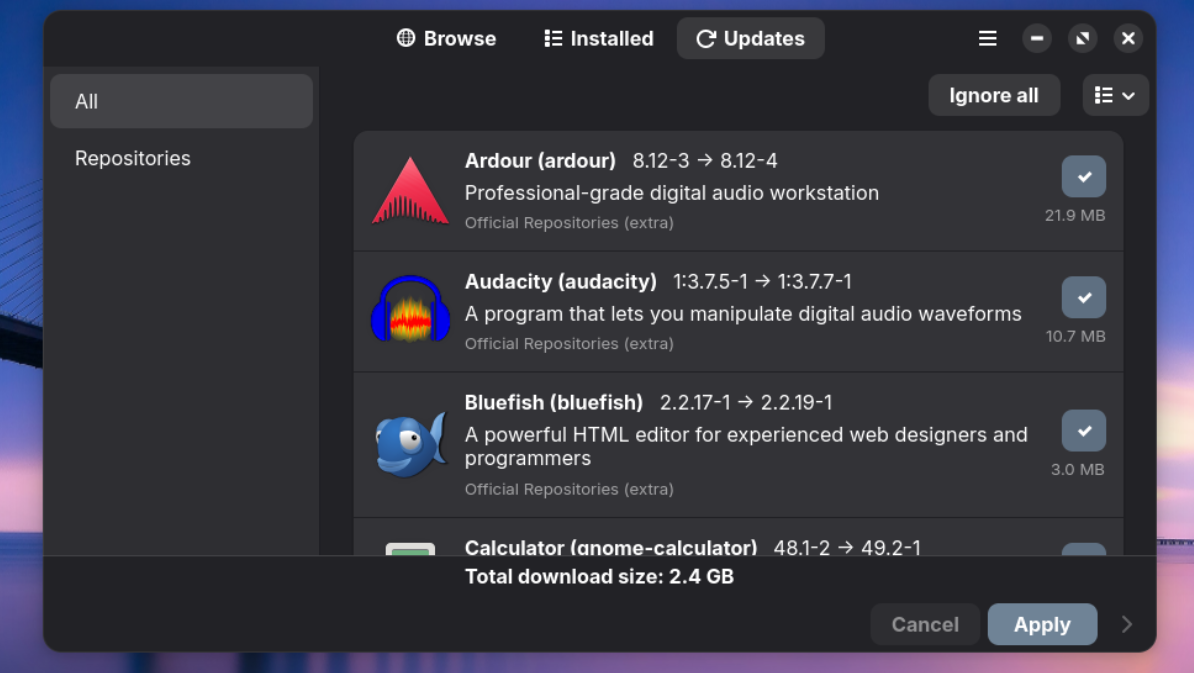
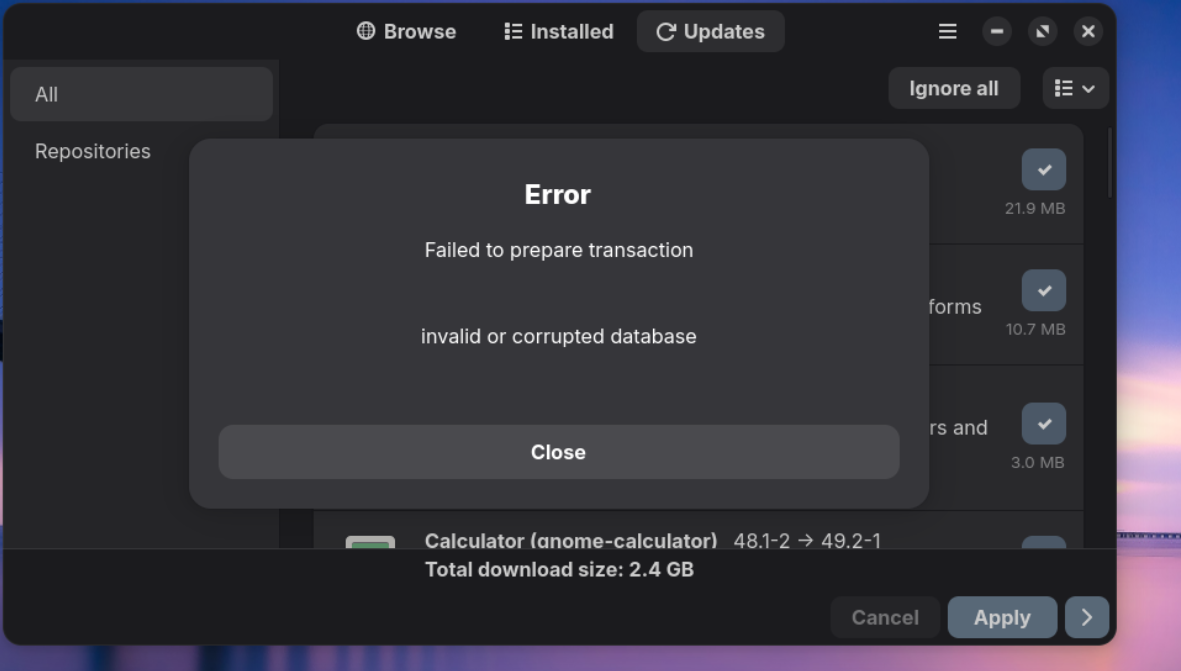
I tried your distro and I’m not so impressed, it installs a bunch of programs I’ll never use. I got a notice that I needed to update I opened the update icon and tried to update all 720 updates.
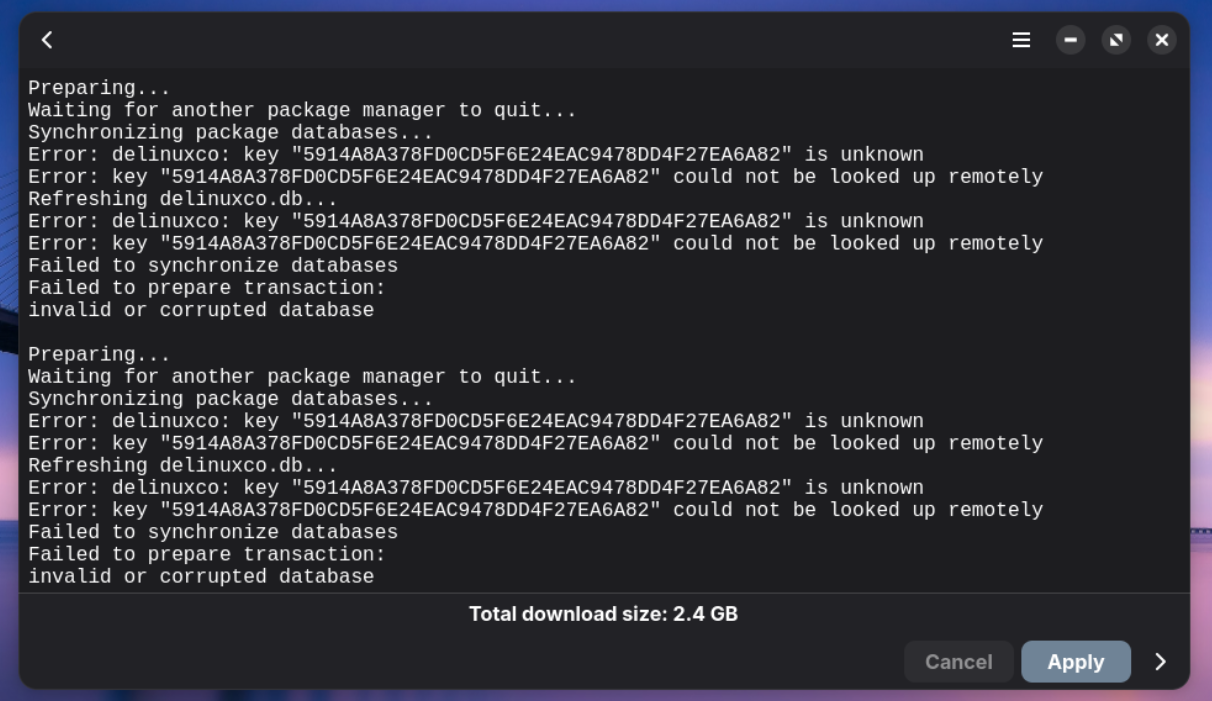
Apparently there is an issue with a repository key or something becase I get a messsage the update failed.
Hi Tim, thank you for taking the time to let me know, I really do appreciate it.
I understand that the DeLinuxCo is not what you are looking for, unfortunately, creating a niche distro for a workstation environment means that not everyone gets what they want or they get too much.
I am actually testing a minimal version, I hope to release it in the next couple of weeks. This version is basically the same but, with all of the productivity apps removed.
Regarding the update error, it appears that our server could not be reached, can you give me the entire name of the ISO that was used?
So I downloaded the ISO and installed it on both a VM and on a laptop, both worked and updated perfectly fine.
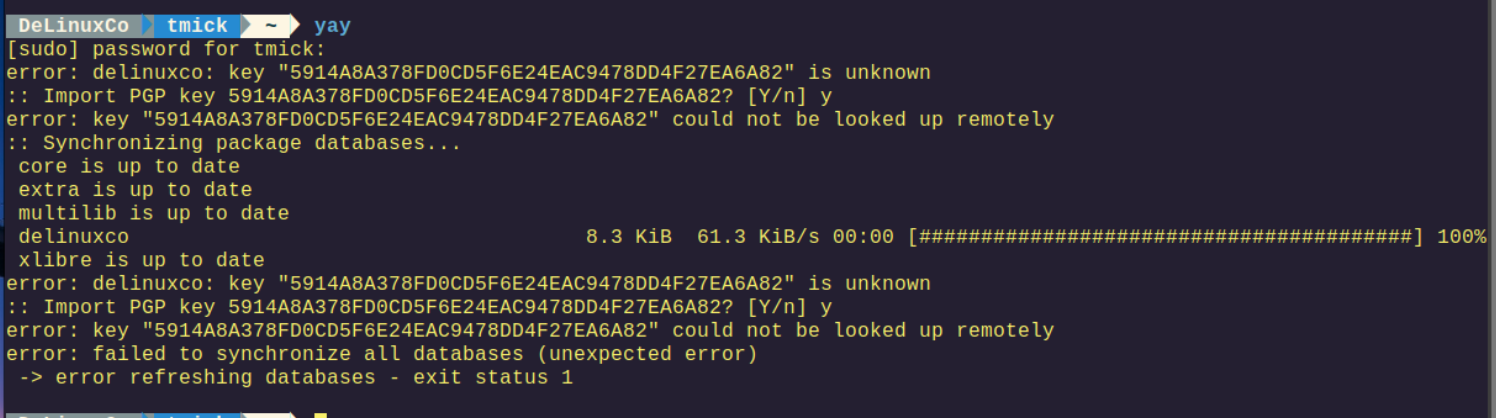
If you still have the system installed, try running the yay command from the terminal, and follow the prompts to see if it works.
sudo pacman-key --finger [email protected]
DeLinuxCo tmick ~ sudo pacman-key --finger [email protected]
[sudo] password for tmick:
gpg: error reading key: No public key
==> ERROR: The fingerprint of a specified key could not be determined.
DeLinuxCo tmick ~ sudo rm -rf /etc/pacman.d/gnupg
[sudo] password for tmick:
DeLinuxCo tmick ~ sudo pacman-key --init
gpg: /etc/pacman.d/gnupg/trustdb.gpg: trustdb created
gpg: no ultimately trusted keys found
gpg: starting migration from earlier GnuPG versions
gpg: porting secret keys from '/etc/pacman.d/gnupg/secring.gpg' to gpg-agent
gpg: migration succeeded
==> Generating pacman master key. This may take some time.
gpg: Generating pacman keyring master key...
gpg: directory '/etc/pacman.d/gnupg/openpgp-revocs.d' created
gpg: revocation certificate stored as '/etc/pacman.d/gnupg/openpgp-revocs.d/27F63AB1892EFE13DDE44C4525531BB84D0B2B04.rev'
gpg: Done
==> Updating trust database...
gpg: marginals needed: 3 completes needed: 1 trust model: pgp
gpg: depth: 0 valid: 1 signed: 0 trust: 0-, 0q, 0n, 0m, 0f, 1u
DeLinuxCo tmick ~ sudo pacman -Sy gnupg archlinux manjaro
error: delinuxco: key "5914A8A378FD0CD5F6E24EAC9478DD4F27EA6A82" is unknown
:: Import PGP key 5914A8A378FD0CD5F6E24EAC9478DD4F27EA6A82? [Y/n] y
error: key "5914A8A378FD0CD5F6E24EAC9478DD4F27EA6A82" could not be looked up remotely
:: Synchronizing package databases...
core is up to date
extra is up to date
multilib is up to date
delinuxco 8.3 KiB 47.6 KiB/s 00:00 [########################################] 100%
xlibre 9.0 KiB 20.0 KiB/s 00:00 [########################################] 100%
error: delinuxco: key "5914A8A378FD0CD5F6E24EAC9478DD4F27EA6A82" is unknown
:: Import PGP key 5914A8A378FD0CD5F6E24EAC9478DD4F27EA6A82? [Y/n] y
error: key "5914A8A378FD0CD5F6E24EAC9478DD4F27EA6A82" could not be looked up remotely
error: failed to synchronize all databases (unexpected error)
DeLinuxCo tmick ~ sudo pacman -Sy gnupg archlinux manjaro
[sudo] password for tmick:
error: delinuxco: key "5914A8A378FD0CD5F6E24EAC9478DD4F27EA6A82" is unknown
:: Import PGP key 5914A8A378FD0CD5F6E24EAC9478DD4F27EA6A82? [Y/n] y
error: key "5914A8A378FD0CD5F6E24EAC9478DD4F27EA6A82" could not be looked up remotely
:: Synchronizing package databases...
core is up to date
extra is up to date
multilib is up to date
delinuxco 8.3 KiB 48.2 KiB/s 00:00 [########################################] 100%
xlibre is up to date
error: delinuxco: key "5914A8A378FD0CD5F6E24EAC9478DD4F27EA6A82" is unknown
:: Import PGP key 5914A8A378FD0CD5F6E24EAC9478DD4F27EA6A82? [Y/n] y
error: key "5914A8A378FD0CD5F6E24EAC9478DD4F27EA6A82" could not be looked up remotely
error: failed to synchronize all databases (unexpected error)
OK, I reinstalled that ISO and Xlibre just updated the X11 packages and I got the same error but for Xserver-common package.I was able to fix the error by turning off pi-hole on my network for five minutes while it did the updates.
Do you have any kind of ad-blocker or filter on your network?
okay no kind of ad blocker or anything like that. I surrender, I had gone as far as re-downloading the ISO and installing for there, still no joy. Thanks for the help.