I found that after opening a topic from New, there was no quick way back. You had to click Topics, then New again, every time, over and over extra clicks. That gets old fast when you’re catching up on replies.
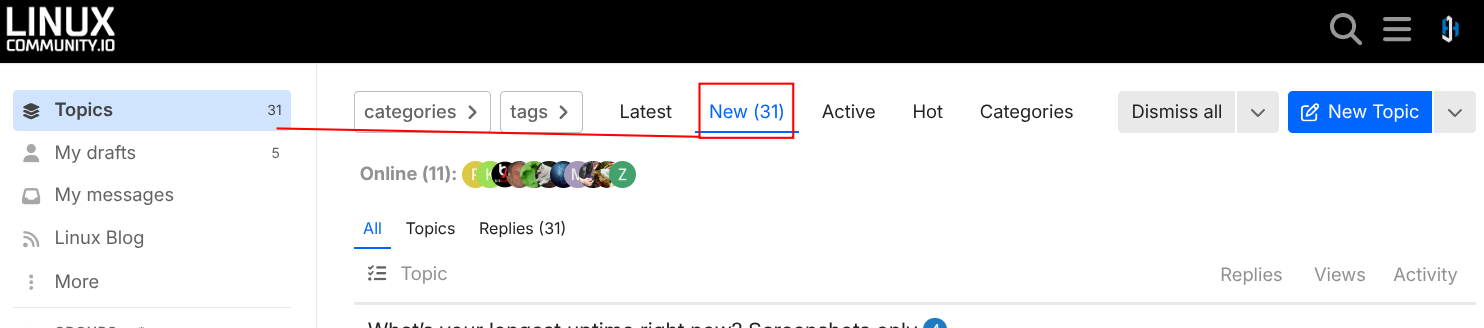
So I’ve changed how the Topics link in the sidebar works. Now, when there are new or unread topics or replies, clicking Topics takes you straight to that list (the New tab in the screenshot above). When you’re all caught up, it goes to Latest like before. The number next to Topics is your count of new and unread items, so you can see at a glance whether there’s anything to catch up on.
Prefer the old behavior? You can switch it back in a few seconds:
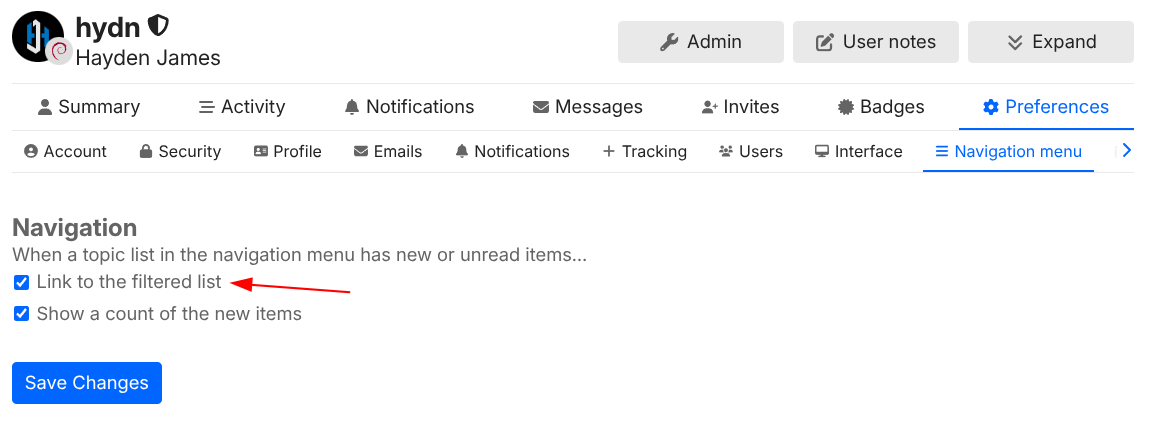
Click your avatar (top right) and go to Preferences > Navigation, or go directly to https://linuxcommunity.io/my/preferences/navigation-menu
Uncheck the option for the navigation menu linking to filtered new/unread topics.
If you’d rather see a dot instead of a number, uncheck the show counts option too.
Then hit Save Changes.
The homepage and logo still show everything (Latest). The Topics link now shows only what’s new to you, and switches back to Latest once you’re caught up:

Let me know what you think. If it’s annoying for most people, we can switch the default back. Give it a try for a few days it should result in fewer clicks when catching up to unread topics.