Fellow 
Some forum housekeeping over the last few days that’s worth a quick rundown for everyone.
What changed
Re-tagging pass. Most existing topics have been reviewed and tagged with a cleaner, more consistent tag set. Browsing by tag should now actually surface relevant content instead of fragmented near-duplicates. We’ve also added a handful of useful tags that didn’t exist before. Things like #self-hosted, #backup, #dual-boot, and a few others people actually search for.
Pinned sidebar tags. You’ll notice five tags now pinned in the left sidebar. They’re meant to be quick 1-click entry points into high-traffic areas of the forum, with a mix of desktop and server-related options so there’s something for everyone.
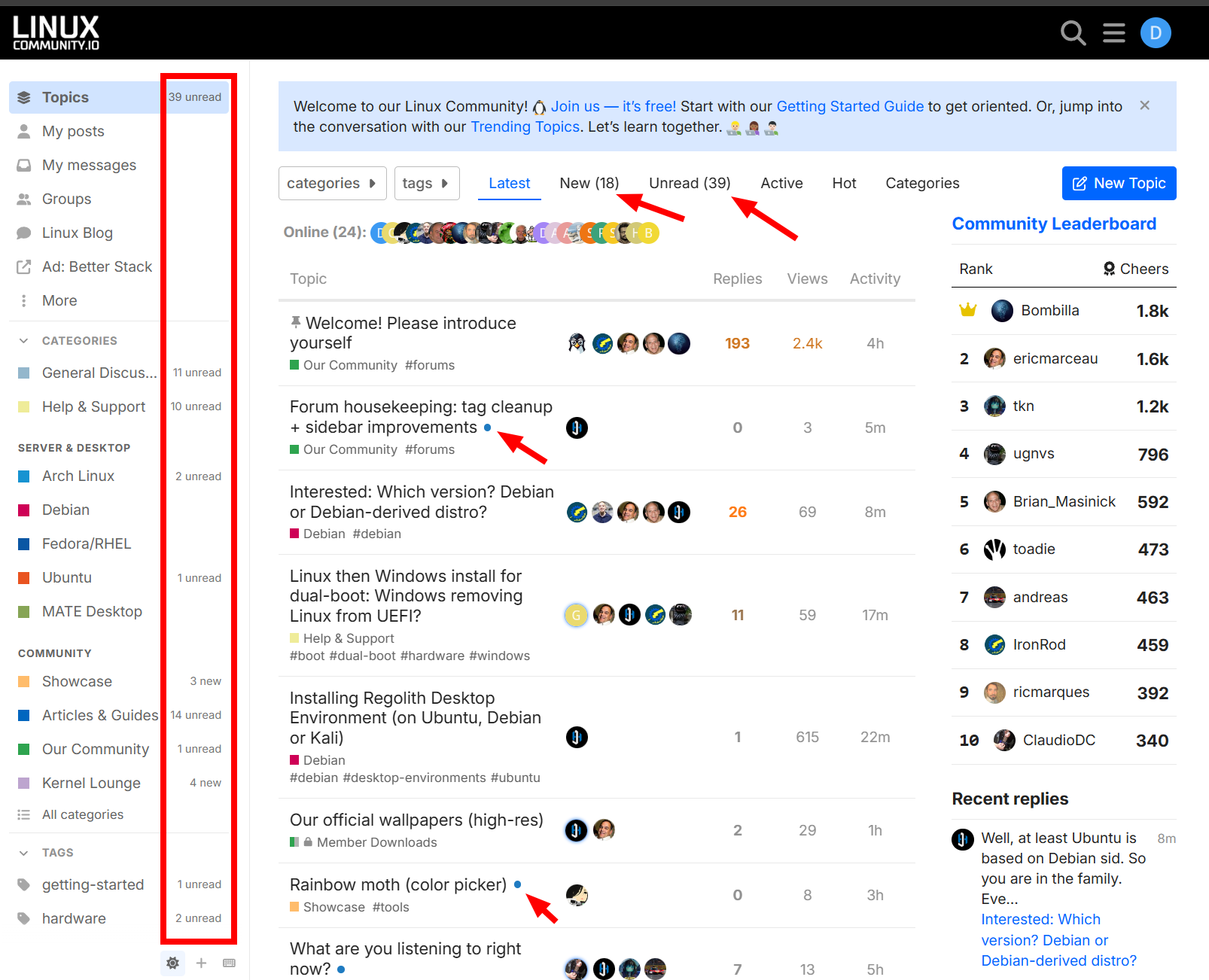
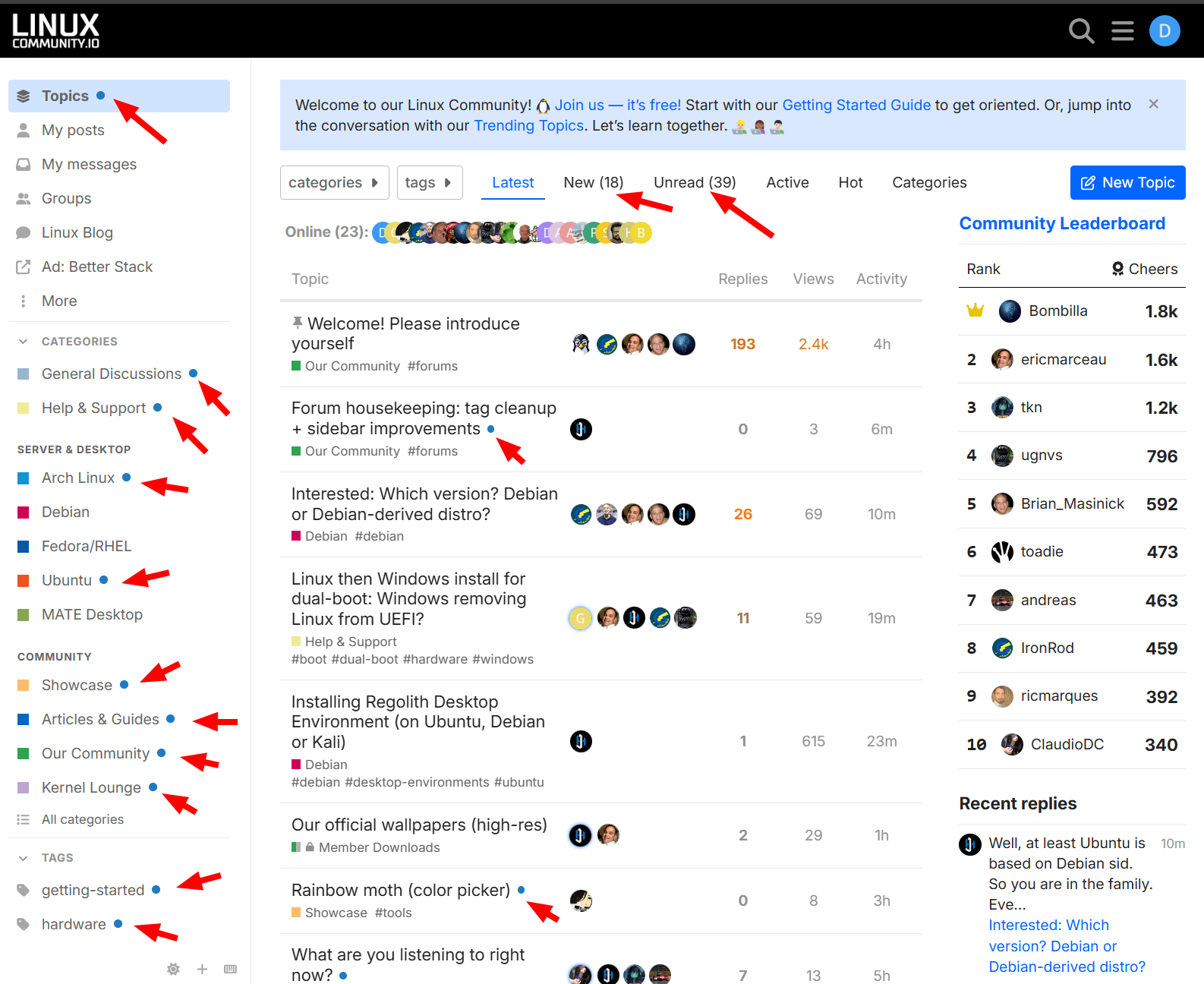
Notification counts in the sidebar. The little blue dots next to category names have been replaced with actual unread/new topic counts. Now at a glance you can see how much activity is happening in each area, not just that there’s something new. Useful for finding the active corners of the forum and gauging where people are talking. Or even where you can help out with activity most.
Default new/unread notifications = count:
Or change to blue dots for notifications here:
Why
The forum has grown past 1,200 topics. Tags accumulated over 3+ years had drifted. Some redundant, some too vague, some missing entirely for things people actually search for. Cleaning this up early makes the forum easier to navigate by interest, not just by category.
What is NOT changing
- All your existing topics are right where you left them
- Category structure unchanged from the last update
- No new top-level categories
Feedback welcome
If you find a topic with a tag that doesn’t fit, or you can’t find content you’d expect to see under a certain tag, just reply here or message a moderator group. Tag adjustments are easy to make.
Thanks for being part of this community! 