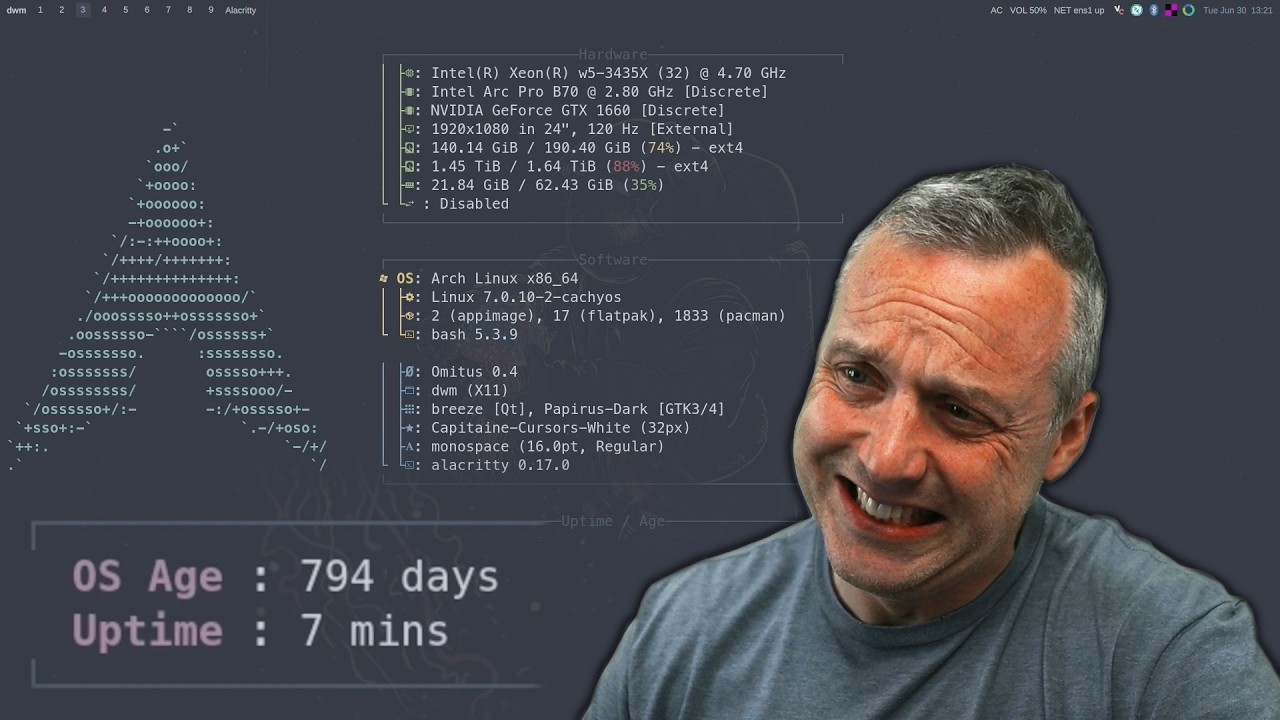
Hey, I’ve been running Arch, fairly bare bones for quite a few years now with few issues and I was able to work through any that came up. i3, herbsluftwm, and now hyprland. I don’t have the time to tinker like I did and my terminal and system skills are getting rusty and poor. Do you guys have any remondations to an OS that’s not a rolling release and a bit more set and forget. Because I’m familiar with Arch, ideally an arch build, Manjaro was the first OS I ever used.
Not knocking Arch, it could happen to any OS, but Arch is having a few problems right now. From DistroWatch
Last week we reported on malware being uploaded to the Arch User Repository (AUR). While initial reports indicated there were around 400 packages affected, since then additional attacks have impacted more packages. In response, the AUR maintainers have disabled new account sign-ups in an effort to stop the flow of sabotage. FOSS Force reports: “Initial reports were that 400 packages were affected, that AUR’s maintainers went into high gear, and took care of the problem. By the end of the story’s first chapter, the total number of affected packages sat at 1,500 packages. Case closed. After that, we heard about another round, this time more sophisticated and harder to detect. There were obviously additional packages involved, but not much emphasis on keeping a running count, although there were some numbers floating around.”
I too recommend Ubuntu Mate, Mint Mate and Debian Mate. Really there isn’t much difference in the three of them.
If you’re looking to stick with Arch for familiarity, I would second @hydn’s recommendation and look at CachyOS. They do offer an LTS kernel option instead of the default rolling kernel. I’ve been using the default rolling release for close to two months now and haven’t really encountered any major issues.
If you’re ok with going outside of Arch and your priority is set and forget (which I understand to mean stable. If you mean something else, please feel free to correct me!), then I would second @ugnvs’s recommendation of Debian LTS. Very stable and simple to setup and use with plenty of room to muck around with things if you feel the need again!
@hydn these ten are good recommendations and I have not used all of them. I’ve tried Arch and of course it works but by default it’s mostly “do it yourself” to get it the way you need it. Manjaro was one I’ve used on two or three occasions. Four or five years ago it worked for a while, then inexplicably broke and when I reinstalled it failed, so I dropped it for a while. TWO more times since then, the most recent within the past year, I’ve unsuccessfully tried to install it; now it is on my “personal do not try or use” list. Cachy OS was really good for a while, but sometime earlier this year it ran into trouble so I replaced it with Slackware. I tried again and like Manjaro, it wasn’t cooperating; might be my peculiar configuration responsible here, but MANY distributions work fine so Cachy OS is out these days too. The big winner in the Arch space for me is Endeavour OS; it’s never failed and even the recent AUR debacle didn’t seem to damage it, but I’ve been careful to use only pacman instead of yay recently to make sure not to compromise that configuration.
Hopefully what you are using will work well and continue to work. Just because these few don’t work that well for me doesn’t necessarily indicate any problems for others, but my views on the Endeavour OS Forums indicate that their forum community is just as helpful as we try to be here so that is a big PLUS for Endeavour OS in my mind.
Interesting that your approach to Linux isn’t distro based but rather adapting to what works during certain time periods of development. This seems like a really resillient trait/habit to develop, considering the nature of tech and how it shifts and evolves. Sick!
I have no arguments with that. Fedora used to be pretty erratic when it came to initial quality, though the end result was really solid Red Hat Enterprise software. The openSUSE project is similar to Fedora conceptually, and I’ve found it to be excellent in either of two forms: the Leap releases and updates, and the rolling Tumbleweed; both are solid; you can get more current changes with Tumbleweed if that matters, whereas Leap is better tested and closer to SuSE Linux Enterprise {Server,Desktop}.
@Halano This is going to be good. Going to listen now. I’m pretty sure it’s gonna be similar reason(s) as I had years ago.
Edit: So yes, same reasons. Productivity mainly. He went Fedora, I went Debian. I suspect a follow up video in a year or two similar to the Arch video but for Fedora.
For me nothing has allowed me to enjoy bleeding edge, while staying completely out my way like Kali rolling.
Here’s his full writeup:
Funny how he’s at a similar point like @shybry747:
I was fortunate during the recent Arch-based AUR package problem.
I didn’t have any AUR packages at all on Endeavour OS, but since I didn’t remember whether or not I had installed AUR packages, I avoided the system for several days, then when I used it, I was careful to use only Pacman to update; turned out it didn’t matter because I didn’t use AUR packages, so I stayed with Endeavour OS and I’ve been happy with it. Though it’s not my main distribution, it’s one of my favorite alternative distributions to visit; the community is great, and so is their art work - so I use a different wallpaper than my usual Cumberland Falls Moonbow wallpaper.
As for Fedora, it’s not my style, but the last time I tried it the stability and general configuration were vastly improved; in the distant past it was terrible, but it’s been very good for many years now; either of these distributions are solid choices if they meet your interests and preferences.
I used EndeavourOS for a while and there was a lot to like. It is a really nice distro and probably my favorite Arch-based distro. I also tried CachyOS for a while but it was early days and it didn’t seem ready for me – or maybe me for it. But it is another nice Arch-based distro that has some really great tweaks.
For me, I ended up staying with Linux Mint because I was so comfortable with the Debian base and my focus then (and now) is more about getting things done in a familiar environment than exploring the latest new bangle.
This was good. It hit all my pain points of when I was switching. I loved Arch, and still have a high respect for anything from Arch. But the TIME, the time, wasn’t there to maintain it and really focus on what you wanted to do.
@shybry747 and @IronRod I completely understand the desire to simply put something in place that matches your personal interests and workflow. For some people, distro hopping is a part of their regular workflow, but the longer time passes, that can get old unless it is a personal hobby. For me it has been a long time hobby, but though I am retired, I do quite a few things; for instance today I was out and about for most of the morning, so while I still use multiple distributions, I keep the ones I have already “automated”, so in my case, I have five distributions on my Lenovo T14 Gen 3 laptop, but with my handy alias commands, I can update each of the five distributions with a single alias that I customize for different distro types: for Debian based distros alias u=‘sudo apt update; sudo apt upgrade’, for Arch based distros alias u='sudo pacman -Syu and for Slackware, alias u=‘sudo slackpkg update; sudo slackpkg upgrade-all’. If I wish I can add sudo update-grub to any of these commands, so updating five distributions can be as easy as booting, selecting the distribution, press u to upgrade and r to reboot (or p to poweroff). Works great, so for those who master the art of using command aliases it is possible to manage as many systems as you want.
For those who can’t be bothered, that’s a choice too and it makes sense for many people to find a system they like and stick with it!
I never thought distro hopping could be a part of a workflow, that is an interesting concept.
For me personally, as I was learning the in and outs of the Linux world, distro hopping was a way for me to learn. I always felt that you don’t really learn a distro until you install it barebones as your daily driver. Having it on a VM where you play with it for a while is not just the same.
But, that concept really caught me by surprise, distro hopping as a workflow.