Hi
Trying to install an alternate browser. It means using curl.
Curl is a snap… and I get an error message since snap
On the web I find that i should do this:
sudo snap remove curl
sudo apt install curl
exec bash
…and try install again
Just checking here with you guys if it is OK… for the not so familiar with CLi that I am.
Thanks
W
4 Likes
Hi, @Warford
I’m not sure if this is the solution, but I found this.
2 Likes
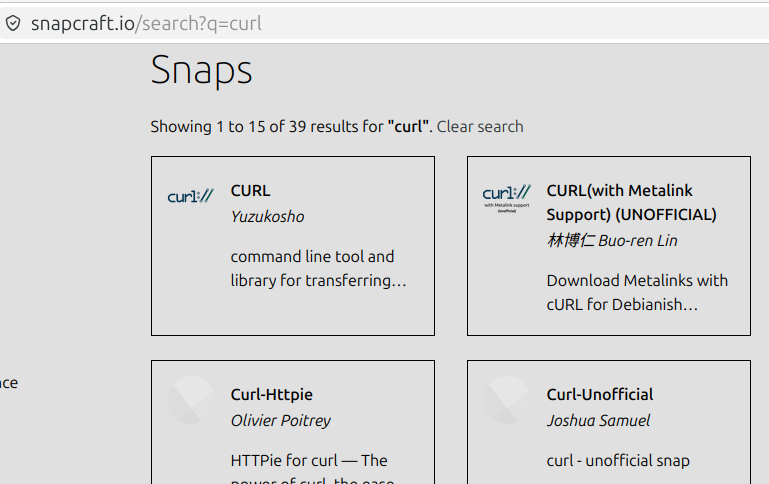
Yes John it works
- uninstall the snap
- install the native one
- then proceed with relevant install
Useful for others to know that too 
W
3 Likes
Greetings @Watford ! I’m glad you found “another way”; I’ve never warmed up to either Flatpaks or Snaps; the only alternate format I use is AppImage; otherwise I use distribution packages.
Glad you were able to install curl properly!
3 Likes
I’m a bit surprised that you didn’t need to do some additional “configuring” to block snaps before attempting to download and install the Debian package.
Wonder why that is the case, when such a strategy is an absolute must to ensure Debian-based Firefox/Thunderbird.

3 Likes
I don’t even know what Curl is but the .deb (native) version is installed in my UM 24.04 machine(s) by default I assume as I never did it myself.
I’ve always used the Ubuntuzilla apt repo to install both FF and TB. I’ve never had to do anything other than uninstall the snap versions of both,no configuring at all.
2 Likes
Hey Norm, “curl” is just a tool for downloading, similar to wget, but operates differently. 
Unfortunately, on Ubuntu, because SNAPs get precedence, you have to block SNAP equivalents to ensure Debian-package source is properly “sourced”. Otherwise, you will always get the Ubuntu-preferred SNAP-equivalent package.
Mozilla guidance for direct download:
/etc/apt/preferences.d/firefox-no-snap
Package: firefox*
Pin: release o=Ubuntu*
Pin-Priority: -1
/etc/apt/preferences.d/mozilla
Package: *
Pin: origin packages.mozilla.org
Pin-Priority: 1000

Package: firefox*
Pin: release o=Ubuntu
Pin-Priority: -1
/etc/apt/keyrings/packages.mozilla.org.asc
( obtained via the command:
wget -q https://packages.mozilla.org/apt/repo-signing-key.gpg -O- | sudo tee /etc/apt/keyrings/packages.mozilla.org.asc > /dev/null
)
-----BEGIN PGP PUBLIC KEY BLOCK-----

xsBNBGCRt7MBCADkYJHHQQoL6tKrW/LbmfR9ljz7ib2aWno4JO3VKQvLwjyUMPpq
/SXXMOnx8jXwgWizpPxQYDRJ0SQXS9ULJ1hXRL/OgMnZAYvYDeV2jBnKsAIEdiG/
e1qm8P4W9qpWJc+hNq7FOT13RzGWRx57SdLWSXo0KeY38r9lvjjOmT/cuOcmjwlD
T9XYf/RSO+yJ/AsyMdAr+ZbDeQUd9HYJiPdI04lGaGM02MjDMnx+monc+y54t+Z+
ry1WtQdzoQt9dHlIPlV1tR+xV5DHHsejCZxu9TWzzSlL5wfBBeEz7R/OIzivGJpW
QdJzd+2QDXSRg9q2XYWP5ZVtSgjVVJjNlb6ZABEBAAHNVEFydGlmYWN0IFJlZ2lz
dHJ5IFJlcG9zaXRvcnkgU2lnbmVyIDxhcnRpZmFjdC1yZWdpc3RyeS1yZXBvc2l0
b3J5LXNpZ25lckBnb29nbGUuY29tPsLAjgQTAQoAOBYhBDW6oLM+nrOW9ZyoOMC6
XObcYxWjBQJgkbezAhsDBQsJCAcCBhUKCQgLAgQWAgMBAh4BAheAAAoJEMC6XObc
YxWj+igIAMFh6DrAYMeq9sbZ1ZG6oAMrinUheGQbEqe76nIDQNsZnhDwZ2wWqgVC
7DgOMqlhQmOmzm7M6Nzmq2dvPwq3xC2OeI9fQyzjT72deBTzLP7PJok9PJFOMdLf
ILSsUnmMsheQt4DUO0jYAX2KUuWOIXXJaZ319QyoRNBPYa5qz7qXS7wHLOY89IDq
fHt6Aud8ER5zhyOyhytcYMeaGC1g1IKWmgewnhEq02FantMJGlmmFi2eA0EPD02G
C3742QGqRxLwjWsm5/TpyuU24EYKRGCRm7QdVIo3ugFSetKrn0byOxWGBvtu4fH8
XWvZkRT+u+yzH1s5yFYBqc2JTrrJvRU=
=QnvN
-----END PGP PUBLIC KEY BLOCK-----
2 Likes
Great explanation @ericmarceau! This is an excellent example of something that I might be able to search and locate, but it’s a piece of information that I didn’t have stored in my nearly full personal memory bank!
1 Like