Mixolink is a graphical, multi-panel file manager for Linux, macOS, and Windows. It brings local folders together with network shares, SSH/SFTP, WebDAV, S3-compatible object storage, cloud drives, and other storage plugins in one workspace. Available operations depend on the plugin and your access permissions.
One workflow we would like Linux users to try: place a local folder next to an S3 bucket, cloud drive, or remote server; compare directories; choose the differences to transfer; and preview batch renames before applying them. Comparison and sync are manual and selective, not continuous background sync.
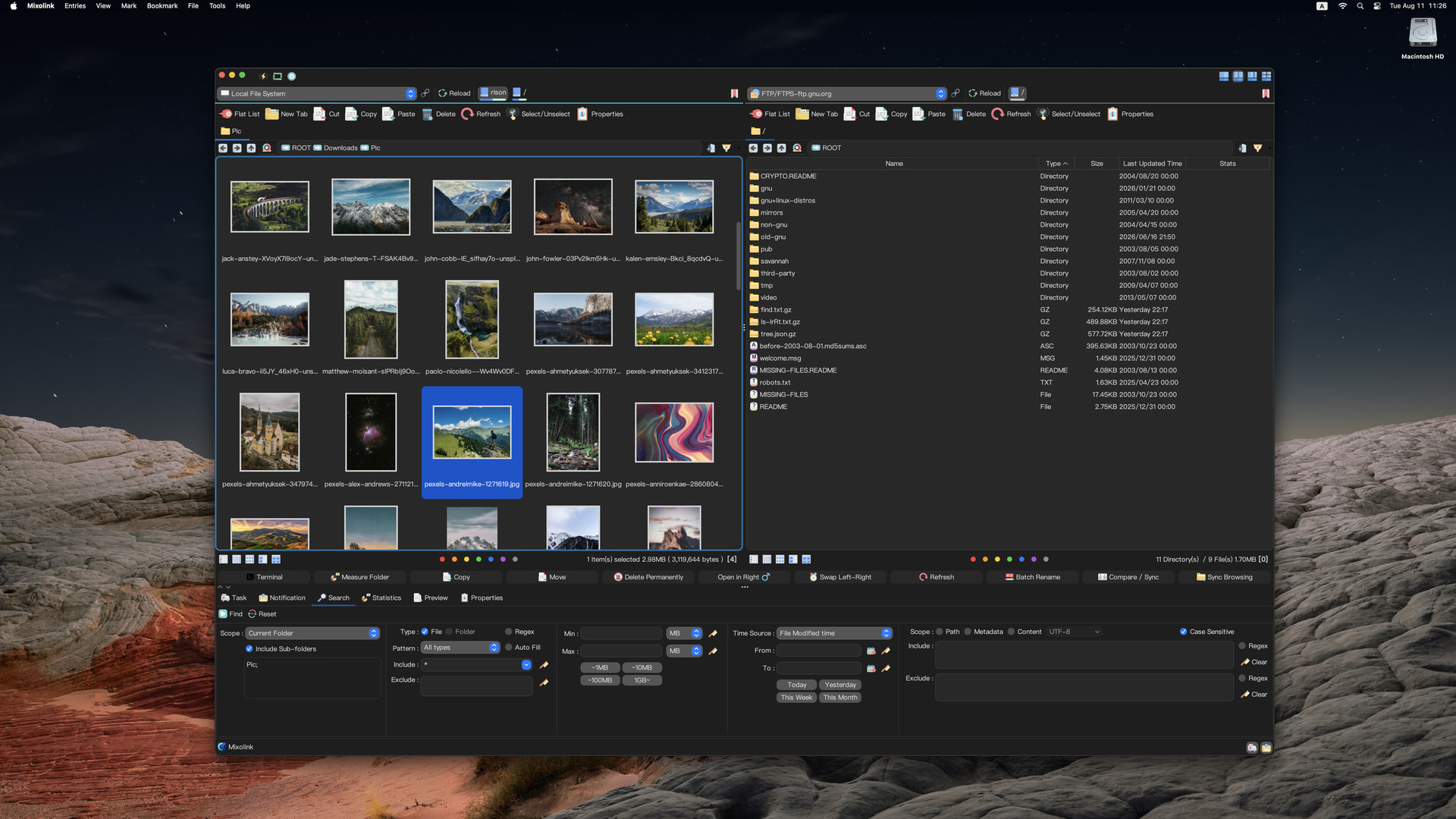
A short demo shows Mixolink opening a remote ZIP to preview or download one file without downloading the whole archive: https://www.youtube.com/watch?v=G-d-WGVUISY
Try it on Linux: Download Mixolink provides DEB and RPM packages for x64 and ARM64, with SHA-256 values for the selected package. You can review the repository installer script before running either command (sudo/root is required):
bash <(curl -Ls https://packages.mixolink.com/scripts/repos-install.sh)
# or
bash <(wget -qO- https://packages.mixolink.com/scripts/repos-install.sh)
Mixolink is proprietary software and is currently free to use.
Which Linux distro and storage workflow would you test first? Feedback about the connection type and any awkward step would be especially useful.
