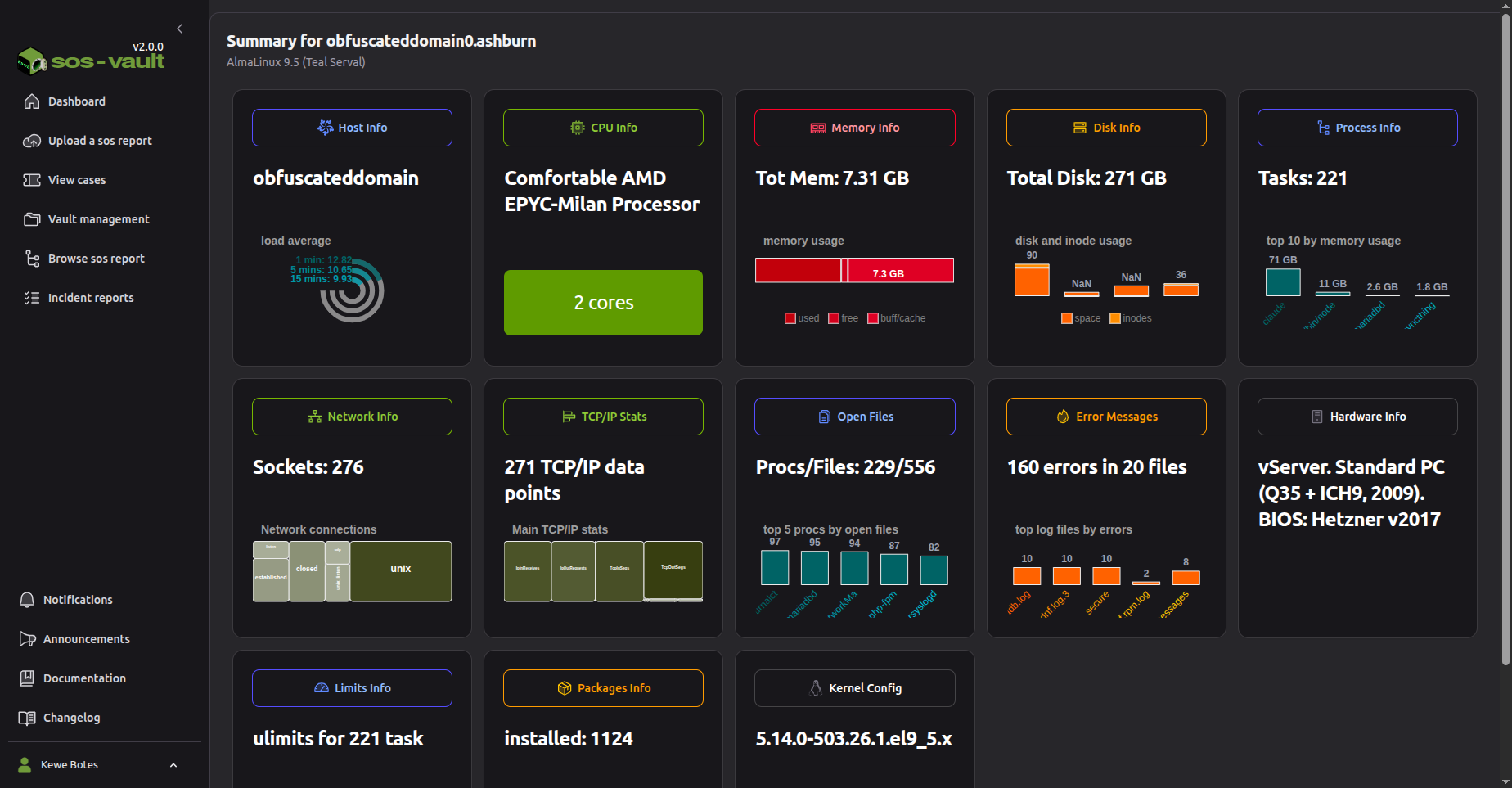
I been working for few months now on sos-vault. This is a place where you can upload a sosreport (produced with the sos command) and analyse its content.
For those that do not know the Linux sos command is available in most Linux distributions and as an example, for a small server in just 53 seconds it can generate a compressed and encrypted tar file (a sosreport) of less than 15MB containing over 10,000 text files, including logs, output from more than 500 diagnostic commands, and over 1,800 configuration files.
As you can imagine looking for issues in 10,000 files is not an easy task so I built sos-vault to solve this problem. Additionally it allows to share the sosreport; so many people can analyse the report at the same time. It has few collaboration tools as well.
The project is open-sourced. if you are interested in playing with it without instlling, you can use it for free here just login with your google account.
Since sosreports can be shared, I uploaded one and shared with everybody so you do not need to upload one to have a look if interested. Go to “Browse sos report” and choose the case PROD-001 to load it.
Hi. It is Docker based app that should run on the desktop yes. But I haven’t tested yet.
And maybe this clarification is not needed but… It will only work on Linux environments as it makes use LUKS filesystems, kernel key ring and other Linux only technologies for security reasons.
To me, Docker implies containers, not desktop (I know, not strictly true, but I’m looking to eliminate any and all containers), implying an additional middleware layer that would be impacting system performance/responsiveness.
I understand the use of LUKS for application-captive data protection, which is great, as long as it does not expect the underlying OS partition, on which it will be resident, to also be LUKS-based.
(Full disclosure: retired, 70, no commercial or industrial interest at this time; ex-Nortel Corporate IT Design-to-Manufacturing team)
As mentioned not tested on Desktop environment yet but it shall works fine with no performance impact as docker is not actually running the application rather is configuring the underlying OS to isolate the execution in the case of sos-vault on three containers.
As per the filesystem requirements. sos-vault does not require any particular filesystem to work. I’m using zfs my self but it shall work on ext4 or even NFS with no issue but it stores reports inside private LUKS disk images. The purpose is to keep data isolated and improve security and privacy.
Been said that, the open-source version (still work in progress) will not have these constrains so it will use whatever directory you assign in your system to store the files.
Cool. Congratulations! I’ve starred. Also, reminder to everyone there’s a free self-hosted option available and a free trial without a credit card for paid plans: