Hey everyone,
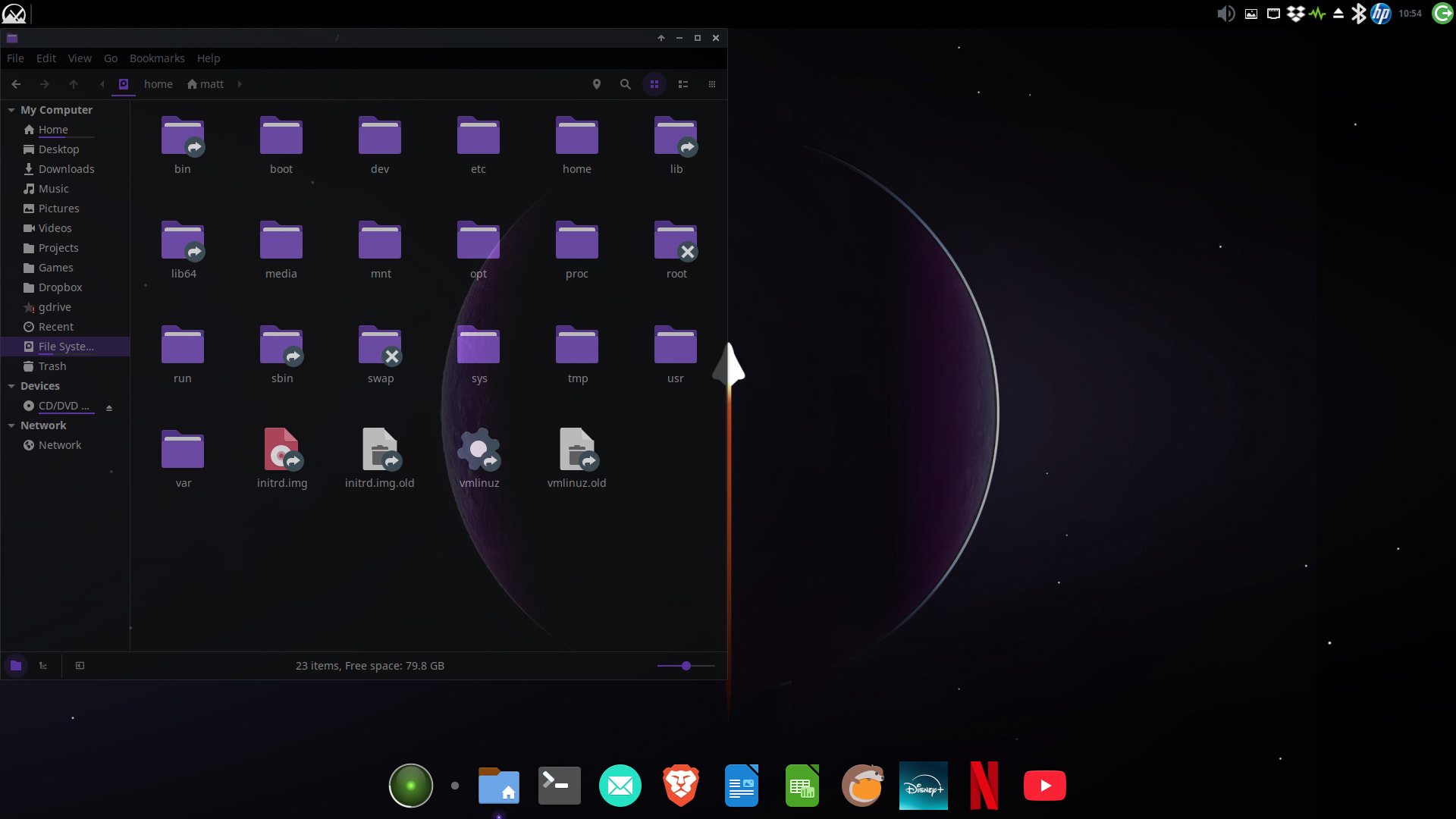
I wanted to share my current desktop setup (my-mxlinux-layout.jpg). I’ve hopped around a few different distributions in the past, but I’ve finally settled on MX Linux and I am absolutely thrilled with how it turned out.
My goal was to recreate the gorgeous, clean aesthetic of elementary OS (Pantheon), but backed by the rock-solid stability, incredible performance, and powerful tools of MX Linux (Xfce). Quite frankly, it looks and feels far better than any other distro or desktop environment I’ve used.
The Setup Breakdown:
- OS & Base: MX Linux running Xfce—fast, light, and rock-stable.
- File Manager Swap: I actually ditched the default Thunar file manager and replaced it with Nemo. I prefer Nemo’s sidebar layout, navigation options, and how well it fits this aesthetic.
- The Bottom Dock: Running Plank Reloaded, centered to give it that clean, modern, macOS/Pantheon-style app launcher.
- Top Panel: Kept it highly functional and reliable. I have the application menu on the far left, and the system tray, indicators, and clock neatly grouped on the right.
- Theme: A sleek, moody dark-purple aesthetic with a matching space/planet wallpaper.
It’s the ultimate “best of both worlds” setup for me—gorgeous looks without sacrificing a single drop of system performance or stability.
Let me know what you think, or if you have any questions about the tweaks!
#MXLinux #Linux xfce #NemoFileManager #DesktopCustomization #Pantheon #OpenSource #LinuxDesktop
