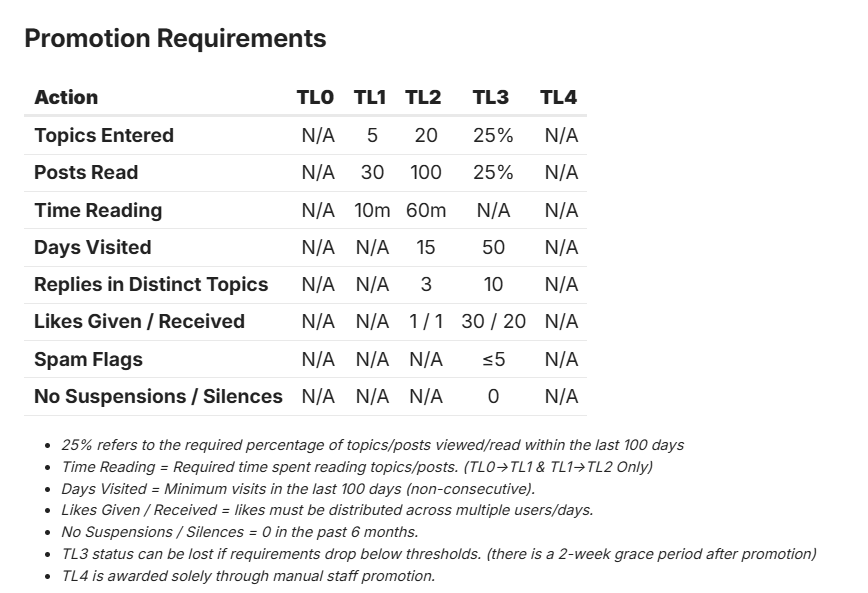
You can view the available community badges and the members awarded each badge here
Screenshot:
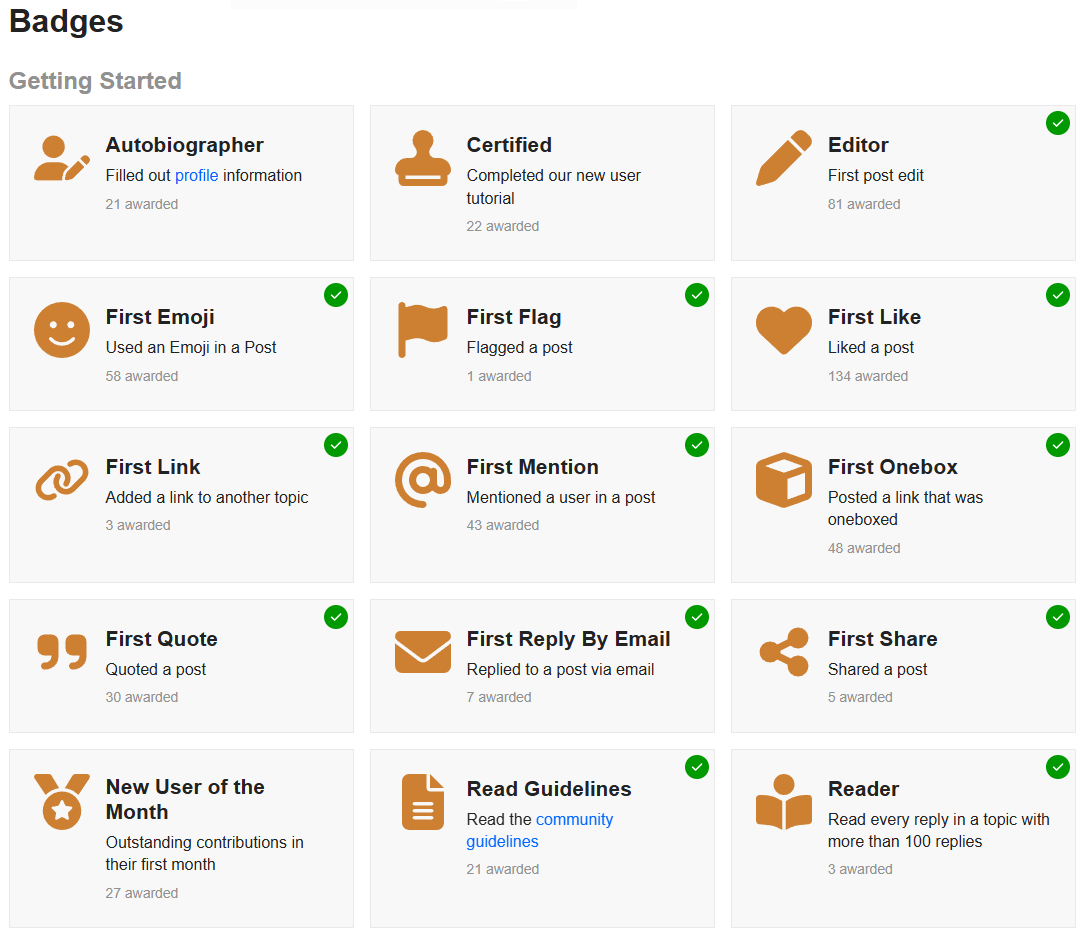
You can view the available community badges and the members awarded each badge here
Screenshot:
Hey @hydn, how can I access the advanced user tutorial?
send a PM to @discobot
@discobot start advanced tutorial
Hi! To find out what I can do, say @discobot display help.
Thanks @hydn, that works! I love the discobot und it’s fun 
@discobot display help
I currently know how to do the following things:
@discobot start {name-of-tutorial}
Starts an interactive tutorial just for you, in a personal message.
{name-of-tutorial}can be one of:tutorial, advanced tutorial.
@discobot roll 2d6
3, 6
@discobot quote
Each day is a new canvas to paint upon. Make sure your picture is full of life and happiness, and at the end of the day you don’t look at it and wish you had painted something different. —
@discobot fortune
You may rely on it
Hi, @hydn 
I have reached “Trust Level 1” but I’m not getting the “Message” button, when I click on the profile picture / avatar of another user (in this case, of @discobot) so I can send a PM (Private Message). Am I doing something wrong or is there any additional requirement (besides reaching “Trust Level 1”)?
Thanks in advance
Hi! To find out what I can do, say @discobot display help.
Hi, @hydn
You wrote:
Wow! That was a lightning-quick fix, @hydn. Yes: I confirm, now I’m getting / seeing the “Message” button, when I click on the profile picture / avatar of another user. Thank you very much!
Thanks for finding that issue. I think this was the issue @ericmarceau raised with messaging. I missed that. It was a security measure for new accounts (spam and abuse protection) that I was able to relax/tweak a bit.