Someone was still asking about text editors.
There have been numerous suggestions in this topic. Is there any any alternative we’ve missed?
Someone was still asking about text editors.
There have been numerous suggestions in this topic. Is there any any alternative we’ve missed?
I want to write some more about code editors. I mentioned Emacs, and later Doom Emacs. The other day I listened to a DT video; Derek is a guy who used to be a Vim fan, but he moved about 3 years ago to Doom Emacs because it has vi, emacs, and space key bindings. It also has an astounding array of tools, which is why it’s been jokingly called an operating system.
Anyway, the big takeaway from his video was to consider starting an Emacs server daemon, then when you invoke Emacs, instead call emacsclient, so I set up an Emacs server to start with my system, and then I changed my quickie alias to start up the emacsclient instead of a standard invocation, and on top of that, I kept it “Doom Emacs”.
VERY impressive! Now Emacs starts as fast as any other editor you can cite, it has vi, Emacs, and space key bindings, it starts up very fast and it can handle any editing needs, from simple stuff to major project work. I used it daily in my last professional job, but I’ve added this “Doom Emacs” and emacsclient setup to my stuff these days and I agree with DT; it’s THE way to go! Check out some Distro Tube videos on Doom Emacs and see what I mean!
I’ve tried vs code, atom, sublime etc, but I always end up using vim. I did use emacs/gcc/gdb for coding back in the day, but these days I’m mostly writing shell and perl, and occasional c, and vim does what I need.
I mentioned “DT” the other day, so to J_J_Sloan and to others who may be vim users, (and assuming I can share the link), DT has a video especially useful to those who have never tried or used Doom Emacs.
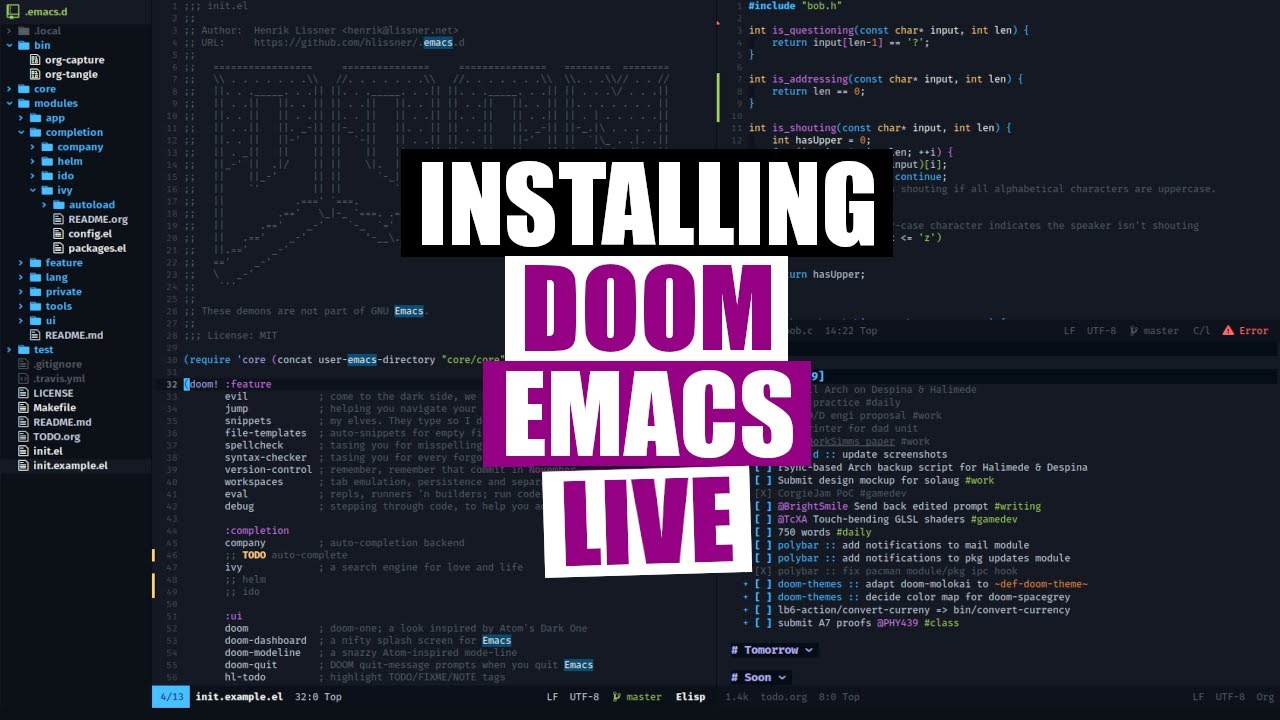
Just edited the post; the link to the RAW HTML link of the video it was broken so I just pasted what was visible into the url. Good ole’ DT!!! He sold or at the very least seasoned me into fast workspace switching.
Yeah, Derek, a.k.a. Distro Tube is a very good instructor. He learns about stuff very well himself, then he does a fantastic job of explaining what he learns to his audience; that’s why he has a very good connection to Linux users. He’s very biased toward Doom Emacs, especially as a former Neovim/Vim user; since Doom Emacs has both vi, Emacs, and space key bindings, but Emacs is so much more than just an editor, it’s a complete development environment and it even has Lisp-based games (ask the Doctor is one I remember). Maybe That is a reason for trying out Doom Emacs! 
yeah i like DT. Hey DT 
I like Geany. It sits between simple text editors and monster IDEs.
I use pluma (fork of gedit) with Cobalt theme almost exclusively.
( often for bash and C )
geany is definitely my choice if pluma is not around.
All of the ones mentioned are good; people who get into silly wars are indeed silly - for instance the Emacs versus Vi wars! Doom Emacs is the great equalizer - it’s the best merger of vi and emacs that I have ever experienced; if you’re used to vi you can use vi key bindings; emacs key bindings are still available and there are some easy key bindings with the space key as the “leader key”; Emacs, and Doom Emacs, are more than just editors, they offer a great number of development utilities too; with all of that functionality you’d think it was a huge pig - it’s actually much more nimble than the Web interface to this site, so size is not a factor, but if you start an Emacs server and run it as a “daemon process”, Emacs is as fast as any editor you’ve used, at the expense of a server image.
I like and use geany too; it’s smaller and it’s convenient and fast. Pluma - I’ve tried it but since I have so many others that I use it didn’t get a lot of my attention; that doesn’t negate it a bit; each tool has particular advantages that are especially valuable for their designed purposes; if for example Pluma is intended specifically for C and Bash coding it undoubtedly has some conveniences that are appealing to C programming and Bash shell scripting. That’s probably the attraction I had to it; the only reason I didn’t do more is that my familiarity with other tools with similar capabilities interfered with gaining more expertise with this one.
So many tools and so little time
It’s true. There are so many to choose from that it’s impossible to know them all within one lifetime 
b.t.w. ‘pluma’ is just a simple editor. Nothing fancy. Just an editor.
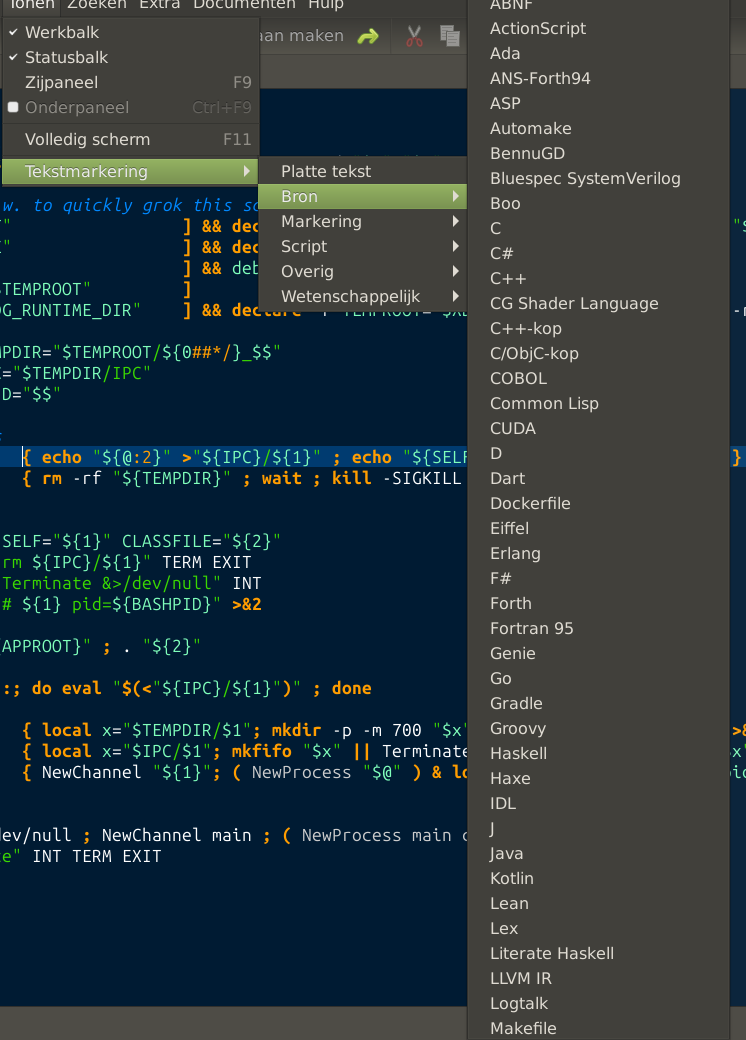
But I love its code-colored text-marking and it recognizes a phletora of languages
On the picture below you see a subset of what it recognizes.
I like editors that can handle code-colored text-marking; the ones I talk about the most often - Doom Emacs and Neovim (console or GUI variations) have similar capabilities. Doom Emacs is way more than an editor. Neovim is a refactoring of Vim.
So, I downloaded and began playing with Zed. (I’d been intrigued with it early on but waited until it was more “real”.)
Wow, it is wicked fast! I also like where they’ve taken the layout. So far, so good.
I’ve been using Claude for several projects lately so I decided to add it to the mix and – wow – even Claude is faster. Certainly faster than the web but even subjectively faster than using it in VSCode.
Maybe I’d just become used to a laggard relying on VSCode for most things. But at this point, I’m thinking Zed might become my new editor during jour. 
Thank you, Halano, for that snapshot about usage.
Is the nvim all strictly neovim, or does that have GVim usage subsumed in those totals?
My first editor was the IBM ISPF Editor, on their System 360 VM/CMS (5 years at Pratt & Whitney Canada) for programming NC Machine Tools:
I then “leap-frogged” into the future when I was introduced to the venerable vi in late 1984 on HP-UX 5.0 on HP9000 Model 550 mini-computer that I administered with 12 CAD/CAM terminals attached via 4 multiplexers (3 on each) to maximize bus thruput for User responsiveness doing mechanical design of plastic injection moulds for Nortel telephone sets (residential and business).
I have been using vi, and its latest reincarnation as GVim, as my primary editor ever since!
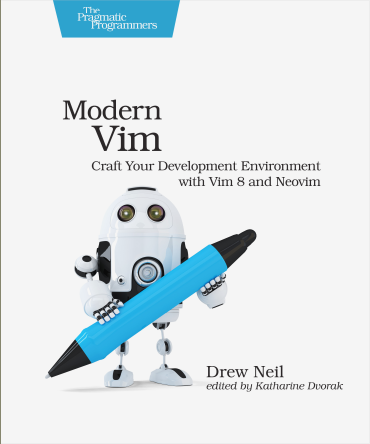
I reviewed the book
but neovim’s adoption of Lua, while commendable and a logical next step, was “a bridge too far” for me! So I only use GVim as a basic editor which more than satisfies all my needs.
Within the MATE environment, the natural choice should have been Pluma, but that was too “simplistic” and too much akin to working with LibreOffice Writer for my taste.
Lastly, I have, and still do, use Geany for some limited programming involving C language, which was also my first introduction to an actual IDE, back in 2022. I try to limit my work in Geany to tweaking code that has been worked and re-worked using GVim.
I don’t really edit code but when I need a text editor i also prefer Pluma with the cobalt theme. I prefer to stick to the default text editor.
@ericmarceau I have to believe that the nvim stats include all forms of vim, gvim and nvim/Neovim variations. Vim has been one of the dominant text editors over a very long time and it builds on several platforms, which, like Emacs, makes it very extensible.
The other thing about nvim is that the latest version is 0.12, and on most distributions you don’t see it in their repository, which makes me think that well over 95% of that number is vim, not nvim. That said, the core of the editor is basically vim; it’s the extensions and plugin capabilities that are being completely rewritten in Neovim. Also, you can see that I’m using nvim and Neovim interchangeably; the product name is Neovim, the image name is nvim.
No vim?
Weird, that’s all I use for coding. I’ve tried every cool new editor but keep coming back to vim because it’s always there, and can be themed how I want.
I did mention GVim earlier as my standard tool.
My colour theme is a tweak on “darkbone.vim”, which I have labelled “OASIS_darkbone.vim”.
In another discussion, I said that vi should be the first editor taught because it is guaranteed to be available on Linux/Unix!
Theme: OASIS_darkbone.vim
"################################################################################################
" This Colour Scheme is NOT part of the VIM distribution
" This Colour Scheme is under development
"################################################################################################
"
" Name:		OASIS_darkbone.vim
" Maintainer:	Eric Marceau
" Last Change:	2021-04-16
" Revision:	0.1

"
"""""""""""""" 	Helpful reference commands for help screens
" :he group-name
" :he highlight-groups
" :he cterm-colors

"""""""""""""" 	Handling of Terminal Mode Context
" This Colour Scheme does not explicitly define colours for terminal mode.
" Instead, it is expected that the utility 'CSApprox.vim' should be installed
" for auto-deriving of colour assignments based on the GUI colour assignments.
"	(Ref: https://www.vim.org/scripts/script.php?script_id=2390)


if exists("syntax_on")
  "syntax reset
  syntax off
  syntax on
endif
let g:colors_name = 'OASIS_darkbone'

""" Trying to identify Class in darkbone.vim controlling variable ${ } displayed using #CD5C5C IndianRed  and TMP showing using #98FB98 PaleGreen

"################################################################################################

"""""""""""""" Group 0	(baseline specification)
set background=dark
hi clear
hi Normal		guifg=#AFAFAF	guibg=#000000	gui=none		"Confirmed -- All text not mapped to any Syntax Class

"""""""""""""" Group 1
hi Identifier		guifg=#CF9F00	guibg=#000000	gui=bold		"Confirmed -- Variable_DEFINE
hi Statement		guifg=#2F8F2F	guibg=#000000	gui=bold		"Confirmed -- Flow Control and some commands: while, for,  case, esac, sort, grep, echo, cat, exit, cd, shift, rm,
hi Conditional		guifg=#2F8F2F	guibg=#000000	gui=bold		"Confirmed -- do, done, if, then, else, fi; NB overrides default Statement class
hi PreProc		guifg=#EFEF8F	guibg=#000000	gui=none		"Confirmed -- Variable_CALL (i.e. ${VAR} )
hi Special		guifg=#FFFFFF	guibg=#000000	gui=none		"Confirmed -- Backquote clauses, EscapeSequences, i.e. "\n, \0, %d, %s, etc...
hi Function		guifg=#4F4FFF	guibg=#000000	gui=bold		"Confirmed -- Function definition wrapper
hi MatchParen		guifg=#000000	guibg=#BBBB00	gui=none		"Confirmed -- Blink on matching parenthesis/brace
"hi Tags		guifg=#FF0000	guibg=#000000	gui=none			"Context was not identified


"""""""""""""" Group 2
hi Comment		guifg=#5F5F9F	guibg=#000000	gui=italic		"Confirmed -- "ctermfg=Brown ctermbg=Black
hi SpecialComment	guifg=#FFBF8F	guibg=#000000	gui=italic			"Context was not identified
hi Visual		guifg=#000000	guibg=#707090	gui=none		"Confirmed -- Zone selection highlighting
hi VisualNOS		guifg=#9F9FBF	guibg=#000000	gui=none			"Context was not identified
hi Search		guifg=#000000	guibg=#c0c0ff 	gui=none			"Context was not identified
hi IncSearch		guifg=#000000	guibg=#c0c0ff	gui=none		"Confirmed -- First match highlight


"""""""""""""" Group 3
hi LineNr		guifg=#6F6F9F	guibg=#000000	gui=none 		"Confirmed -- when displayed, number column on left
hi Error		guifg=#ee1111	guibg=#000000	gui=none		"Confirmed -- Error line displayed at bottom
hi StatusLine		guifg=#CFCF4F	guibg=#1F1F4F	gui=bold		"Confirmed -- detailed status line
hi StatusLineNC		guifg=#CFCF4F	guibg=#1F1F4F	gui=bold		"Confirmed -- Context-base in-window menu
hi WarningMsg		guifg=#EFCF8F	guibg=#000000	gui=none			"Context was not identified
hi MoreMsg		guifg=#9F9FBF	guibg=#000000	gui=none			"Context was not identified
hi ErrorMsg		guifg=#FF8F8F	guibg=#000000	gui=none			"Context was not identified
hi ModeMsg		guifg=#9F9FBF	guibg=#000000	gui=none			"Context was not identified
hi WildMenu		guifg=#000000	guibg=#c0c0ff	gui=none			"Context was not identified
hi VertSplit		guifg=#606080	guibg=#606080	gui=none			"Context was not identified
hi Todo			guifg=#7F8FEF	guibg=#000000	gui=none			"Context was not identified
hi Title		guifg=#c0c0ff	guibg=#000000	gui=bold			"Context was not identified
hi Question		guifg=#9F9FBF	guibg=#000000	gui=none			"Context was not identified
hi Directory		guifg=#e0e0ff	guibg=#000000	gui=bold			"Context was not identified
hi NonText		guifg=#606080	guibg=#101020	gui=none			"Context was not identified
hi SpecialKey		guifg=#404060	guibg=#000000	gui=none			"Context was not identified


"""""""""""""" Group 4
hi Cursor		guifg=#000000	guibg=#FF9F1F				"Confirmed -- Current position, normal
hi CursorLine				guibg=#181818				"Confirmed -- Display controlled in vimrc
hi CursorColumn				guibg=#181818				"Confirmed -- Display controlled in vimrc
"
hi iCursor		guifg=#000000	guibg=#C08020					"Context was not identified
hi nCursor		guifg=#000000	guibg=#C08020					"Context was not identified
hi rCursor		guifg=#000000	guibg=#C08020					"Context was not identified
hi lCursor		guifg=#000000	guibg=#C08020					"Context was not identified
hi CursorIM		guifg=#000000	guibg=#C08020					"Context was not identified


"""""""""""""" Group 5
hi Number		guifg=#FF4F1F	guibg=#000000	gui=none		"Confirmed -- Numbers assigned or used
hi String		guifg=#D88F9F	guibg=#000000	gui=none		"Confirmed -- String text and all within awk command quotes
hi Char			guifg=#00FFFF	guibg=#000000	gui=none			"Context was not identified
hi Boolean		guifg=#d0e080	guibg=#000000	gui=none			"Context was not identified
hi Constant		guifg=#000000	guibg=#FFAFAF	gui=none			"Context was not identified
hi Float		guifg=#FF0000	guibg=#000000	gui=none			"Context was not identified


"""""""""""""" Group 6		(Either 	- in original and not used, or
""""""""""""""					- harvested from other schemes and not pidgeonholed )
"" Associated with Statement
hi Operator		guifg=#EFEF8F	guibg=#000000	gui=bold		"Confirmed -- Quotes, semicolon ; pipe, Brackets
hi Keyword		guifg=#FF0000	guibg=#000000	gui=none			"Context was not identified
hi Exception		guifg=#FF0000	guibg=#000000	gui=none			"Context was not identified
hi Repeat		guifg=#FF0000	guibg=#000000	gui=none			"Context was not identified
hi Label		guifg=#FF0000	guibg=#000000	gui=none			"Context was not identified


"" Association TBD
hi Delimiter		guifg=#FF0000	guibg=#000000	gui=none			"Context was not identified
hi Subtitle		guifg=#c0c0ff	guibg=#000000	gui=italic			"Context was not identified
hi Ignore		guifg=#FF0000	guibg=#000000	gui=none			"Context was not identified
hi Debug		guifg=#FF0000	guibg=#000000	gui=none			"Context was not identified
hi Underlined		guifg=#9F9FBF	guibg=#000000	gui=underline			"Context was not identified
hi AltFunction		guifg=#4F4FFF	guibg=#000000	gui=bold			"Context was not identified
hi AltConstant		guifg=#000000	guibg=#FFAFAF	gui=none			"Context was not identified
hi Unique		guifg=#000000	guibg=#FFAFAF	gui=none			"Context was not identified
hi AltUnique		guifg=#000000	guibg=#FFAFAF	gui=none			"Context was not identified
hi SignColumn				guibg=#000000	gui=none			"Context was not identified


"" Associated with Special
hi SpecialChar		guifg=#FF0000	guibg=#000000	gui=none			"Context was not identified


"" Associated with Type
hi Type			guifg=#e0e0ff	guibg=#000000	gui=none			"Context was not identified
hi AltType		guifg=#e0e0ff	guibg=#000000	gui=none			"Context was not identified
hi StorageClass		guifg=#FF0000	guibg=#000000	gui=none			"Context was not identified
hi Structure		guifg=#FF0000	guibg=#000000	gui=none			"Context was not identified
hi Typedef		guifg=#FF0000	guibg=#000000	gui=none			"Context was not identified


"" Associated with PreProc
hi Include		guifg=#FF0000	guibg=#000000	gui=none			"Context was not identified
hi Define		guifg=#FF0000	guibg=#000000	gui=none			"Context was not identified
hi Macro		guifg=#FF0000	guibg=#000000	gui=none			"Context was not identified
hi PreCondit		guifg=#FF0000	guibg=#000000	gui=none			"Context was not identified


"""""""""""""" Group 7 (suppressed for impact assessment)
" Diff
hi DiffAdd		guifg=#7F8FEF	guibg=#000000	gui=none			"Context was not identified
hi DiffChange		guifg=#7F8FEF	guibg=#000000	gui=none			"Context was not identified
hi DiffDelete		guifg=#7F8FEF	guibg=#000000	gui=none			"Context was not identified
hi DiffText		guifg=#7F8FEF	guibg=#000000	gui=bold			"Context was not identified
""
hi spellBad    		guisp=#fcaf3e
hi spellCap	    	guisp=#73d216
hi spellRare		guisp=#ad7fa8
hi spellLocal		guisp=#729fcf


"""""""""""""" Group 8
" Folds
hi Folded		guifg=#9F9FBF	guibg=#000000					"Context was not identified
hi FoldColumn		guifg=#9F9FBF	guibg=#102010					"Context was not identified
hi vimFold		guifg=#9F9FBF	guibg=#201010					"Context was not identified


"""""""""""""" Group 9
if version >= 700
  " Pmenu - Popup Completion Menu
  hi Pmenu		guifg=#9F9FBF	guibg=#202040	gui=none			"Context was not identified
  hi PmenuSel		guifg=#9F9FBF	guibg=#404080	gui=underline			"Context was not identified
  hi PmenuSbar		guifg=#202040	guibg=#202040	gui=none			"Context was not identified
  hi PmenuThumb		guifg=#202040	guibg=#202040	gui=none			"Context was not identified

  " Tab
  hi TabLine		guifg=#606080	guibg=black	gui=underline			"Context was not identified
  hi TabLineFill	guifg=#9F9FBF	guibg=black	gui=none			"Context was not identified
  hi TabLineSel		guifg=#c0c0ff	guibg=#606080	gui=bold			"Context was not identified
endif


"################################################################################################
"################################################################################################
"################################################################################################


"""""""""""""" Group 10		(Syntax OVERRIDES - examples)
"hi link cppSTL			Function
"hi link Error			Todo
"hi link Character		Number
"hi link rubySymbol		Number
"hi link htmlTag		htmlEndTag
"hi link htmlTagName		htmlTag
"hi link htmlLink		Underlined
"hi link pythonFunction		Identifier
"hi link Question		Type
"hi link CursorIM		Cursor
"hi link VisualNOS		Visual
"hi link xmlTag			Identifier
"hi link xmlTagName		Identifier
"hi link shDeref		Identifier
"hi link shVariable		Function
"hi link rubySharpBang		Special
"hi link perlSharpBang		Special
"hi link schemeFunc		Statement
"hi link shSpecialVariables	Constant
"hi link bashSpecialVariables	Constant


"""""""""""""" Group 11		(for future consideration)
" vim:set ts=8 sts=2 sw=2 tw=0:
Cool stuff!
Thank you for sharing this.