I’ll admit, I hesitated a bit before writing this post. The whole point of this linuxblog.io and linuxcommunity.io forum is to bring together like-minded Linux users and professionals so we can troubleshoot, share ideas, and learn from one another. For a moment I thought, is it really productive for me to publish something that shows… continue reading.
So I was thinking there’s an easy way to remember this. I know it’s corny, lol, but:
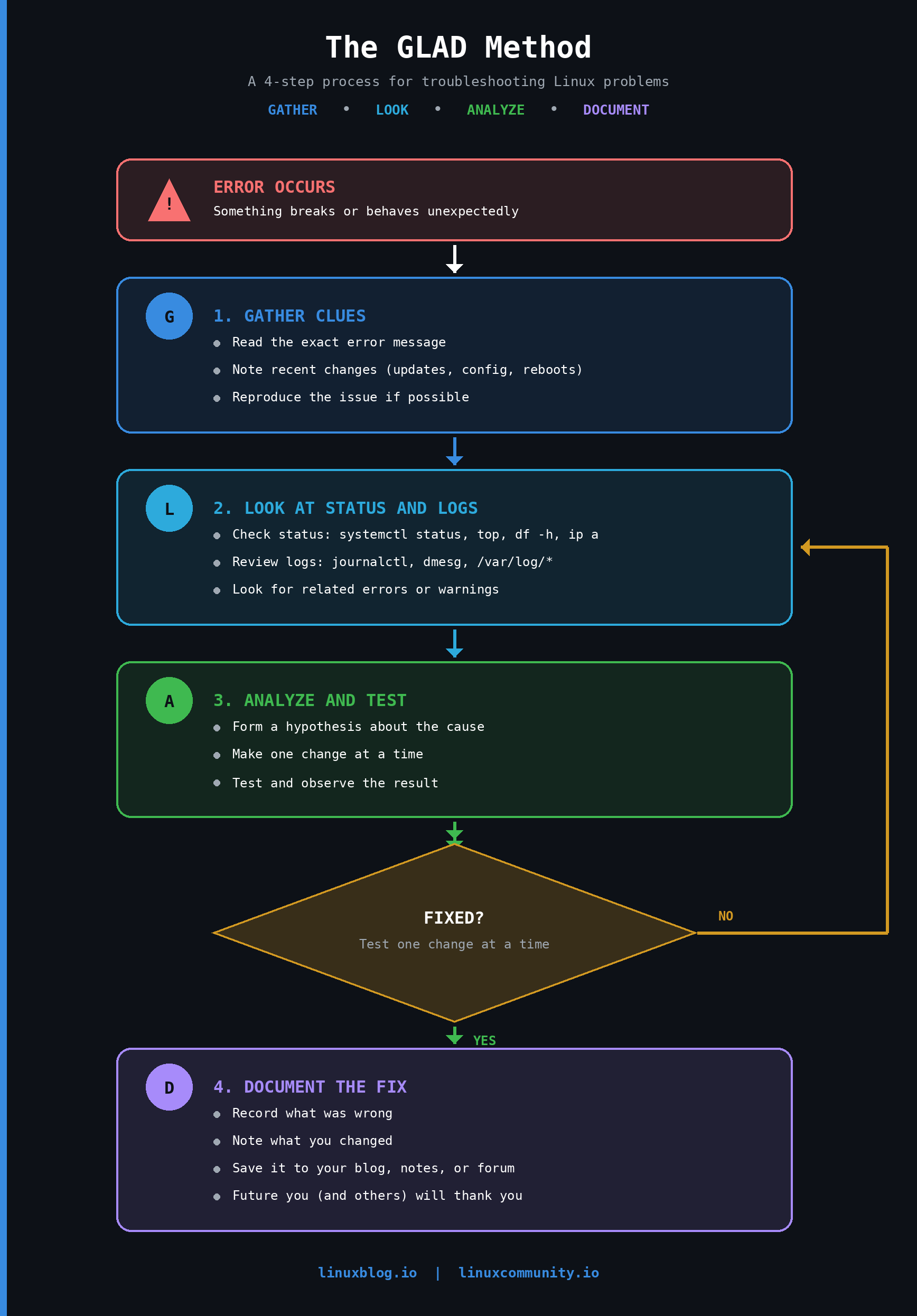
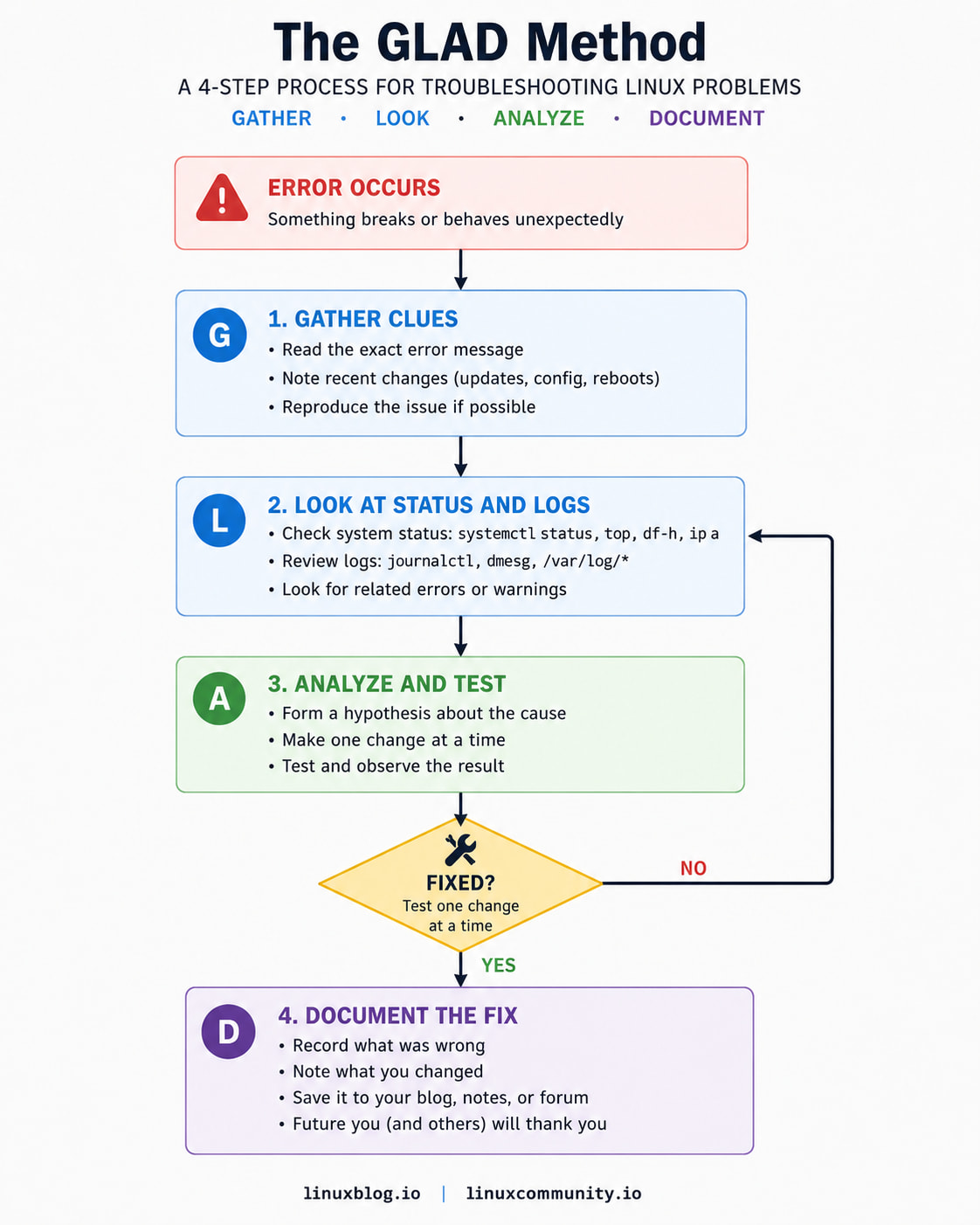
GLAD - Gather, Look, Analyze, Document
G – Gather clues and define the problem L – Look at system status and logs A – Analyze findings, form a hypothesis D – Document the fix after verifying
That’s easy to remember and has a positive connotation. Will edit the article and add to the end.
I like the mnemonic GLAD you should patent it. Before it ends up on someone else’s training video on UDEMY. And it’s not as corny as some of the other ones I’ve seen/ heard for the last 17 years of Technical Support… none of which I remember from those trainings.
Thanks! I’ll take that as a compliment. No trademark though. Let’s consider it fully open-source. I’d honestly be flattered if it ever made it that far!
Funny story, many years ago, I told Cloudflare about an image optimization process for their image-serving and how they could implement it, which they then launched a few months later. As a thanks, they sent me a t-shirt and a signed card that read:
“Hayden, thank you for your image optimization suggestion. Millions of web surfers now get a faster web experience because of it!”
My only wish was they offered that Polish service free, because it really helps make the internet lighter and faster. And I guess keeping my original suggestion online for reminiscing’s sake.
Nice article however, not trying to be funny or anything, isn’t that pretty standard IT support practice?
I’m retired but ex-IT and I recall we did stuff pretty much like that for the systems (mainly Windows but some Linux too) we looked after and when I do stuff now, I follow something similar (perhaps not quite as rigorously) and try hard to document any solutions I come up with.
Yeah, that’s fair. It’s pretty much standard IT practice. The article just breaks it down in a simpler way for “new Linux users,” as it states. Many who are just starting out don’t yet have a structured troubleshooting process or know where to look at each stage.
Most experienced folks already follow something similar out of habit.
Updated: Refreshed a few of the troubleshooting commands and tool references to match current Linux distros, and added a GLAD method flowchart to make the four steps easier to follow at a glance:
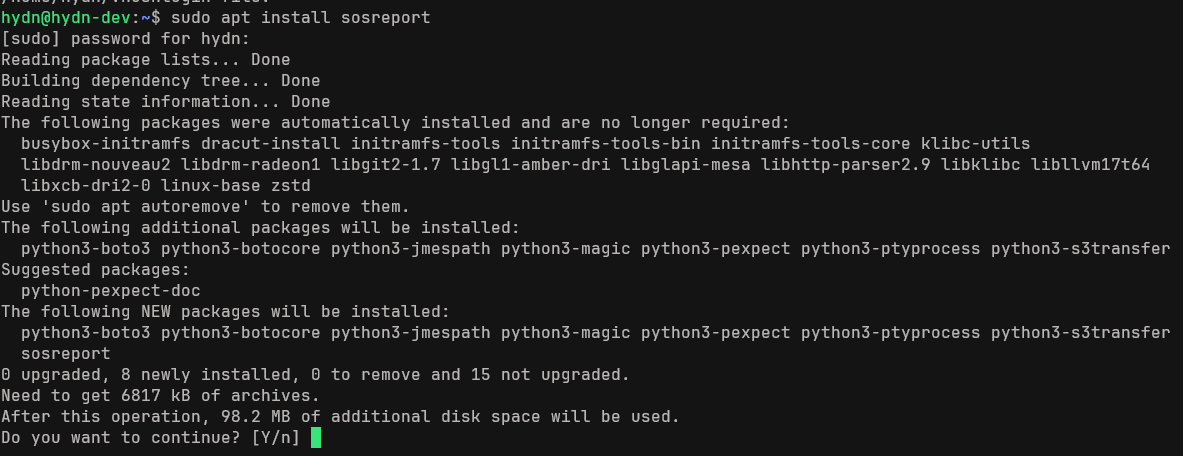
I would like to add that in my experience, for the first and second phases (the Gather clues phase and the Look at system status and logs phase) the Linux sos command has helped me save hours of work on cases where the issue was hard to find.
This is because the tool already knows what logs to collect, what configuration files are important and what commands I need to execute (with the correct options) in order for me to perform an effective system diagnostic.
Traditional troubleshooting jumps straight into analysis in vivo. But if you want to be effective and find root cause faster, you need to separate data collection from data analysis. This may sound counter intuitive as usually as a sysadmin you want to start typing commands to find the issue asap but the fact is that you cannot beat a data collecting tool like sos.
A sosreport will tell you everything you may need to know about the system. Further more, having a sosreport allows you to share all this information and the diagnostic can be made in parallel with your team.
Another great advantage of using sos command and collecting the data before the analysis is that if you have a previous sosreport of the same system you can compare at the file level any configuration file to find differences that may be the root cause of the failure.
I applaud sharing posts/blogs like this. Sharing knowledge and experience is the whole point, I believe.
After all, the intent isn’t to keep members coming back because they need to for answers, but because they want to and share their successes and what they’ve learned – and, yes, certainly, to get help from the community.
When reading various logs, please keep in mind that the timestamp often varies by time zone.
For example, in the eastern United States this means that the time zone would be either Eastern Standard Time (UTC-05) or Eastern Daylight Time (UTC-04).
Some logs use local time, in this case for example UTC-05 or UTC-04. Some logs use UTC-00 / GMT / Zulu.
Troubleshooting logs requires knowing which time zone is logged and constantly time correlating all the various time zones across different logs. It can get tricky.
One particularly nasty service was M365’s SharePoint Online. IIRC, the onscreen error messages were displayed in Pacific Standard Time (UTC-08) or Pacific Daylight Time (UTC-07), and the Purview Audit logs were displayed in UTC-00.