I’ve updated the article with my latest customized top.
This is using Debian testing (Kali) latest top from procps-ng 4.0.4:

Note older version (left):
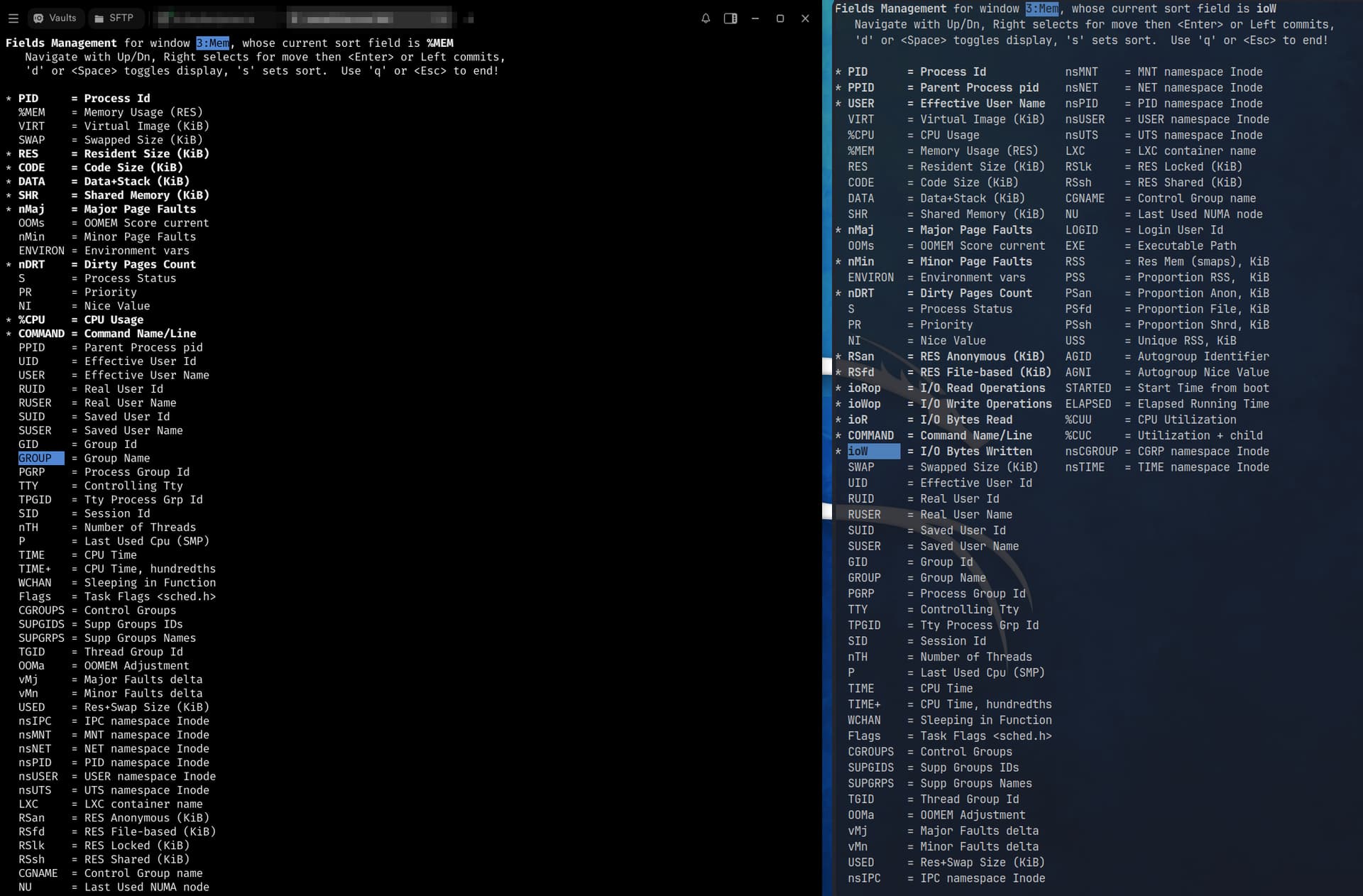
Newer builds of top expose more fields (ioR, ioW, nDRT, PSS, cgroup/namespace columns, etc.). If you run an older version of procps-ng (or an old distro that ships an older procps package), those fields simply don’t exist yet. That’s why copying and pasting toprc often does not work.
That said, here’s mine for v4 procps-ng top:
top's Config File (Linux processes with windows)
Id:k, Mode_altscr=1, Mode_irixps=1, Delay_time=3.0, Curwin=0
Def	fieldscur=  75   77   81  102  104  119  123  129  136  110  114  155  197  195  121  163  139  117   78   82
		    84   86   88   90   92   94   96   98  100  106  108  112  124  126  130  132  134  140  142  144
		   146  148  150  152  156  158  160  164  166  168  170  172  174  176  178  180  182  184  186  188
		   190  192  198  200  202  204  206  208  210  212  214  216  218  220  222  224  226  228  230  232
		   234  236  238  240  242  244  246  248  250  252  254  256  258  260  262  264  266  268  270  272
	winflags=326452, sortindx=21, maxtasks=0, graph_cpus=0, graph_mems=0, double_up=0, combine_cpus=0, core_types=0
	summclr=15, msgsclr=3, headclr=2, taskclr=10
Job	fieldscur=  75   77   81  116  103  105  118  122  128  120   78  150  115  137  223  225  109  107  113  139
		   111   82   84   86   88   90   92   94   96   98  100  124  126  130  132  134  140  142  144  146
		   148  152  154  156  158  160  162  164  166  168  170  172  174  176  178  180  182  184  186  188
		   190  192  194  196  198  200  202  204  206  208  210  212  214  216  218  220  226  228  230  232
		   234  236  238  240  242  244  246  248  250  252  254  256  258  260  262  264  266  268  270  272
	winflags=326196, sortindx=18, maxtasks=0, graph_cpus=0, graph_mems=0, double_up=0, combine_cpus=0, core_types=0
	summclr=15, msgsclr=6, headclr=44, taskclr=14
Mem	fieldscur=  75   77   81  118  110  116  122  124  126  128  131  154  133  156  135  136  102  104  179  181
		   209  213  207  139  211  120   78   82   84   86   88   90   92   94   96   98  100  106  108  112
		   114  140  142  144  146  148  150  152  158  160  162  164  166  168  170  172  174  176  182  184
		   186  188  190  192  194  196  198  200  202  204  214  216  218  220  222  224  226  228  230  232
		   234  236  238  240  242  244  246  248  250  252  254  256  258  260  262  264  266  268  270  272
	winflags=326452, sortindx=68, maxtasks=0, graph_cpus=0, graph_mems=0, double_up=0, combine_cpus=0, core_types=0
	summclr=15, msgsclr=3, headclr=4, taskclr=12
Usr	fieldscur=  75   77   78   81   84   96  114  116  137  132  130  134  206  210  208  215  216  109  151  186
		   105  103  107  221  113  111  139  141  212   82   86   88   90   92   94   98  100  118  120  122
		   124  126  128  142  144  146  148  152  154  156  158  160  162  164  166  168  170  172  174  176
		   178  180  182  184  188  190  192  194  196  198  200  202  204  218  222  224  226  228  230  232
		   234  236  238  240  242  244  246  248  250  252  254  256  258  260  262  264  266  268  270  272
	winflags=326452, sortindx=33, maxtasks=0, graph_cpus=0, graph_mems=0, double_up=0, combine_cpus=0, core_types=0
	summclr=15, msgsclr=3, headclr=5, taskclr=5
Fixed_widest=0, Summ_mscale=2, Task_mscale=1, Zero_suppress=0, Tics_scaled=0
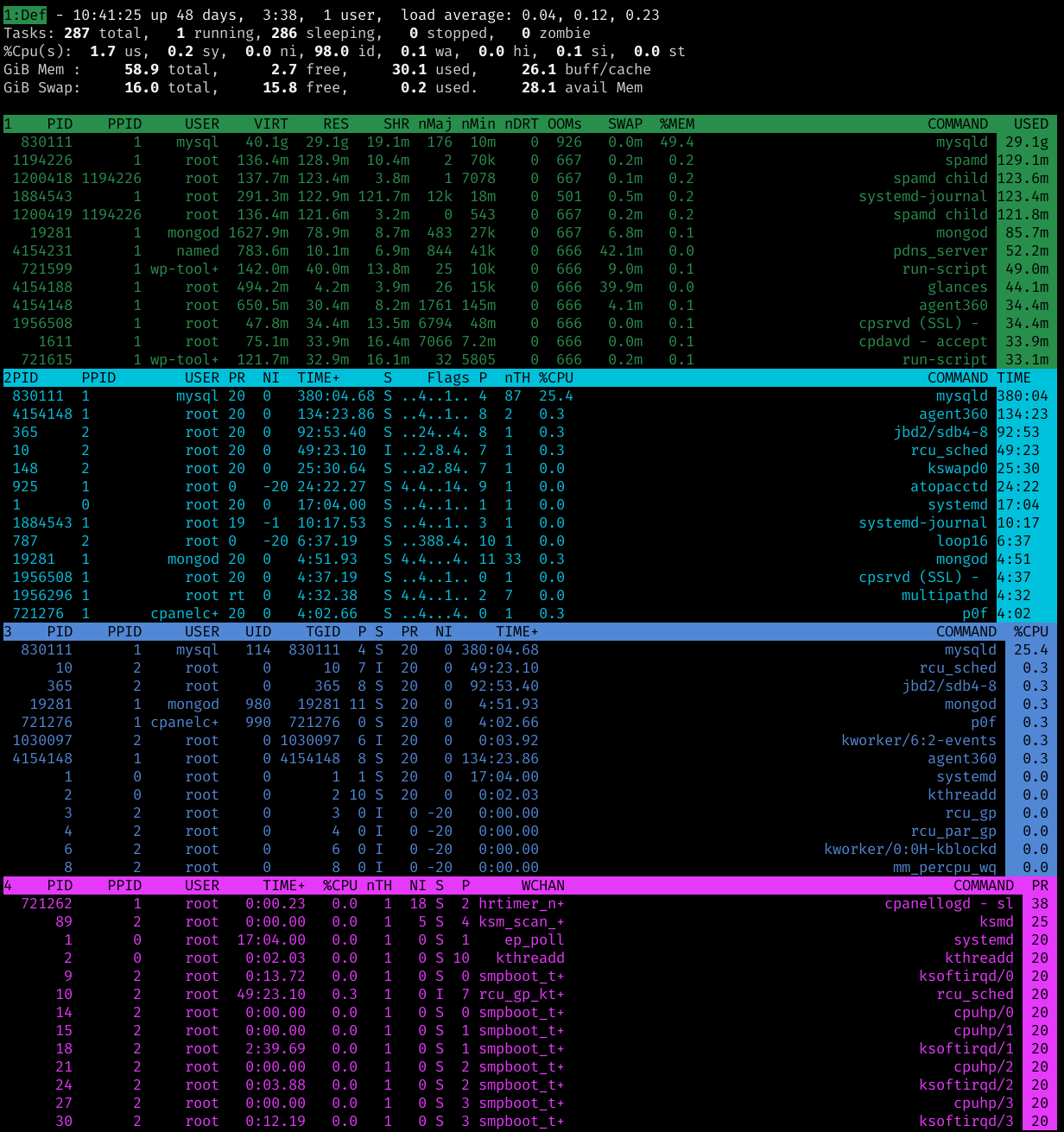
Example server top via procps-ng 3.3.16 (Ubuntu 20.04 LTS):
toprc location: Look first here: ~/.config/procps/toprc then here: ~/.toprc