Hi All,
It’s been a minute since I last posted here but I have a question.
In Debian (apt remove)there was a command to remove all the languages other than my native language, it’s possible it could be adding a line to my sources.list file also.
Either way the notes I had disappeared and I can’t get any results from Google (yes I could be using the wrong search terms), any help is greatly appreciated.
2 Likes
Run locale -a to see your currently generated list, then run locale-gen with the --purge flag followed only by the language variants you want to keep. For example, to keep only American and British English. sudo locale-gen --purge en_US.UTF-8 en_GB.UTF-8
3 Likes
I think you are looking for localepurge?:
sudo apt install localepurge
Configure it
sudo dpkg-reconfigure localepurge
Then purge
sudo localepurge
2 Likes
Knowing that portability and universality implies at least one language shared by all installations, is it safe to remove all English as one of the installed locales?
Or must English (us-ca|en-gb|en-au|en-nz|en-in|en-za|en-us|en) by necessity need to be present, accompanied by the locale-specific native language?
Please excuse my ignorance.
4 Likes
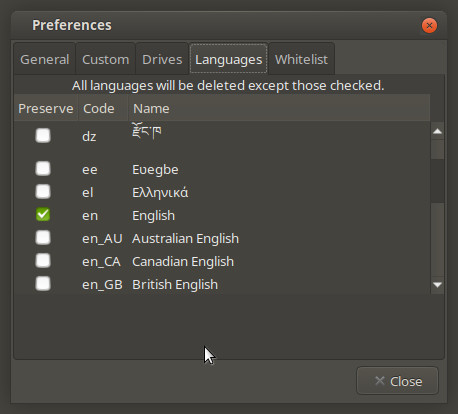
But it doesn’t take out the different languages from Firefox, Debian Administrators manual, etc.
4 Likes
Hi Ericmarceau,
That’s a good question actually… I know I can’t read anything other than English so the additional languages don’t help me at all (that I know of)
3 Likes
I run English (primary) with French and Spanish options. 
3 Likes