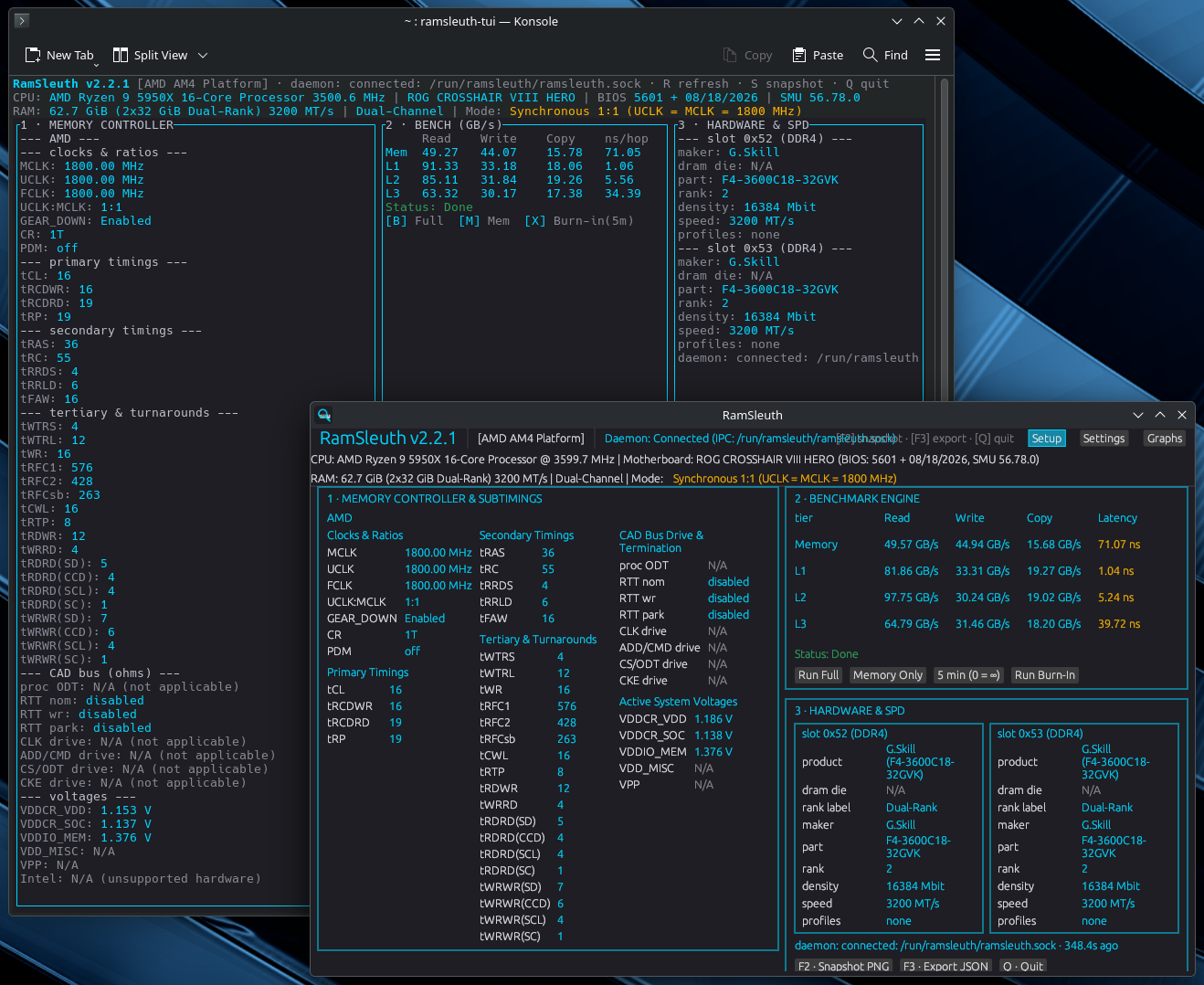
It’s been a while since I first posted about RamSleuth, and honestly it’s changed a lot since then (2.2.1 → 2.4.12). A few things are worth calling out, because the day-to-day experience is much smoother now and it covers a lot more hardware than the original.
The big one: it’s a real one-click setup now
Previously, getting the privileged daemon running plus the out-of-tree kernel driver was a handful of manual steps. That’s gone. Now:
- Install it, open the app, and hit “Set up RamSleuth” once.
- That single click starts the daemon, grants your account access to it, and builds + loads the kernel driver for you automatically via DKMS —
ryzen_smuon AMD, the IMC module on Intel. - Secure Boot is handled: if it’s on, the driver gets signed with a persistent key and you get a clear one-time “enroll this key / reboot” step (or just turn Secure Boot off). After that it’s done for good.
- It runs entirely non-interactively (no terminal to babysit), it’s self-healing (re-clicking always recovers a half-done state), and if it genuinely can’t do something it will tell you why and points you at a log.
Easier to get
It’s in the AUR as ramsleuth-bin (prebuilt binaries — install and go) and ramsleuth (build from source). There are also two optional standalone driver packages, ryzen-smu-dkms and ramsleuth-intel-dkms, if you only want the kernel driver without the app.
More hardware, deeper data
- Intel now spans Skylake all the way through Arrow Lake, including DDR5 (the extra subchannels and the memory-controller-latency blocks, not just the basic timing set).
- Channel mode (dual symmetric / flex, single, triple) and ECC status are reported on both AMD and Intel.
- The SPD decode was re-baselined to the actual JESD specs (DDR4 / DDR5) — proper manufacturer (JEP106), density, rank, base speed, and XMP 2.0 / 3.0 / EXPO profiles, all unprivileged.
Everything from the original is still there — the bandwidth/latency grid (AVX2 / AVX-512, one worker pinned per physical core), the burn-in soak, and the unprivileged SPD read. This is all additive on top.
You always know what’s going on
- Every “N/A” is now self-explanatory — “this CPU doesn’t expose the memory-controller registers,” “this firmware version isn’t in the supported set,” “driver not loaded” — so you can tell “working, just no data on this part” from a real problem at a glance. (This bit me on a few oddball SoCs, so I made the app say so plainly.)
- There’s a one-click diagnostic “probe report” you can generate and attach to a bug report, so nobody has to go hunting through logs.
Under the hood it’s the same shape as before: one small privileged daemon holding only CAP_SYS_RAWIO, with every client (GUI / TUI / CLI) running unprivileged.
It’s a much more complete tool than the version I originally posted, and the setup pain is basically gone. As always, feedback and bug reports are very welcome — and if your machine reports something unexpected (or a clean N/A you don’t understand), the probe report makes it easy to show me.
As always, feedback is more than welcome. Thanks!