Hello, I am a TOTAL newbie. Used Win for decades!, but refuse ‘update’ to 11! Also, a HAM and want to use digital comms. I downloaded AmRRON scripts for such use. HOWEVER, when activating several of the programs (JS8, FLRIG, etc), I need the ‘port’ the USB is connected to…on Windows, port identification is easy, but can’t find it in Linux Mint (Cinnamon). HOW is my question, and this forum might help.
Welcome again to the forums @RevMac. I’ve bumped your Trust Level up so you can upload screenshots related to the issue.
When posting for help, please include:
- A clear description of what you’re trying to do.
- Any error messages or command output (copy/paste or screenshot).
- Your OS and version.
This helps us all troubleshoot faster and ensures you get more accurate guidance from the community.
1 Like
Hi,
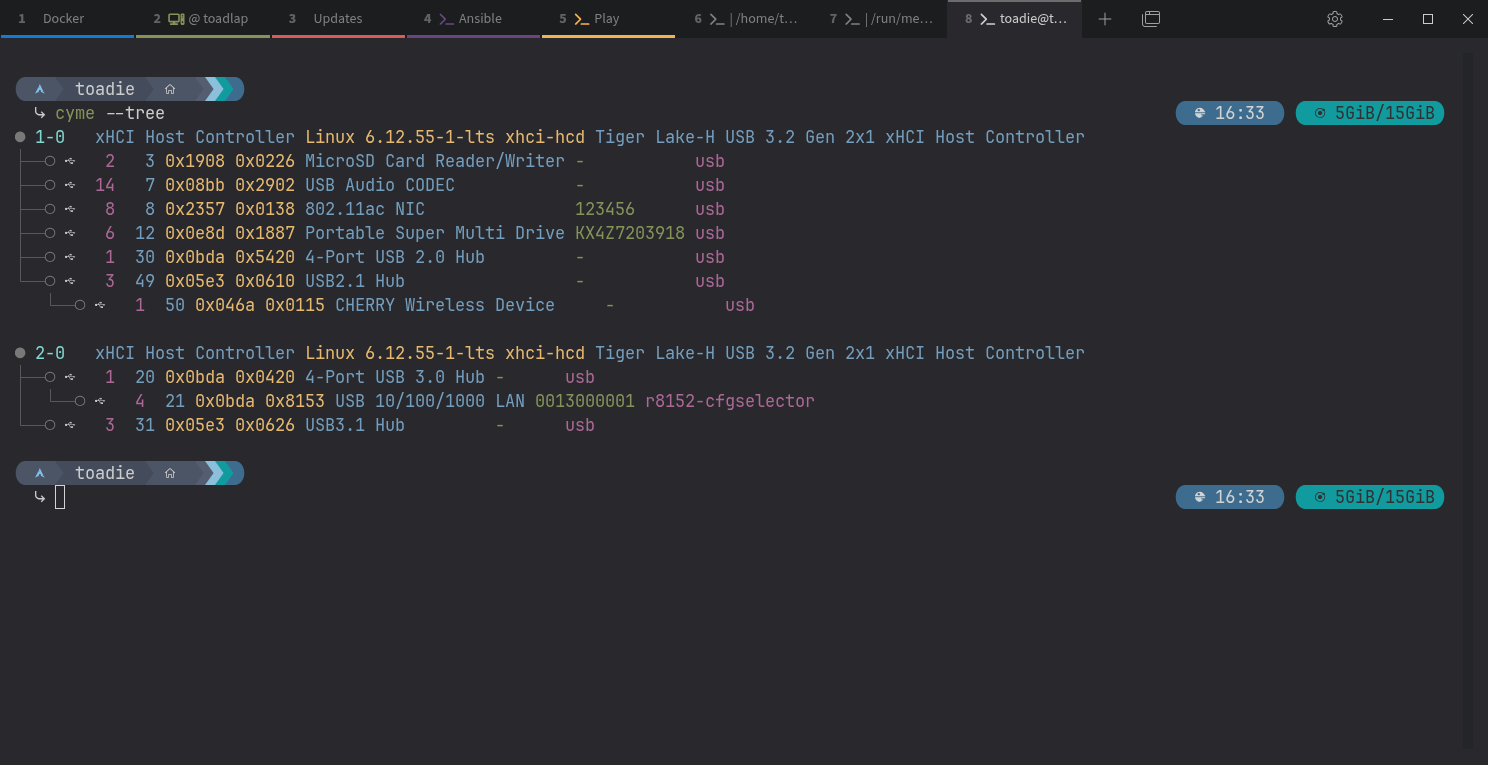
you can try via Terminal this commands:
lsusb
or
lsusb -v
3 Likes
This is great! lsusb confirms if your device is detected. Once you see listed, the next step is to find which serial port it’s using.
Right after plugging in the USB cable, run this in a terminal:
dmesg | tail -20
or you can also run:
dmesg | tail -f
Then plug the USB cable in and see the output.
The last part (something like ttyUSB0 or ttyACM0) is the port you’ll enter in JS8 or FLRIG.
3 Likes
THNX for the help & suggestions…I WILL try them this evening! Again, THNX!!
2 Likes
“Right after” and THEN plug in the USB?
2 Likes
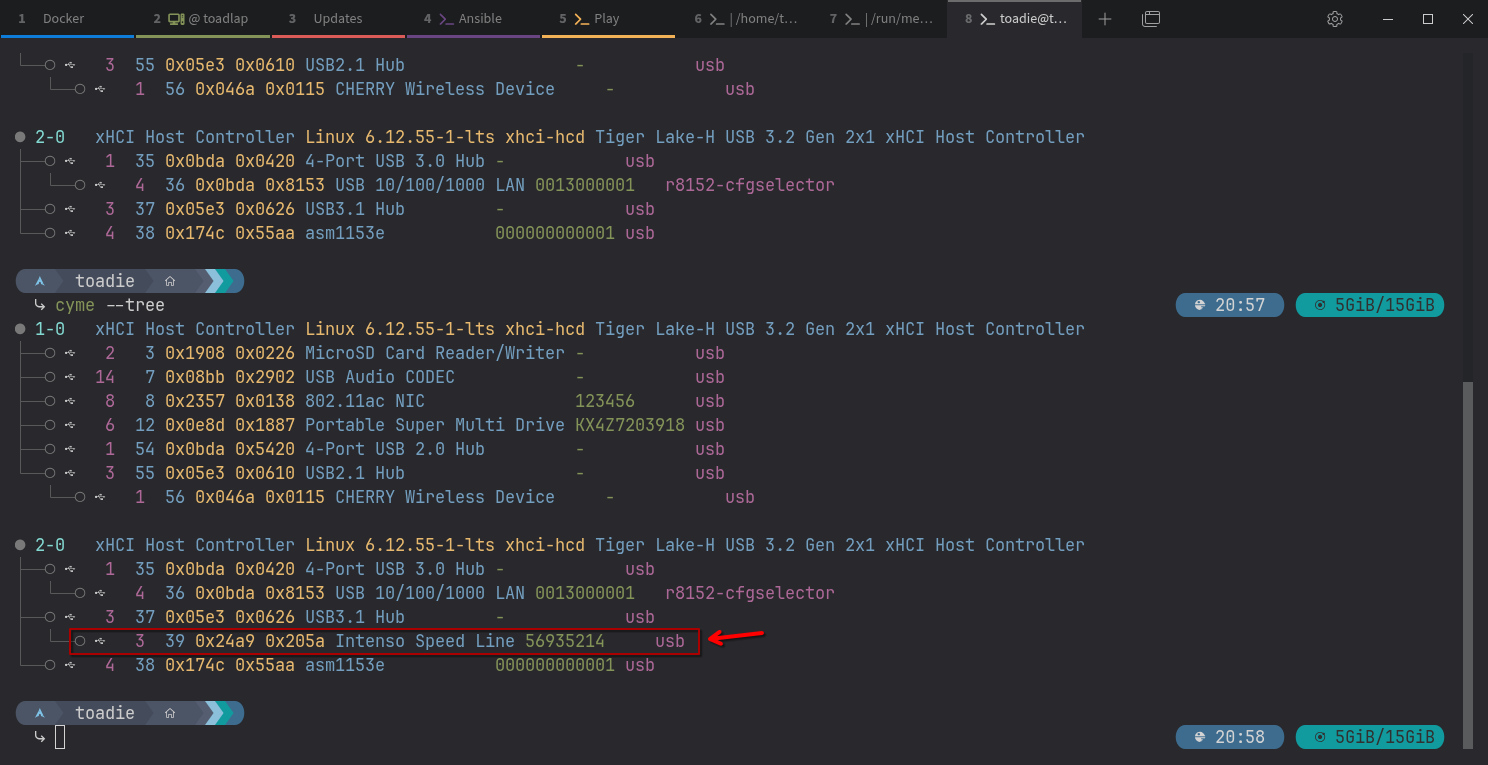
Consider
lsusb or sudo libinput list-devices
3 Likes
As a fellow ham radio operator (callsign AD7HM), I may have an understanding of what the original poster is trying to do. Unfortunately, like OP, I’ve also floundered with getting my computer to control my radio. One of the problems is that - over the past 15 years - the USB device names visible within programs that we commonly used have been changed by changes to the Linux kernel - and not necessarily in an understandable way.
The lsusb command is good as far as it goes. The problem is that the way various ham radio programs refer to the interfaces does not align with what’s displayed by the lsusb command.
I was using my radio late yesterday, on my computer dedicated to ham radio control, and - for the first time in quite a while - I opened a radio control program called FLRig. FLRig accesses USB devices directly; other ham radio programs use a library called HamLib (technically, libHamLib) as their go-between.
On that computer, the output of the lsusb command is similar to the screen shots. My Icom IC-7610 ham radio transceiver has two USB bridge controllers - one to control receiver A (which is also the transmit side of the radio), and the other to control receiver B (receive-only) - as well as a USB sound card. The lsusb command shows these three devices.
In FLRig, however, the device name isn’t anything similar - if I recall correctly, I have the program talking to a device named /dev/ttyUSB0 to control the first receiver. (I’d have to take a screen shot off that computer to confirm my faulty personal RAM memory.)
I didn’t look at the program I use - CQRLog - for logging voice contacts. CQRLog uses HamLib. I also did not open WSJT (Weak Signal - Joe Taylor), a very popular program for digital contacts, which also uses HamLib - though realistically, I’d only need to look at one to understand how the USB device is entered.
What we hams need is a way to see what the actual /dev/ device to friendly name is. I honestly haven’t searched for any programs that would do that, as I solved my problem, and - until now - haven’t had anyone ask me how to set up Linux for radio control.
Oh…one other thing I’ve learned along the way. On some distros, there is a default group that is the only one allowed to access serial ports. I can’t remember if it’s the dialout group or another one - as I don’t change Linux distros unless something breaks. I’ve found that adding my user to that group solves a lot of “my computer won’t talk to my radio!” problems.
1 Like
Finally had time to capture images to upload. Here’s the view using USB Viewer - my ham radio has the devices listed under the highlighted “hub” entry.
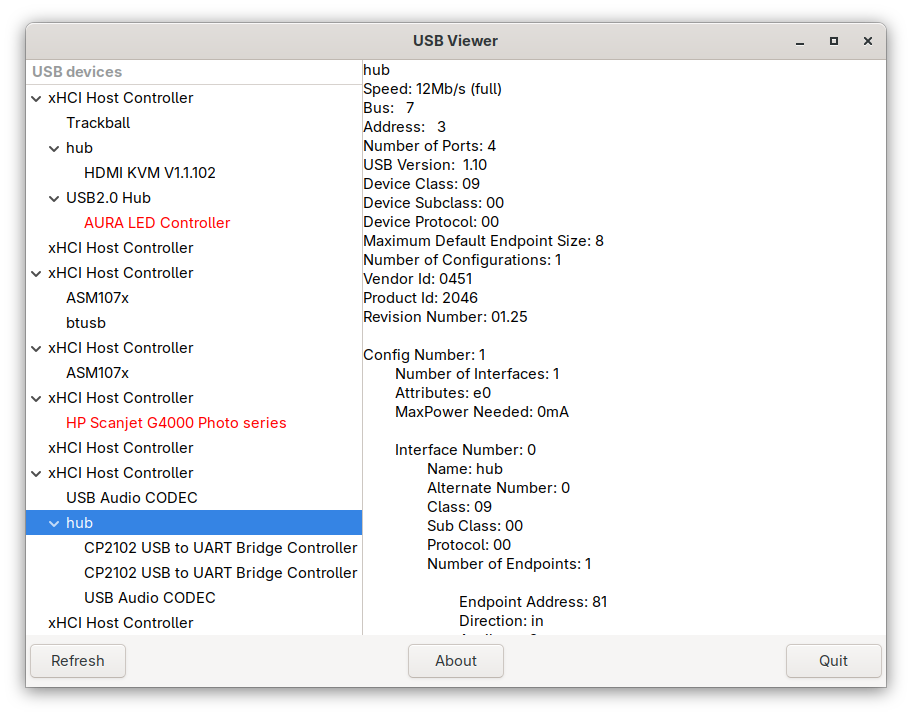
Turns out - both FLRig and HamLib are using the same device, /dev/ttyUSB0. Here’s a screen shot from the configuration of CQRLog (which uses HamLib) showing the device configuration.
Note: rigctld is the “rig control” daemon library that is installed when the HamLib package is installed. Also - instructive to note that, under the “Extra command line arguments:” field, when using a USB-to-serial converter, HamLib needs to be told “how fast is the serial port?” with this command.
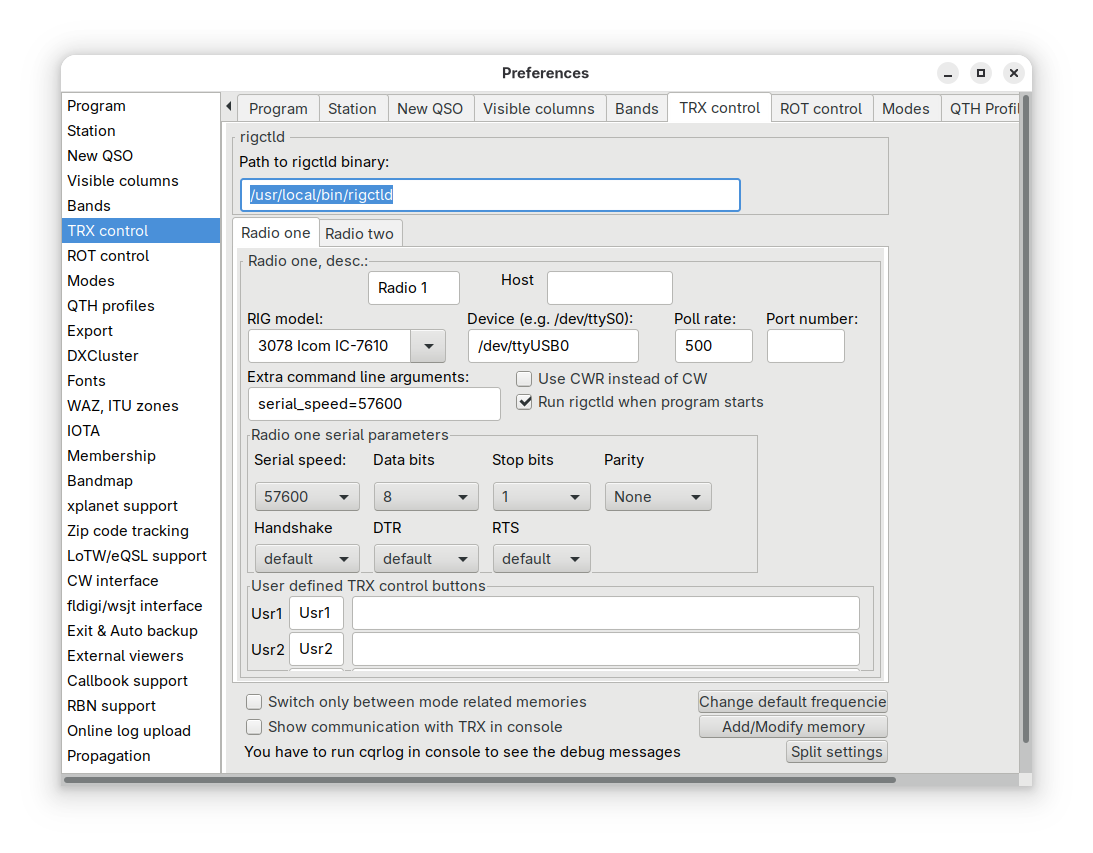
Hopefully, the images help with my earlier (TL:DR) narrative 
Eric
3 Likes