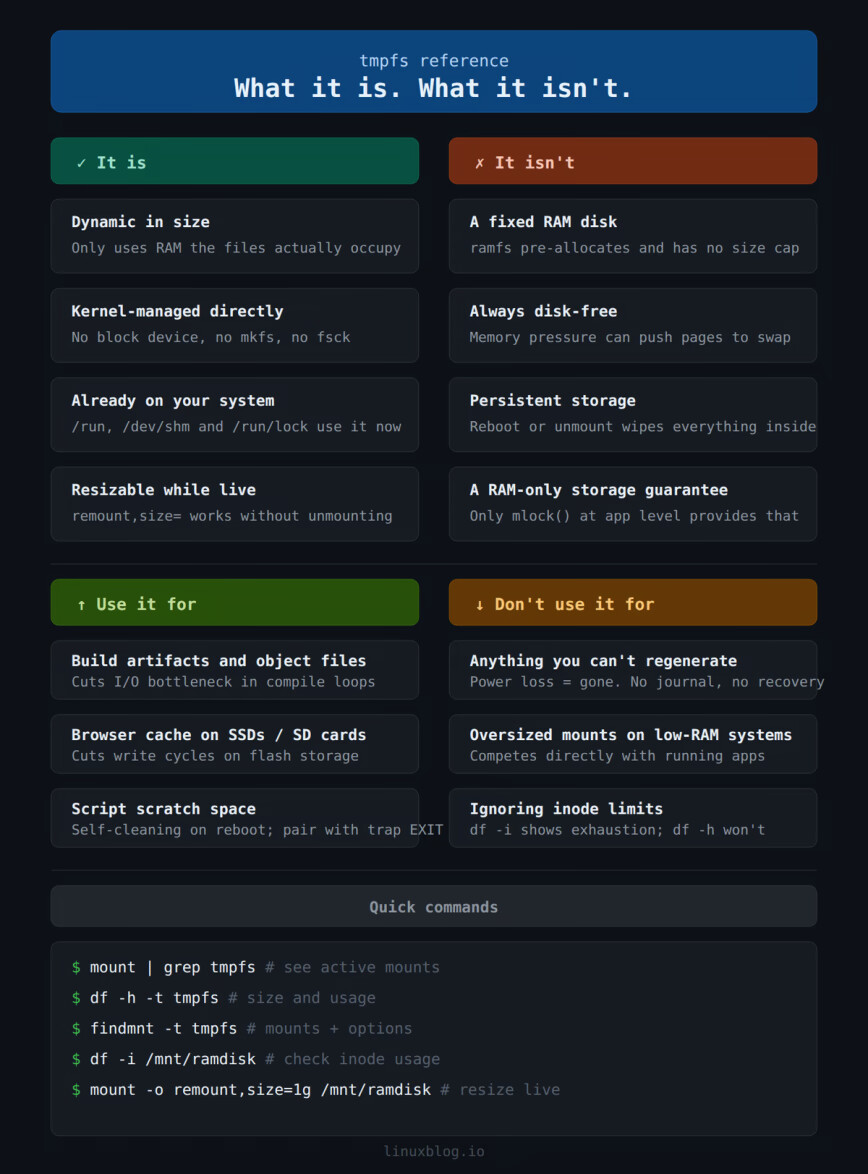
tmpfs lets you mount a filesystem entirely in RAM. Here is how Linux already uses it, how to create your own mounts, and where it actually makes sense to use one. continue reading.
This is a really great article, thank you so much for writing this up! I primarily use Waterfox as my browser. It looks like the cache directory is similar to Firefox (expected as it’s a fork) and I can see the cache in ~/.cache/waterfox.
I’m going to try making a tmpfs mount for this and see how it goes. Do you have any recommendations for the size? Right now it’s sitting at 172M (according to du -hs ~/.cache/waterfox).
I do a lot of gaming, I wonder if storing the shaders for the different games would be worth storing there as well? I see a ~/.cache/mesa_shader_cache directory, but it’s only taking 21M right, which is smaller than I would have thought.
Do you have any experience with game shaders to know if that is worth testing here too?
Thanks for feedback. For cache size, check your free RAM under normal usage first with free -h.
If you have several gigabytes consistently free, 512M is comfortable. If RAM is tight, start at 256M. Either way, leave some headroom because when a tmpfs mount fills up writes fail with a “no space left on device” error. I dont think Waterfox will crash but it will stop caching until space is available. So as long as you have enough free (unused) RAM, then make tmpfs large.
On the Mesa shader cache, not as good of a candidate. Shaders compile once but get reused across reboots. On tmpfs they haveto recompile cold every boot, which slows first loads rather than helping.
Ahh ok! I did not know that they needed to recompile on reboot, so that does scratch that off the list.
I’ve got a 32GB system so I’ve typically got ~80% free in most situations. When gaming that might dip a bit, but I feel like I’ve got plenty of head room to run 512M then.
Oh, well yes for sure! At least 1 GB sounds like a good starting point. You can also move logs and other stuff into tmpfs since you have a lot of free RAM:
The 24 core video edit and conversion server I talked about earlier had 128 GB RAM where 120 GB was reserved for intermediate (video)files in the conversion/edit process because speed was of utmost importance.
It used ramfs for this.
At home I don’t use it anynore. I often use /run/user/$UID now for temporary files where I previously used /var/run/shm (which is also tmpfs ofcourse).
 I dont think Waterfox will crash but it will stop caching until space is available. So as long as you have enough free (unused) RAM, then make