I found Debian 13 KDE to be very nice and usable as desktop. But Debian’s default conky is ugly, so I had to steal a conky theme from MX to make it look nice.
3 Likes
MX Linux does indeed have some of the nicest Conky configurations that I’ve encountered.
4 Likes
I found it kind of fun trying to figure out how to make it something I wanted and now have.
2 Likes
The screenshot you posted looked pretty good.
2 Likes
can you post an screenshot?
3 Likes
Sure, what OS did you want the screenshot of?
3 Likes
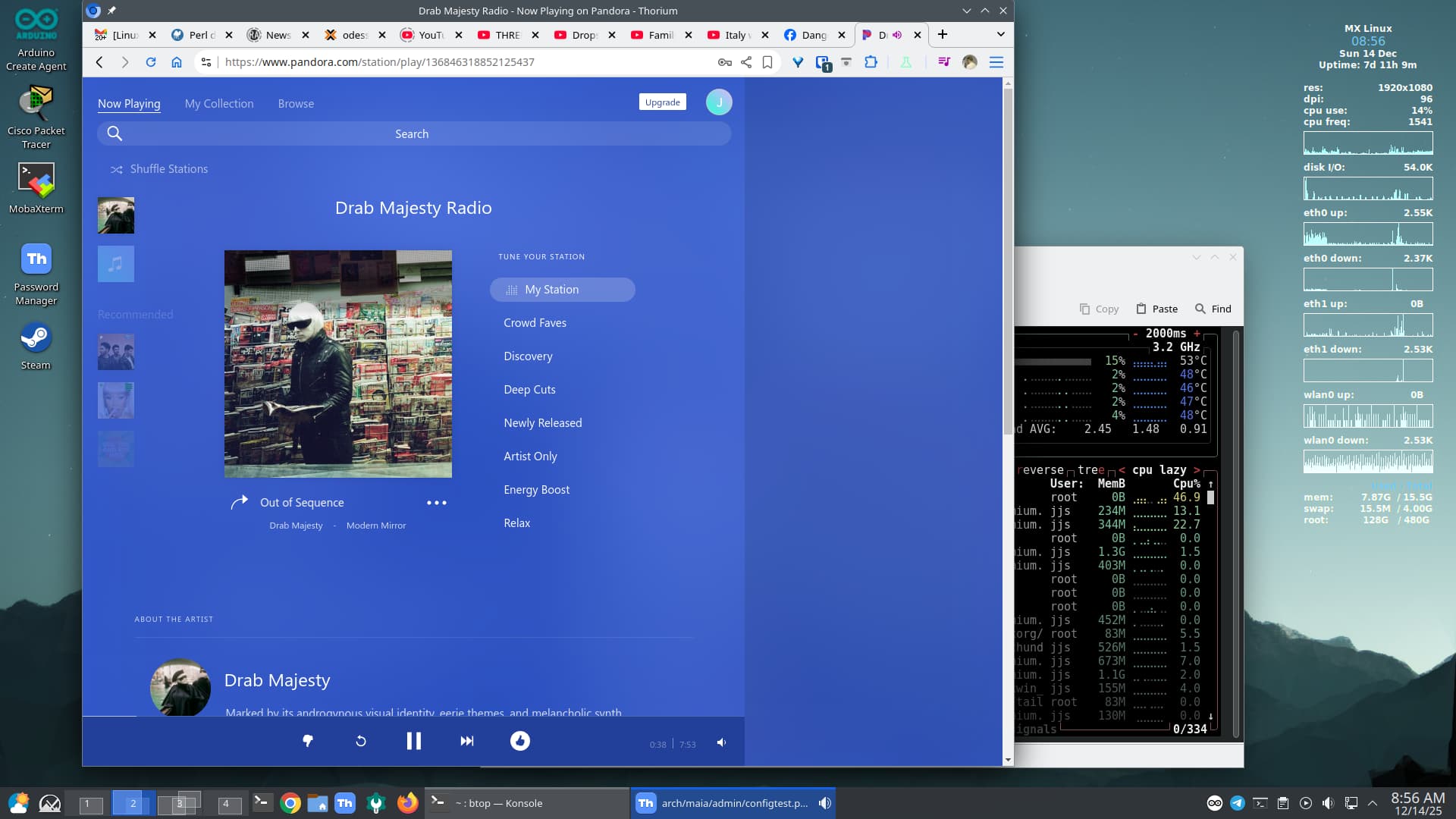
Your conky config in action from MX Linux
2 Likes
It’s one of the standard configs in their collection. There are more elaborate ones, but I like this clean look.
6 Likes
I have Endeavouros (Arch Linux) on one drive and Omarchy (Arch Linux) is parked on my other drive. The boot-up choice is managed by Limine. I have a green Mini Cooper S parked on a different drive and two motorcycles in my garage. (Have I lost the plot?  )
)
2 Likes
We’ve received very good mileage out of this topic! Quite a few of us multi-boot our systems. We have a few people who mix the use of virtual machines with real metal, and we have others who go 100% virtual machines or real metal.
@MarshallJFlinkman has one of the most compelling arguments for his QEMU-KVM virtualization. A few of us are mostly or exclusively a one system user, which of course has it’s own advantages and disadvantages. We also represent a very diverse set of distributions and each of them work for us quite well depending on how we utilize our systems in our every day activities.
After a bit of a hiatus on this subject, @rogerp has mentioned his preferences (and his preferred transportation) — good one!
Now I’m wondering if there has been a shift in the number, type, or particulars in the systems you are using. Has either your hardware or your software choices changed at all (other than new versions of software) since you last wrote on this topic)?
I’ve revamped mine a little bit but I’m still running five distributions on my main system, so not too much has changed except for newer software.
How about you?
4 Likes
Really LOVE the workspaces overview. Is this still KDE but on MX Linux?
1 Like
Yes, this is my MX daily driver
2 Likes
Ahh KDE looks good. Cool
1 Like
I’m in the early stages of setting up a QEMU-KVM setup with antiX 26 on my main physical machine. Right now it boots five distributions.
Assuming I get it working correctly I will have one distribution (antiX 26) consuming the entire disk) and I should be able to set up a decent configuration. Unlike @MarshallJFlinkman I do not have a huge capacity server, I just have a halfway decent laptop, but I do not require huge images. I have 16 GB RAM so I’ll probably keep most of that allocated to the main system. For disk space, I have a total of 512 GB NVME SSD, so the entire disk will go to antiX and I can still spread out 80 GB VM images for each instance.
Does that appear reasonable to those of you who are much more familiar with these configurations than I am? It’s been between 20-25 years since I configured them myself.
4 Likes
Having a single partition/volume means more flexibility. Having multiple partitions/volumes (one for boot/root and one for the virtual disks) means that the virtual disks cannot expand to fill the host’s disk and stop everything.
Instead of creating 80 GiB virtual disks that are raw and consume 80 GiB each, please consider using “preallocation=metadata” or “preallocation=off”. I think these were similar to Hyper-V’s dynamically expanding virtual disks. Raw virtual disks do NOT support QEMU snapshots, and this is a GREAT feature to use. Setting “preallocation=metadata” is the default and will provide near native performance. Setting “preallocation=off” will provide less performance than “preallocation=metadata”, but “preallocation=off” will be the most compact on disk…useful for copying virtual disks, rsync, etcetera. Custom virtual disks can be created using command “qemu-img”.
My process is ZFS filesystem type dataset centric, but this is what I use to create a new virtual disk:
sudo zfs create data01/guest_images/<HOSTNAME>

sudo chown -R libvirt-qemu:kvm /mnt/data01/guest_images/<HOSTNAME>

preallocation=off (196 KB / 196 KB) and cluster_size=64K:
sudo bash -c 'virtualdisk=/mnt/data01/guest_images/<HOSTNAME>/<HOSTNAME>_00.qcow2 && qemu-img create -f qcow2 -o preallocation=off,cluster_size=64K $virtualdisk 200G && chmod 600 $virtualdisk && ls -lash --full-time $virtualdisk'
Once the virtual disk is created to your specifications, you can use virt-man (Virtual Machine Manager) to assign the disk during the guest creation wizard (New Virtual Machine).
When you create the new guest, you can assign the necessary amount of RAM. Similar to any other application, this is no longer available to the host operating system. Technically, you would be allocating RAM to the guests, and removing it from the host.
4 Likes
I have Ubuntu Mate on my main machine and a old dell jukebox. My backup is Sparky Linux and so is a 12" laptop ‘cookbook’ I keep for my wife with all her recipes on it.
I tried VM’s and have no use for them. I also keep at least two other Distros on USB drives. I have MInt, an Ubuntu Mate backup and a Parted Magic USB right now. I should put Debian on one.
All are Debian based, it’s what I learned first and I am to old and lazy to learn another package manager and it’s commands. All are Mate because that is the best and only desktop in my opinion.
3 Likes
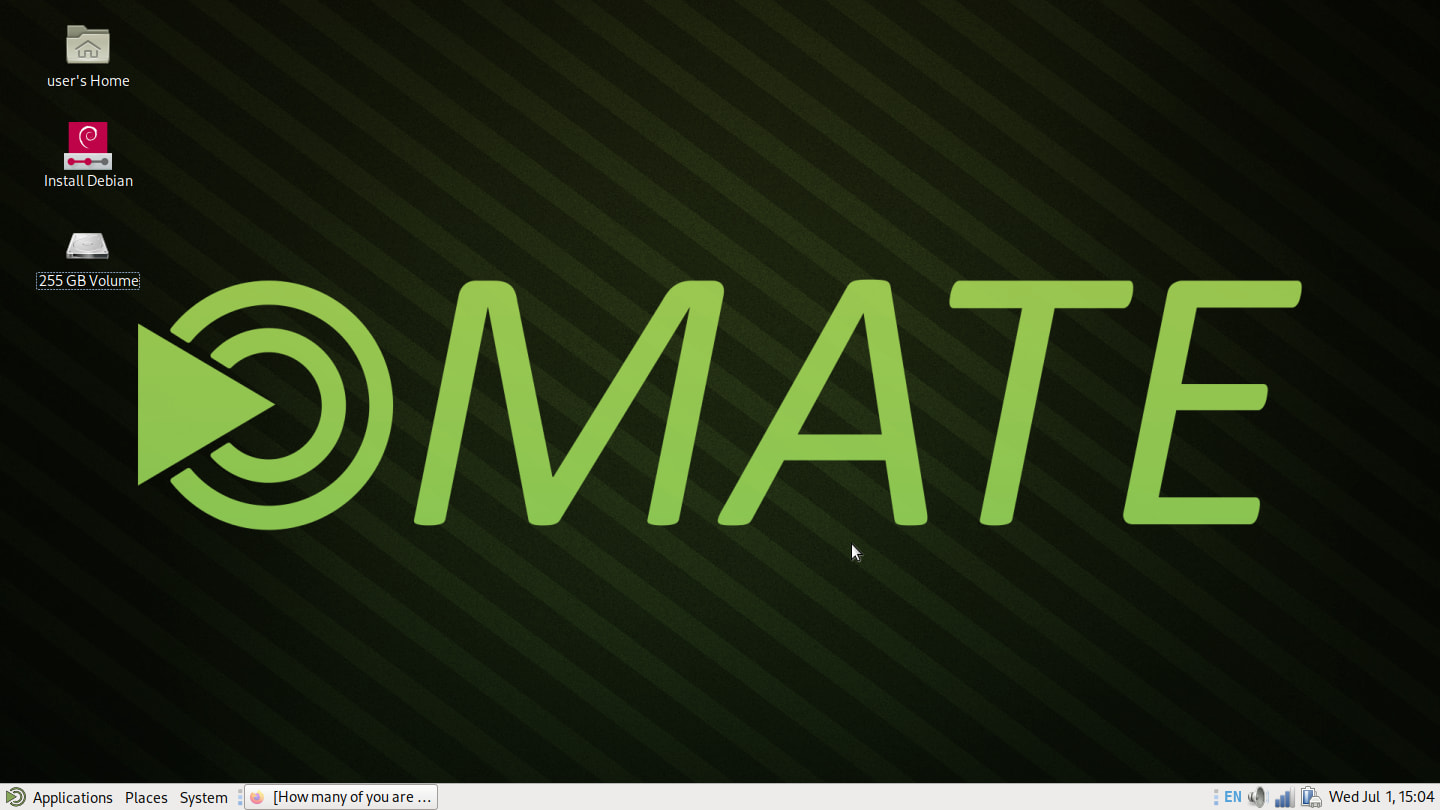
Well this post got my butt in gear. I had Debian 13 downloaded and burnt it to a USB stick
with Etcher. It’s pretty slick. WIFI worked with no issues. I changed the display to 1440x810 and moved the panel to the bottom like I like to see if I could customize it the way I like. All is good. I will keep this around on the USB stick for quite some time.
7 Likes
Greetings fellow Earth creatures!
As my place of origin celebrates 250 years of autonomy from it’s English ancestors I greet you momentarily from a Google Pixel tablet just to shake it up for a couple of minutes.
This is definitely NOT a great device for a lot of typing, at least for me; I am not a very good typist even after decades of typing but I can type slowly across a wide range of devices; this one is great for watching quick video clips or packing up for a quick trip!
7 Likes
I used Windows 11 in dual boot with my Linux distribution of choice until the end of 2025 on my hardware. Since then, I only use one Linux distribution. I don’t want to use more than one because I couldn’t decide which distribution to boot. 
4 Likes
Hi @anon7765229 ! I understand about not wanting to use multiple distributions, though I’m on the opposite end - I use MANY distributions, though that does come with the cost of maintenance and switching around, so that’s why I’ve reduced the number of distributions on most of my laptops.
What distribution did you end up choosing? It may be out here somewhere, but a quick roll up a page or so didn’t help me spot it, and I don’t remember if you have shared that before or not, so if you’re willing to tell us, I’m certainly interested.
That’s one of the things we chat about here - not trying to change anyone, just interested in understanding the different reasons why different people choose their distributions. That in itself is a fascinating topic of discussion.
4 Likes