@Brian_Masinick I haven’t forgotten, but thanks for the gentle reminder.
I remember DT on youtube put it best, many of us use tiling window managers, not for the tiling but for the workspace organization. So on my home system I have 22 workspaces. 1-10 is for home projects, F1-F12 is for Office Apps. As a sampling, on workspace 1 I have terminals, workspace 2 is firefox, workspace 5 is google, workspace 7 is a file browser.
Because specific apps are on a specific workspace, I just press Meta plus the workspace number and what I need comes up. I enjoy this especially across multiple screens. I barely move windows now, it’s either full screen or vertical or horizontal tiling.
i3WM and Sway have tabbed workspaces, and I love their implementation of it. I especially use this feature when I have several browser windows open. Here is a sample of my dual screen setup.
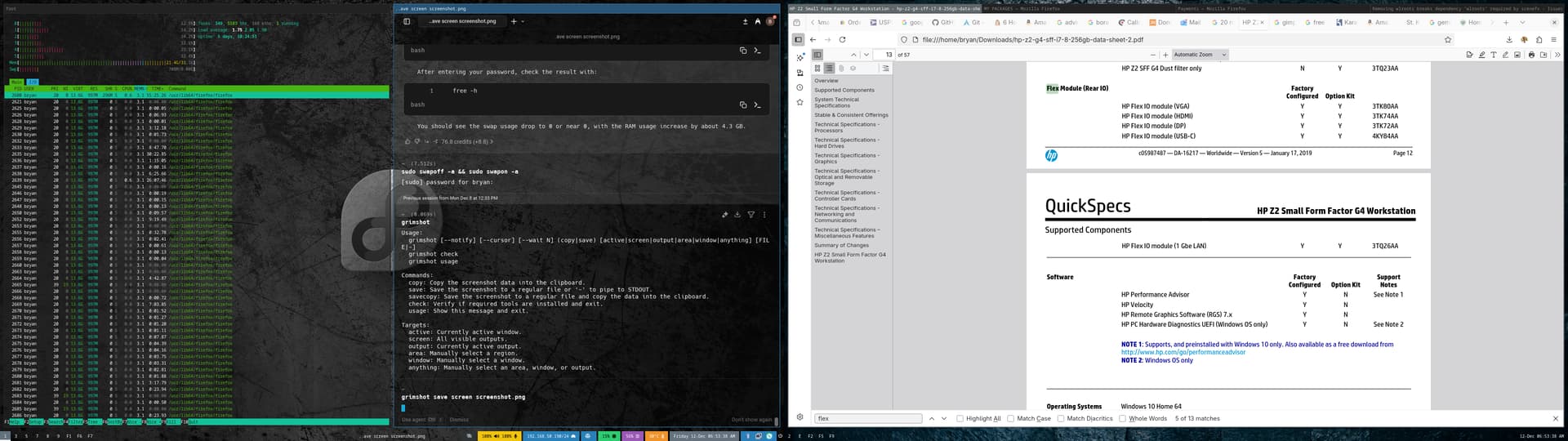
So on one screen you see a vertical window tile, and on the next is the tabbed layout.
The reason I choose Sway over i3WM is Wayland. Wayland feels so much smoother, and the graphics I love. On a side note Hyprland has plenty of bling with the smoothness but no tabbed workspaces, at least not yet the last I checked.
So in summary, the tabbed workspaces and Wayland is the main reason I choose Sway.