Thanks for sharing about Zen Browser, I did not know about it, I’m curious to try!
Updates:
I’m using Zen browser for 1 week now and I’m in love with it. Thankyou @hydn for share it with the community.
The best feature, which wink the eye a bit to Arc, the futuristic browser, are workspaces and custom bookmarks for each workspace. I think this is the functionality I was missing, once tried to utilize it I’m not able to rollback to an old-style browser.
Also I love the light colors, they make you feel very comfortable while browsing the web.
Moreover it’s based at the top of Firefox, the development team is following daddy Firefox main releases. that’s so interesting.
Let’s convert the original post to a Wiki post and combine the many suggestions everyone has included. This way, we can see all the browser options in one place at the top of this discussion thread.
I heard alot about Thorium, it comes out a big scandale last year when Chris Titus Tech starting speaking about it and eloging this browser.
I was using a bit last year, but I think the main problem about using this browser is more vulnerable then other browsers because it’s reciving slower updates.
More over I remember the author on Github (a little more then a teenager) starts removing some NFSW pics he harcoded into browser when CTT start using it.
So yes, I prefer moving on about using Thorium …
I always have two or three Firefox browsers available: Release, Developer Edition and Nightly.
That doesn’t mean I always use them.
I also have Librewolf and Ungoogled Chromium; I have been using them more frequently recently.
I do have Google Chrome and Chromium installed in a few locations, just in case I need them when one of the other browsers don’t work well on a particular site, though that is rare.
Alternative systems and software; that’s one of my methods of backup.
Flash Drive images is another; cloud storage is a third and extra hardware is the fourth; got it covered.
I use mainly Brave and Librewolf.
I use Opera, Mullvad and Tor-browser for special cases.
Netsurf and Falcon for non-internet related things, potentially as pure HTML frontend and things like that so they don’t really count as browsers in my case
Going on a bit of a tangent here, but I have used ssh a few times as a SOCKS 5 proxy for Brave and Librewolf for connection testing. It works fantastic.
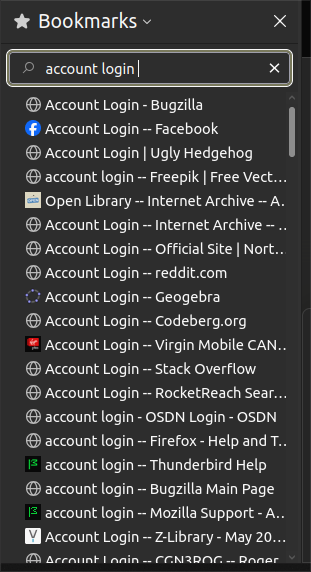
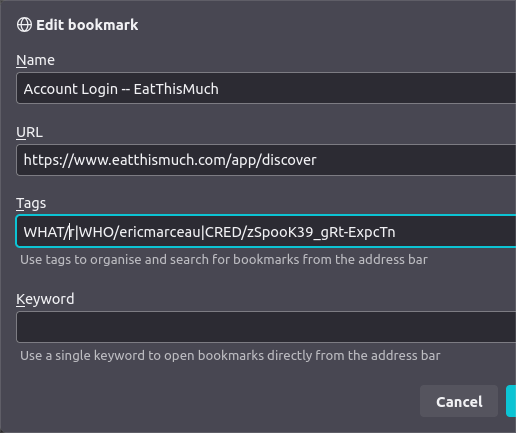
I’ve also gradually modified those bookmarks to work around recent changes to the Mozilla Bookmark API. The following gives an example of what I do, in order to be able to preserve those values from one version to the next, or for exporting.
I chose the “Tags” field for my authentication strings because the discussions regarding the API seemed to indicate that they were going to preserve that field, while they might do away with some others.
I wouldn’t say there is ‘best’ browser. There is what I want, and how I have the browser setup for security and with addons. I use Waterfox for low security things with only a few addons. I use Firefox for higher level things like health accounts, with telemetry shut off and a few more addons. I use Firefox esr for more risky sites, no telemetry and quite a few addons. I use LIbreWolf for high security stuff, safety addons and never have it save anything for like banking and financial stuff. So I have 4 different browsers each set up differently for different purposes.
I demand a top tool bar, so chromium based browsers are out.